
8 Essential AI Concepts Every Tech Professional Should Know Before 2027
Not long ago, “knowing AI” mostly meant writing a decent prompt. That’s no longer enough. Clients and employers now ask tougher questions. Can this workflow run without constant supervision? What does each task cost? How do you know the answers are right?

That shift is why these 8 essential AI concepts matter. They describe how AI is actually built, run and trusted in real projects, not just how it’s used in a chat window. If you freelance, work remotely, are job hunting, or are exploring side income, understanding them makes you easier to trust and easier to hire.
One honest note: learning these ideas won’t guarantee a job, a client or an income. What it gives you is a clearer map. Let’s walk through it one step at a time.
What Are the Essential AI Concepts Behind Modern AI Systems?
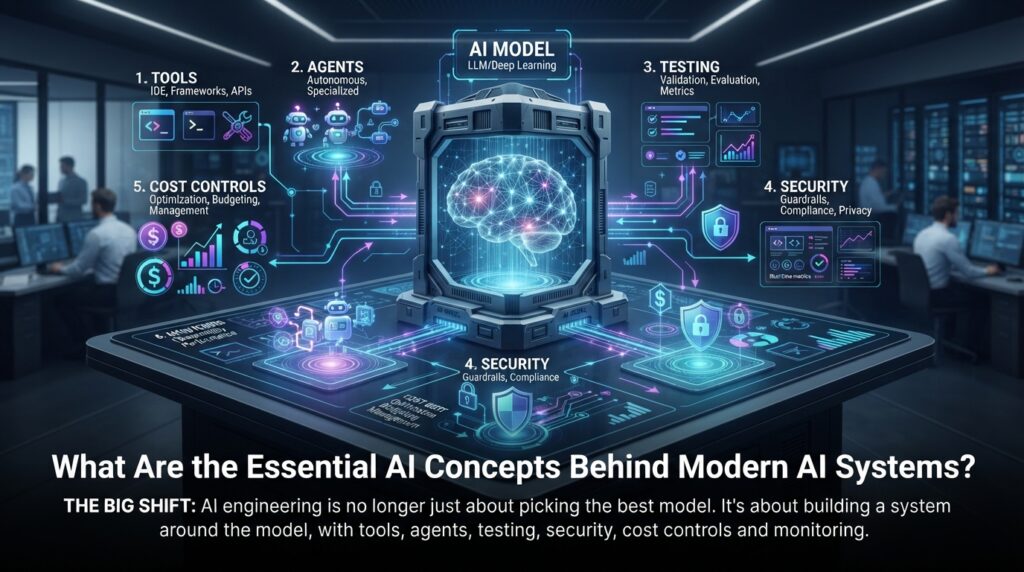
The big shift is simple. AI engineering is no longer just about picking the best model. It’s about building a system around the model, with tools, agents, testing, security, cost controls and monitoring.
Think of the language model as an engine. An engine alone won’t take you anywhere. You also need steering, brakes, a fuel gauge and a dashboard. Each of the eight ideas below is one of those parts.
Here’s the quick version:
- Agentic loops, MCP and subagents help AI do things.
- An AI gateway and inference economics keep it affordable and manageable.
- Evals, guardrails and observability keep it reliable and safe.
Step-by-Step Guide: Putting the 8 Concepts Into Practice
Work through these essential AI concepts in order. Each step covers what to do, how to do it and why it matters.
Step 1: Build an Agentic Loop
What to do: Turn a task into a loop: Plan → Act → Observe → Reflect → Repeat until the goal is met.
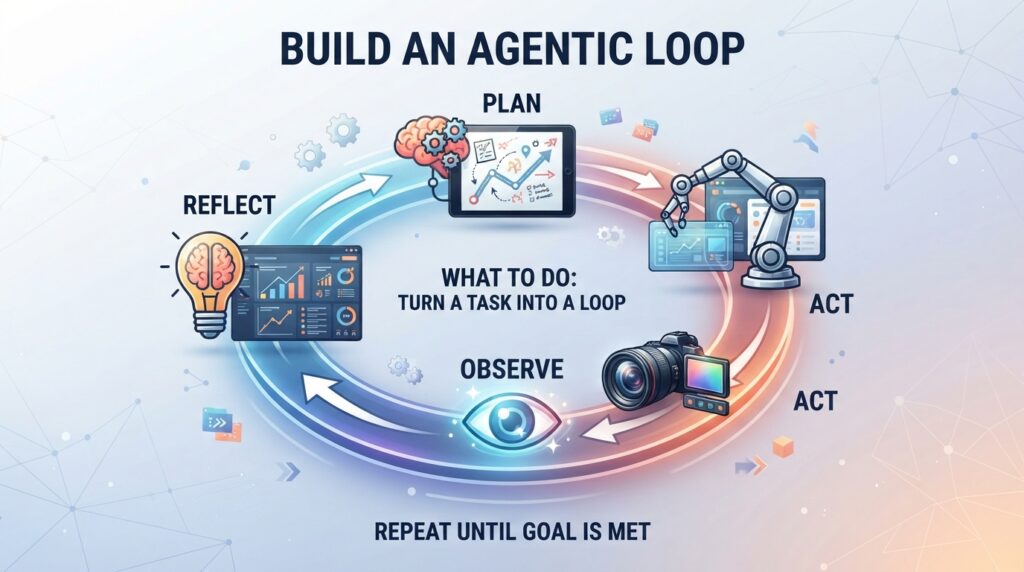
How to do it: Write the goal in one sentence. Define how the AI can check its own success. Give it two or three tools, and set a maximum number of rounds. Five to ten is a sensible start.
Why it matters: A single prompt is one shot. A loop lets the AI notice mistakes and fix them. Without a stop rule, though, it can keep running, and keep spending, indefinitely.
Example: A freelancer builds an inbox helper. It plans (sort new emails), acts (draft replies), observes (check drafts against a tone guide), reflects (is anything unclear?) and repeats. If the term is new to you, our guide on what agentic AI actually is explains the background.
Step 2: Connect Your Tools With MCP
What to do: Use the Model Context Protocol (MCP), an open standard, so AI agents can connect to GitHub, databases, browsers and file storage in a consistent way.
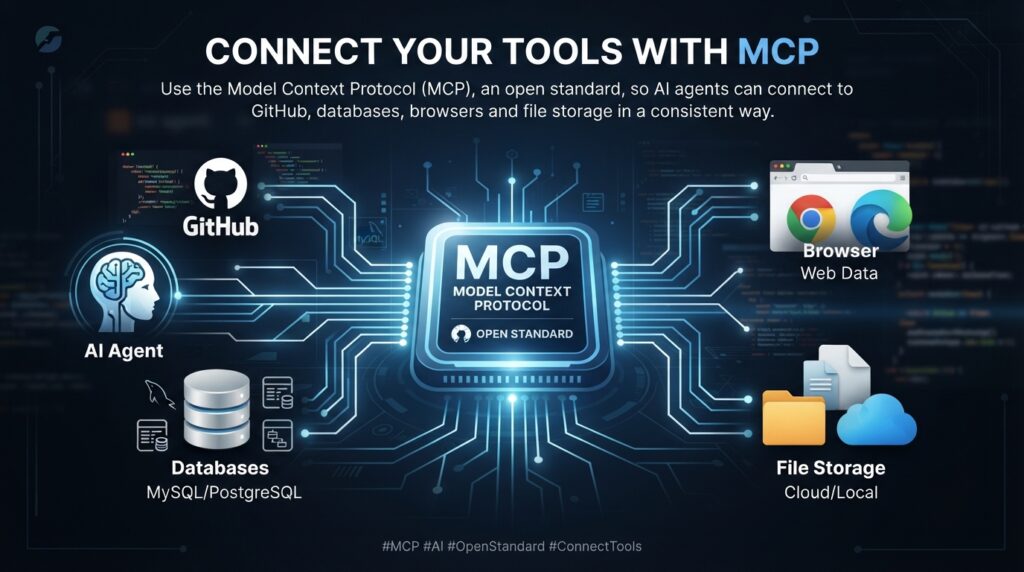
How to do it: Start with one MCP server for a tool you already use. Give read-only access first. Test with a harmless task, like summarizing open issues, before allowing any changes.
Why it matters: Without a standard, every integration is custom code. MCP cuts that glue work and makes tools easier to swap. Only install servers from sources you trust, because each one is a door into your data.
Example: A remote developer connects an agent to a code repository and a project board, then asks for a weekly progress summary.
Step 3: Split Work Into Subagents
What to do: Break a big task into smaller jobs handled by specialist agents.
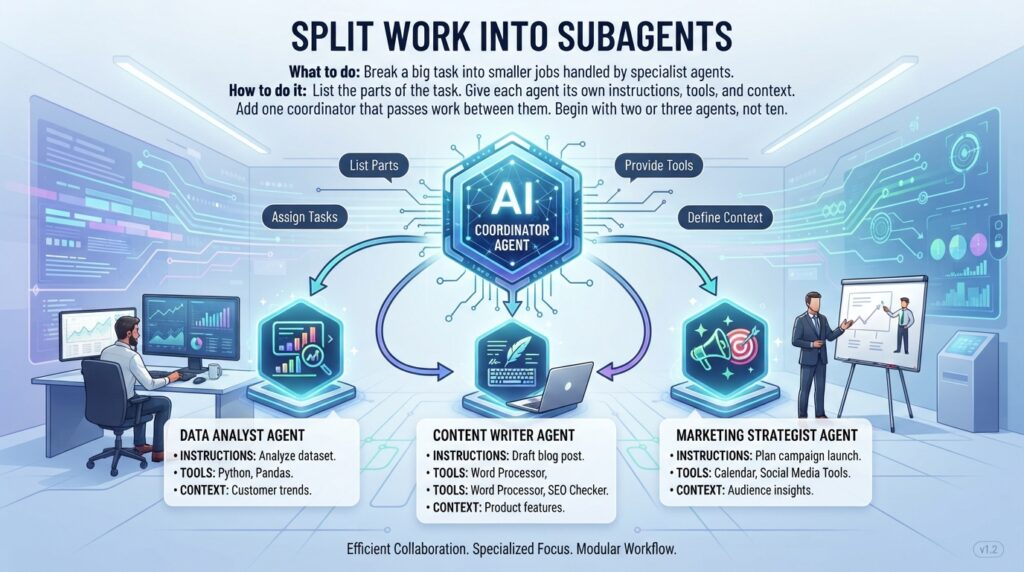
How to do it: List the parts of the task. Give each agent its own instructions, tools and context. Add one coordinator that passes work between them. Begin with two or three agents, not ten.
Why it matters: Smaller context usually means fewer mistakes. When something breaks, you know where to look.
Example: In a content workflow, a researcher gathers sources, a writer drafts, and a checker verifies claims before a human edits.
Step 4: Put an AI Gateway in Front of Your Models
What to do: Route every model request through one control point.
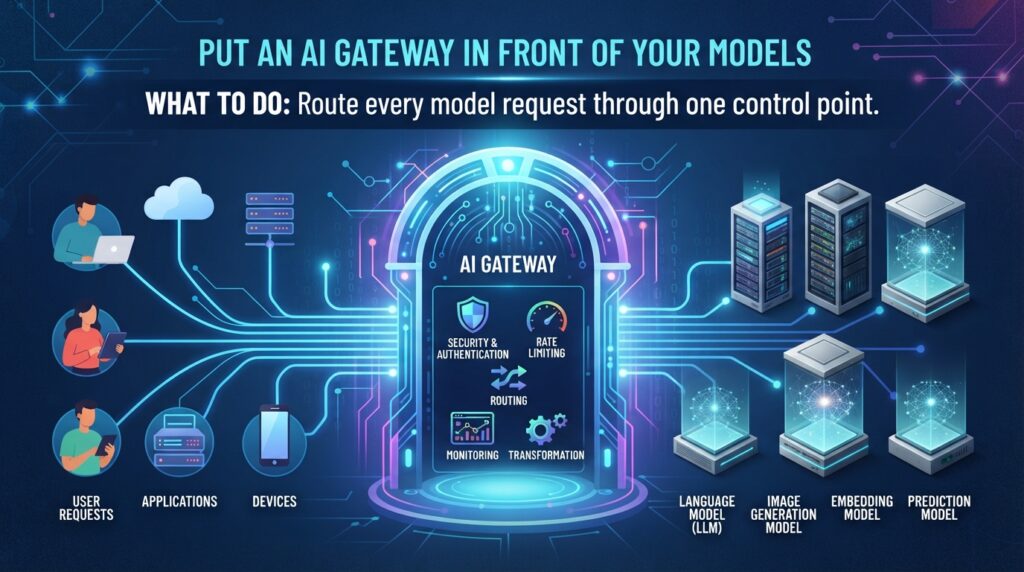
How to do it: Set up a gateway (open-source and cloud options both exist) that manages API keys, rate limits, logging and routing. Add a fallback model in case your main provider has an outage.
Why it matters: You get one place to control access, see usage and swap models without rewriting your app.
Example: A freelancer serving three clients gives each its own key and monthly budget limit. One busy client never drains the others’ allowance.
Step 5: Learn Inference Economics
What to do: Treat tokens as a real cost, because they are.

How to do it: Track tokens per task. Use smaller models for simple jobs like sorting or formatting, and save larger models for hard reasoning. Cache repeated instructions, trim bloated prompts and set budget alerts.
Why it matters: A workflow that looks cheap in testing can become expensive at volume. Always check each provider’s current pricing page, since rates change often.
Example: Cost per task = total AI spend ÷ tasks completed. If that number climbs after a change, you’ve just learned something valuable.
Step 6: Set Up Evals
What to do: Measure AI quality instead of guessing.

How to do it: Collect 20–50 real examples with ideal answers. Pick two or three criteria, such as accuracy, format and tone. Run them before and after every change, and record the scores in a simple spreadsheet.
Why it matters: If you can’t measure quality, you can’t reliably improve it. Evals turn “it feels better” into evidence.
Example: For a support-summary bot, check that every summary includes the order number and invents no details.
Step 7: Add Guardrails
What to do: Protect your AI application with rules around what goes in and what comes out.
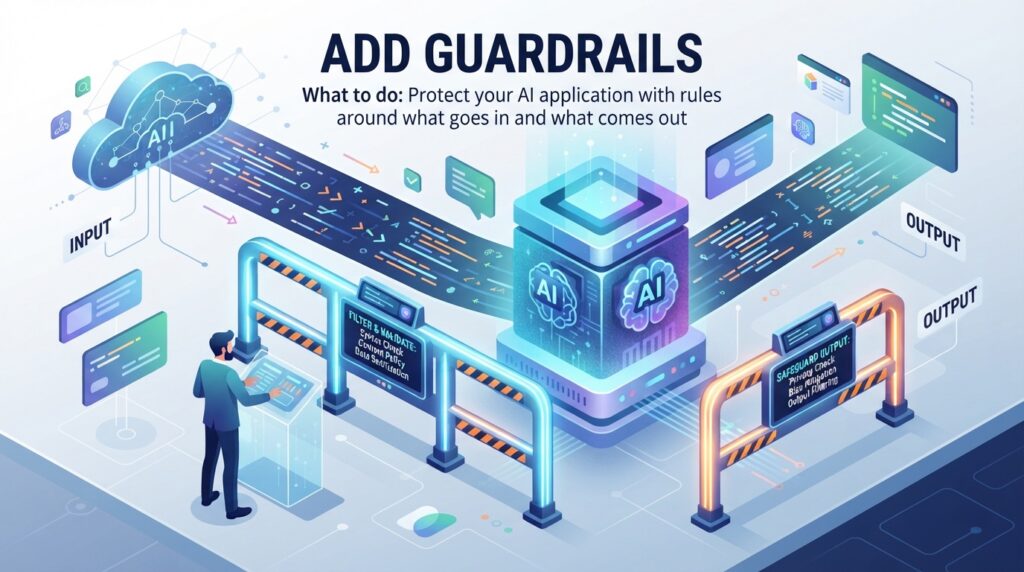
How to do it: Filter inputs for jailbreak and prompt-injection attempts. Remove personal data (PII) before it reaches the model. Check outputs for format and banned claims. Require human approval for high-stakes actions such as payments or sending emails.
Why it matters: Guardrails protect your clients, their customers and your reputation. Privacy rules differ by country (GDPR in Europe, for example), so check what applies to your work. The NIST AI Risk Management Framework is a recognized starting point for thinking about AI risk.
Example: A booking assistant masks phone numbers and payment details before any text is sent to a model.
Step 8: Make Your AI System Observable
What to do: Record what your AI system actually does.

How to do it: Log every run: the input, each tool call, the model’s response, tokens used, time taken and any errors. Tools such as Langfuse or LangSmith can help, though simple structured logs work for small projects. Set alerts for failures and cost spikes.
Why it matters: AI systems often fail quietly. They give a confident but wrong answer instead of crashing. Traces, logs and metrics show you where things went wrong.
Example: A client says, “The bot gave an odd answer on Tuesday.” With a trace, you find the exact step in minutes instead of days.
Make Your AI Knowledge Visible: The 6-Layer Order
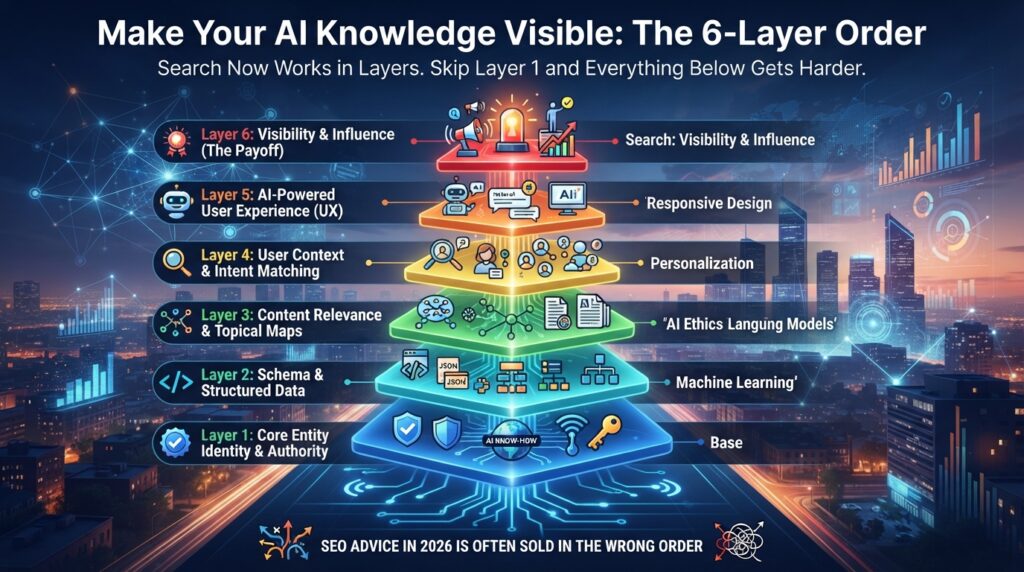
Knowing these ideas only pays off if the right people can find you. And here’s the catch: SEO advice in 2026 is often sold in the wrong order. Search now works in layers, and if you skip Layer 1, everything below it gets harder.
If you publish about essential AI concepts on a portfolio, blog or agency site, work through the layers in this order:
1. Crawlability. Make sure search crawlers can actually read your pages. Check that robots.txt isn’t blocking them, that pages don’t require a login, and that Google Search Console shows no major errors. It’s the most overlooked layer, and one of the cheapest to fix.
2. Brand consistency. Your website, LinkedIn, Reddit and other profiles should tell the same story. If one says “web developer” and another says “AI consultant,” you can look like two different businesses.
3. Answer the question. Make each H2 a real question a buyer would ask, then answer it clearly underneath. For example: “How much does it cost to automate client onboarding with AI?” This is where SEO and AEO (answer engine optimization) overlap.
4. Get cited. AI systems don’t only read your website. They also look at communities and platforms where your brand is already discussed. Be genuinely helpful there, without spamming.
5. Become the answer. Being mentioned isn’t the same as being recommended. Real case studies, specific results and credible numbers give AI systems something to reference. This layer is earned over time.
6. Convert the visitor. Traffic only matters if your site converts it. If someone already knows what they want, give them the answer fast and make the next step obvious.
The biggest mistake? Chasing AI answers while your own site still has basic technical problems. Start at the top and work your way down. Which layer are you focusing on right now?
Common Mistakes to Avoid
- Collecting buzzwords. Memorizing essential AI concepts without building anything. Fix: build one small project this month.
- Giving agents too much access. Fix: start read-only and require approval for risky actions.
- No stop rule or budget cap. Fix: set a maximum number of loops and spending alerts.
- Too many agents too soon. Fix: begin with two or three specialists.
- Shipping without evals or logs. Fix: write 20 test cases and add basic tracing before launch.
- Starting at the wrong visibility layer. Fix: fix crawlability before chasing citations.
Useful Tips
- Pick one real workflow, such as summarizing meeting notes, and apply all eight essential AI concepts in miniature.
- Use free tiers and small test sets while you learn.
- Keep a build log of what you tried, what failed and what it cost. It doubles as portfolio content.
- Write case studies with honest numbers, and say clearly which figures are estimates.
- Check official documentation before relying on any tool feature or price, because things change fast.
- Be upfront with clients about what AI can and can’t do.
Frequently Asked Questions
Which essential AI concepts should beginners learn first?
Start with agentic loops, evals and guardrails. Loops show how AI works toward a goal, evals teach you to measure it, and guardrails build safe habits early.
Will learning these skills get me a job or clients?
There’s no guarantee. These skills help you show credibility, but results depend on your market, portfolio, network and timing. Treat them as one part of the picture.
Do I need to code to understand these essential AI concepts?
No. The ideas make sense without code. For building, no-code automation tools can handle small projects, and basic Python helps as you grow.
How do I keep up when everything changes so fast?
Focus on the concepts, not individual tools. Tools come and go, but the need for testing, security, cost control and monitoring stays.
Final Thoughts
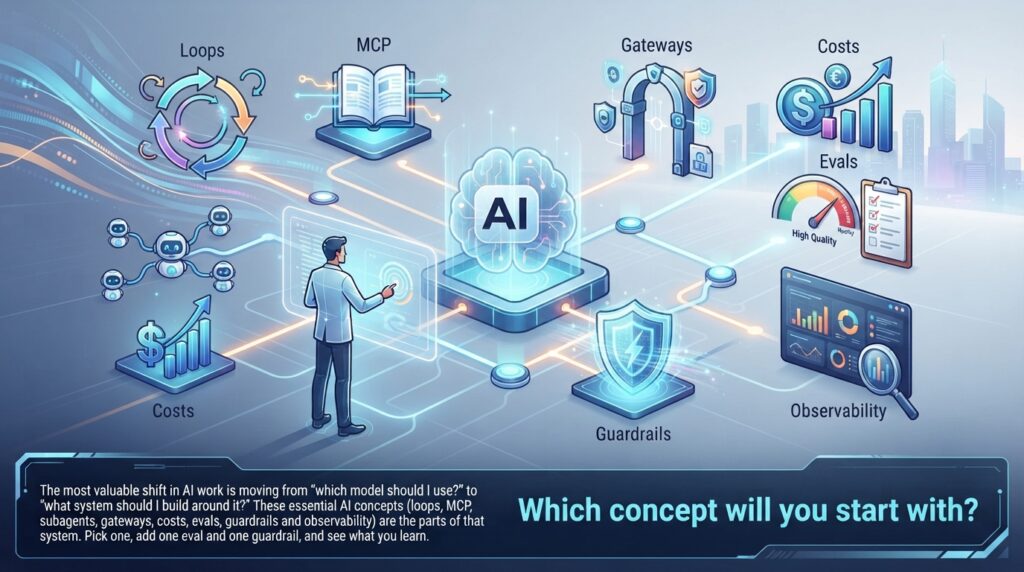
The most valuable shift in AI work is moving from “which model should I use?” to “what system should I build around it?” These essential AI concepts (loops, MCP, subagents, gateways, costs, evals, guardrails and observability) are the parts of that system.
You don’t need to master all eight this week. Pick one workflow, add one eval and one guardrail, and see what you learn. Then share what you built, in the right order, so people can find it.
Which concept will you start with?