

GPT-6 Astra vs Claude Opus 5.5: How to Actually Choose Between Them
AI models are getting harder to compare with a simple “which one is smarter” question. Give GPT-6 Astra vs Claude Opus 5.5 the exact same prompt, and the output can look completely different — not because one model is broken, but because they’re built around different strengths.
That’s actually the useful part. The real skill in 2026 isn’t knowing how to use one AI tool well — it’s knowing which model fits a given job, and being able to evaluate that quickly instead of defaulting to whichever tool you already have open. This guide walks through a practical process for doing exactly that, using the current GPT-6 Astra vs Claude Opus 5.5 comparison as the working example.
What Does “Choosing the Right AI Model” Actually Mean?

Choosing the right AI model means matching a tool’s actual strengths — not its marketing headline — to the specific shape of your task: how much context it needs to hold, how precisely it needs to follow instructions, what it costs per use, and whether it needs to take real actions or just generate text.
Take the current GPT-6 Astra vs Claude Opus 5.5 example. OpenAI positions GPT-6 Astra as its strongest computer-use model, built to operate software directly — browsing, clicking, and navigating applications the way a person would, with a roughly 1.05-million-token context window. Anthropic positions Claude Opus 5.5 for long-running agentic coding and knowledge work, with a 1-million-token context window and pricing around $4 per million input tokens and $20 per million output tokens. Both are capable, frontier-level models — but they’re optimized for genuinely different kinds of work, and the benchmarks each one leads on shift depending on the specific task and reasoning setting used.
Step-by-Step Guide: Evaluating Which AI Model Fits Your Work
Step 1: Define the Actual Job Before Comparing Models
What to do: Write down exactly what you need the AI to do, in concrete terms, before looking at any benchmark or comparison chart.
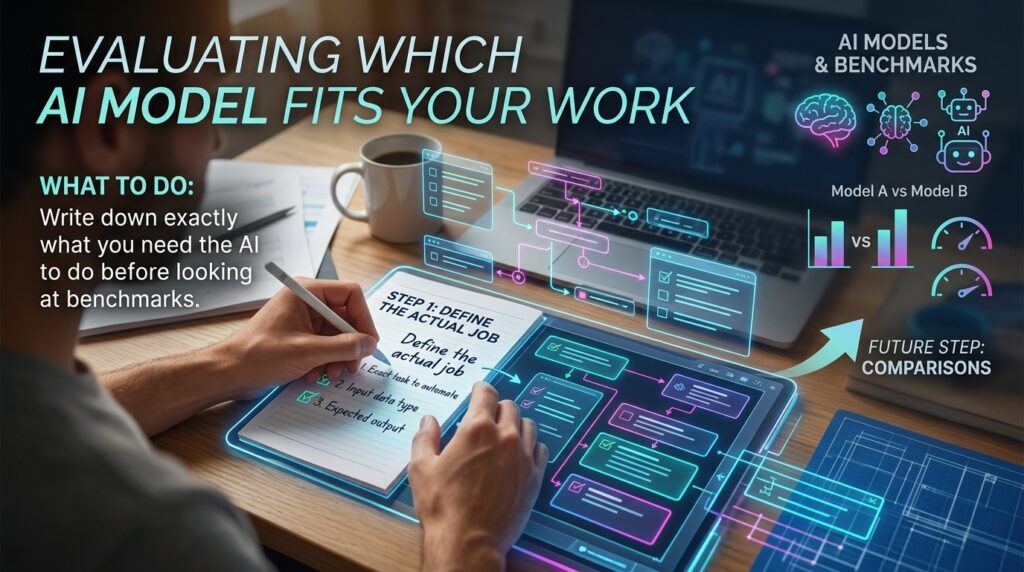
How to do it: Describe the task by its real requirements: Does it need to read and reason over a huge document? Does it need to click through actual software? Is it a short, simple writing task? Note the format of the output you actually need.
Why it matters: A head-to-head comparison like GPT-6 Astra vs Claude Opus 5.5 means very little in the abstract — the “better” model depends entirely on what you’re asking it to do. Skipping this step leads to picking a tool based on hype rather than fit.
Example: A freelance developer maintaining a large, long-running codebase has a very different need than a virtual assistant who mainly needs a model to navigate a client’s web-based scheduling tool.
Step 2: Check Context Window Needs Against What Each Model Offers

What to do: Estimate how much information your task needs the model to hold in mind at once, then compare that against each model’s context window.
How to do it: For tasks involving long documents, large codebases, or extended multi-turn conversations, context window size matters directly. Both sides of the current GPT-6 Astra vs Claude Opus 5.5 comparison offer roughly 1-million-token context windows, so for most freelance and small-business use cases, either model can likely hold what you need — the difference shows up more in how each one uses that context.
Why it matters: A model with a context window too small for your task will lose track of earlier information, producing inconsistent or contradictory output partway through a long task.
Example: A technical writer compiling a 200-page product manual from scattered source documents needs a model that can hold most or all of that material in context at once, rather than working in disconnected chunks.
Step 3: Match the Model to the Type of Work — Action vs. Generation

What to do: Identify whether your task is primarily about generating text and ideas, or about actually operating software and taking real-world actions.
How to do it: If your task is drafting, coding, summarizing, or reasoning through a knowledge-based problem, prioritize a model positioned for that kind of deep, sustained work. If your task involves navigating an actual application — filling out forms, clicking through a dashboard, operating a browser — prioritize a model built specifically for computer-use tasks.
Why it matters: This is one of the clearest practical differences in the current GPT-6 Astra vs Claude Opus 5.5 landscape. GPT-6 Astra has been positioned around strong computer-use performance; Claude Opus 5.5 has been positioned around long-running agentic coding and knowledge work. Using either outside its core strength can mean paying premium pricing for capability you don’t actually need.
Example: An entrepreneur automating a repetitive data-entry task across a web dashboard is leaning on computer-use capability, while a freelance consultant who needs a long research memo synthesized from several reports is leaning on sustained reasoning and knowledge work.
Step 4: Compare Pricing Against Your Actual Usage Volume

What to do: Look at per-token input and output pricing for each model relative to how much volume your work actually involves.
How to do it: Check current published pricing directly from each provider before committing, since AI pricing changes frequently. At publication, GPT-6 Astra was priced around $10 per million input tokens and $50 per million output tokens, while Claude Opus 5.5 was priced around $4 per million input tokens and $20 per million output tokens — a meaningful difference for anyone running high-volume or long, repeated tasks.
Why it matters: For occasional use, pricing differences are often negligible. For a freelancer or small business running frequent, long, or high-volume AI tasks, this cost difference compounds quickly and should factor directly into which model actually makes financial sense for your workflow.
Step 5: Test Both Models on a Real Task From Your Own Work

What to do: Run the same real task — not a generic demo prompt — through both models before committing to either one.
How to do it: Take an actual piece of work you need done this week and run it through both tools, comparing accuracy, instruction-following, and how usable the raw output is without heavy editing.
Why it matters: Published benchmarks tell you how a model performs on standardized tests, not necessarily how it performs on your specific writing style, codebase, or workflow. A direct, practical test on your own material is more useful than any general comparison chart, including this one.
Example: A freelance copywriter might find one model consistently nails their client’s brand voice with minimal editing, while the other technically scores higher on general benchmarks but requires more manual cleanup for this specific kind of writing.
Step 6: Check Independent Benchmarks, Not Just Vendor Claims
What to do: Cross-reference each company’s own marketing benchmarks against independent, third-party evaluation data.

How to do it: Vendor-published benchmarks are a reasonable starting point but are naturally selected to favor their own model. Independent AI model benchmarks from Artificial Analysis track frontier models across providers on standardized, vendor-neutral tests, offering a more balanced picture than either company’s own announcement.
Why it matters: OpenAI and Anthropic both publish benchmark comparisons that favor their own release — that’s normal, expected marketing behavior, but it means a single company’s chart shouldn’t be the only source you rely on when deciding.
Step 7: Build a Simple Rule for Which Model You Default To
What to do: Based on everything above, set a practical default so you’re not re-litigating this decision every single time.

How to do it: Write a short personal rule — for example, “use Model A for coding and long documents, Model B for tasks involving navigating client software” — and revisit it periodically as both models continue to update. If you’re building this into a broader toolkit, it’s worth pairing this decision with our AI tools and automation guides for freelancers managing multiple AI tools alongside other workflow software.
Why it matters: Without a simple default, it’s easy to waste time re-evaluating your options for every new task, when a sensible default based on task type handles most situations well enough.
Common Mistakes to Avoid
- Picking a model based on a single splashy benchmark number. As Step 6 covers, vendor-published benchmarks are naturally selected to favor the publishing company’s own model.
- Ignoring pricing until the bill arrives. Step 4’s cost comparison matters far more for high-volume freelance or business use than for occasional personal use.
- Assuming one model is universally “better.” As the introduction covers, the honest answer to GPT-6 Astra vs Claude Opus 5.5 is “it depends on the task,” not a single declared winner.
- Skipping a real-world test in favor of specs alone. Context window size and benchmark scores don’t always predict how a model handles your specific writing style or codebase.
- Never revisiting your default choice. Both companies update their models frequently; a default set months ago may no longer reflect current pricing or capability.
Useful Tips for Beginners
- Keep a short running note of which model handled which kind of task best for you — this becomes a genuinely useful personal reference over time.
- Don’t assume the newest or most expensive model is automatically right for a simple task — match complexity to the job, not to the headline.
- When testing, use the same exact prompt across both models so differences in output reflect the model, not inconsistent phrasing on your part.
- Revisit pricing pages directly before any high-volume project, since AI pricing and promotional rates change frequently.
- Follow independent benchmarking sources alongside company announcements for a more balanced read on real-world performance.
Frequently Asked Questions
1. Which model is better for coding, GPT-6 Astra or Claude Opus 5.5? Claude Opus 5.5 has been specifically positioned by Anthropic for long-running agentic coding and knowledge work. GPT-6 Astra has been positioned more around computer-use and browsing tasks, though both have genuine coding capability. Testing both on your actual codebase is the most reliable way to know which fits your specific work.
2. Is a larger context window always better? Not necessarily. A larger context window helps with long documents or extended sessions, but if your task doesn’t need that much held context, it won’t meaningfully change your results — and context window size alone doesn’t determine output quality.
3. Will AI model comparisons like this stay accurate over time? No single comparison stays current for long in this field. Both pricing and capability for models involved in the GPT-6 Astra vs Claude Opus 5.5 comparison are likely to shift as both companies release updates — always check current specs and pricing directly before making a decision for an important project.
4. Do I need to pick just one model for my entire workflow? No. Many freelancers and small teams use different models for different tasks — one for coding and long documents, another for tasks requiring computer-use capability — rather than committing to a single tool for everything.
5. Does a higher price always mean better performance? Not reliably. Pricing reflects a company’s positioning and infrastructure costs as much as raw capability. The practical test in Step 5 is a better guide to what you’re actually getting for your money than price alone.
Final Thoughts

The real takeaway from the GPT-6 Astra vs Claude Opus 5.5 comparison isn’t which model wins — it’s that AI skill in 2026 increasingly means knowing how to evaluate and choose the right tool for a specific job, not mastering a single one. Context window, pricing, task type, and a real-world test on your own work all matter more than a single headline benchmark.
Pick one real task from your current workload this week, run it through both models with the identical prompt, and compare the results honestly. That direct comparison will tell you more about which model fits your actual work than any specs sheet, including this one.