
Motion vs Reclaim.ai vs Sunsama: Best AI Calendar Scheduler Compared
If your calendar feels like a battlefield between meetings, deep work, and a to-do list that never shrinks, you’re not alone. Freelancers juggling multiple clients, remote employees spread across time zones, and entrepreneurs running solo businesses all share the same problem: there are more tasks than hours, and no amount of willpower fixes that on its own.

This is exactly the gap an AI calendar scheduler is built to close. Instead of you manually dragging tasks around every time something changes, these tools use automation to build (and rebuild) your day for you.
In this guide, we’ll compare three of the most talked-about tools in this space — Motion, Reclaim.ai, and Sunsama — so you can pick the right tool for how you actually work, whether you’re based in the US, UK, Europe, Australia, New Zealand, Japan, South Korea, or Singapore.
What Is an AI Calendar Scheduler?
An AI calendar scheduler is software that automatically arranges your tasks, meetings, and focus time on your calendar based on priorities, deadlines, and how much time each item realistically needs. Instead of a static to-do list sitting separately from your calendar, the tool merges the two and adjusts the schedule when things shift.
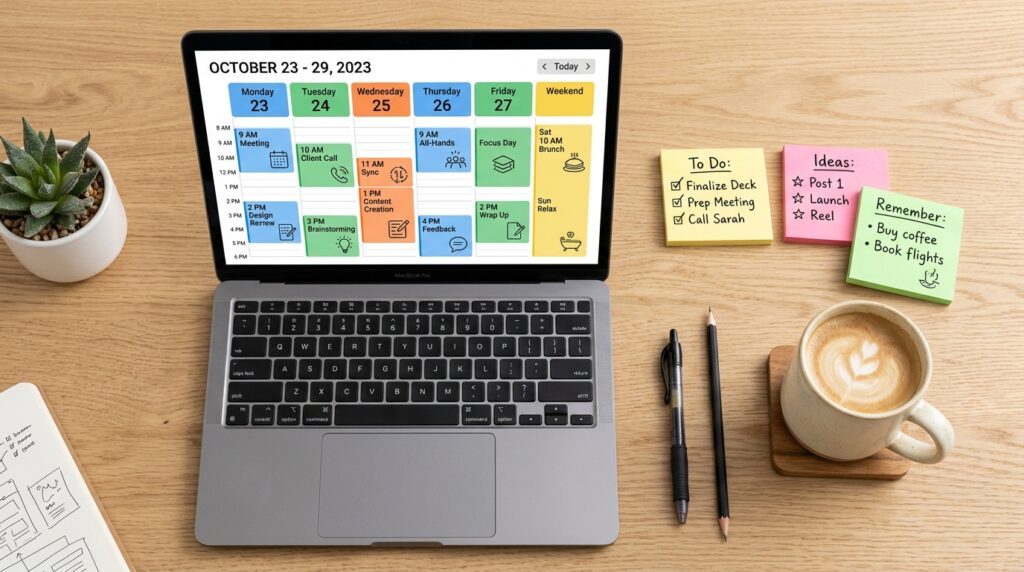
For example, if a client meeting runs long or a new “urgent” task lands in your inbox, a good scheduling tool will quietly reshuffle the rest of your day rather than leaving you to manually rebuild it from scratch.
This matters more than it might sound. Interruptions are expensive: research from Gloria Mark at UC Irvine has found it can take roughly 23 minutes to fully refocus after a distraction. A scheduler that protects blocks of focused time is directly addressing that cost, not just tidying your calendar for appearances.
Step-by-Step Guide: Choosing and Setting Up Your Scheduling Tool
Rather than just listing features, here’s a practical process for evaluating and implementing this kind of tool, using Motion, Reclaim.ai, and Sunsama as our three reference points.
Step 1: Define What “Scheduling Pain” Actually Means for You

What to do: Before comparing tools, write down your top three scheduling frustrations. Is it too many meetings? Tasks that never get done because they’re not on the calendar? Trouble protecting deep work?
How to do it: Spend 10 minutes reviewing your last two weeks in your current calendar app. Note patterns — recurring overbooked days, tasks pushed repeatedly, or focus blocks that got interrupted.
Why it matters: Motion, Reclaim.ai, and Sunsama solve slightly different problems. Motion leans toward automated, aggressive rescheduling for busy people with unpredictable days. Reclaim.ai focuses on protecting habits and recurring time (like exercise or learning blocks) alongside work tasks. Sunsama is built around a calmer, manual-review daily planning ritual rather than full automation. Picking based on your actual pain point avoids paying for automation you won’t use, or losing control you actually need.
Example: A freelance designer juggling five clients might prioritize Motion’s automatic task-to-calendar placement, while a remote employee trying to protect gym time and learning goals might lean toward Reclaim.ai’s habit-scheduling feature.
Step 2: Compare the Core Approach of Each Tool

What to do: Understand the underlying philosophy of each platform before testing them.
How to do it:
- Motion uses an algorithm to auto-schedule tasks, meetings, and projects, and re-optimizes your day automatically when priorities or timing change.
- Reclaim.ai layers “smart” habits, recurring tasks, and buffer time onto your existing Google Calendar, defending time for things you’d normally deprioritize.
- Sunsama takes a more hands-on approach: each morning, you review your tasks from tools like Trello, Asana, or Slack and deliberately plan your day, with the app helping you stay realistic about capacity.
Why it matters: Full automation (Motion) suits people who want to hand off decision-making. A hybrid model (Reclaim.ai) suits people who want automation for specific categories but manual control elsewhere. A guided-manual model (Sunsama) suits people who find full automation stressful or unpredictable, and prefer a calmer daily ritual.
Example: An entrepreneur running a small agency across time zones (say, coordinating a UK-based client and a Singapore-based contractor) might prefer Motion’s automatic conflict resolution, since manually replanning around time-zone shifts is tedious.
Step 3: Test Integration With Your Existing Tools

What to do: Check whether the tool connects cleanly with the software you already rely on.
How to do it: List your current stack — Google Calendar, Outlook, Slack, Trello, Asana, Notion, or Zoom. Then check each platform’s integration list before signing up for a trial. All three tools generally support Google Calendar and Outlook, but task-management integrations vary and change over time, so verify current support directly on each provider’s site before committing.
Why it matters: An AI calendar scheduler that doesn’t talk to your task manager just becomes another app you have to update manually, which defeats the purpose.
Example: If you manage client projects in Asana and personal errands in Google Tasks, confirm both sync properly — otherwise you’ll end up maintaining two separate systems, which is worse than the manual scheduling you started with.
Step 4: Run a Real Two-Week Trial, Not a Five-Minute Demo
What to do: Use the free trial of your top choice (or two, side by side) for at least two full working weeks.

How to do it: Add your real tasks, real deadlines, and real meetings — not a test project. Let the tool auto-schedule or guide your planning exactly as it’s designed to, without manually overriding every suggestion on day one.
Why it matters: Scheduling tools reveal their strengths and weaknesses under real, messy conditions: last-minute meetings, sick days, scope changes. A short demo won’t show you how the tool handles a genuinely chaotic Wednesday.
Example: During a two-week trial, you might notice Reclaim.ai consistently protects your “deep work” block even when new meetings are added — while a competing tool quietly deprioritizes it. That’s the kind of insight only a real trial surfaces.
Step 5: Set Realistic Time Estimates for Tasks

What to do: For any AI-driven scheduling to work well, give each task an honest time estimate, not an optimistic one.
How to do it: When adding a task, estimate how long it will genuinely take, including small overhead like switching context or replying to related emails. Adjust estimates over time as you see how long tasks actually take versus what you predicted.
Why it matters: These tools schedule based on the numbers you give them. Underestimating consistently causes the algorithm to overbook your day, defeating the entire purpose of automation.
Example: If “write a client proposal” usually takes you 90 minutes but you log it as 30, your scheduler will keep cramming other tasks into that block — and you’ll end up behind by mid-afternoon.
Step 6: Build in Buffer Time and Protected Focus Blocks
What to do: Explicitly schedule buffer time between meetings and protect at least one block per day for uninterrupted deep work.

How to do it: In Reclaim.ai, use “Smart 1:1s” and buffer-time habits. In Motion, mark high-priority deep-work tasks so the algorithm treats them as non-negotiable. In Sunsama, manually block a “focus” item each morning during your planning session.
Why it matters: Back-to-back scheduling — even when it’s technically “optimized” — leaves no room for the natural overruns and mental resets that real work requires.
Step 7: Review and Adjust Weekly
What to do: Set a recurring 15-minute weekly review to check how well the scheduler matched reality.
How to do it: Look at which tasks were repeatedly pushed, which estimates were wrong, and whether your protected focus time actually stayed protected. Adjust your settings, estimates, and priorities accordingly.
Why it matters: No AI calendar scheduler is “set and forget.” Your workload changes, and the tool needs occasional recalibration to stay accurate — a five-minute weekly check prevents small mismatches from becoming a chaotic month.
If your workflow depends on other digital productivity systems beyond calendaring, it’s worth pairing your scheduler choice with a broader look at digital productivity tools and workflow guides to make sure your entire toolkit works together rather than in silos.
Motion vs Reclaim.ai vs Sunsama: Quick Comparison
| Factor | Motion | Reclaim.ai | Sunsama |
|---|---|---|---|
| Best for | Busy schedules needing full automation | Protecting habits alongside work tasks | Calm, manual daily planning rituals |
| Automation level | High — auto-replans your day | Medium — automates specific categories | Low — guided manual planning |
| Calendar base | Own scheduling engine | Layers on Google Calendar | Layers on Google Calendar/Outlook |
| Good fit for | Freelancers, founders, project managers | Remote workers balancing habits and work | People who find heavy automation stressful |
Pricing, plan tiers, and exact feature sets change frequently for all three platforms, so always confirm current pricing directly on each provider’s official website before subscribing.
Common Mistakes to Avoid

- Trusting the algorithm blindly on day one. Any AI calendar scheduler needs a week or two of your feedback before its suggestions become genuinely reliable. Expect to make corrections early on.
- Skipping the integration check. Signing up before confirming your task manager and calendar sync properly often leads to duplicate systems and wasted setup time.
- Logging unrealistic task durations. As covered in Step 5, inflated or shrunken time estimates quietly sabotage the entire schedule.
- Ignoring time-zone settings. If you work with international clients or teams — common for freelancers serving clients across the US, Europe, and Asia-Pacific — double-check that each meeting and buffer respects the correct time zone for every participant.
- Treating the tool as a substitute for prioritization. These platforms optimize what you tell them is important; they can’t decide your actual priorities for you.
Useful Tips for Getting the Most Out of Your Scheduler
- Start with a two-week trial before committing to an annual plan.
- Keep your task list inside the tool (or a tightly integrated one) rather than split across multiple apps.
- Use color-coding or categories to separate client work, admin tasks, and personal commitments.
- Re-check your notification settings early — some tools default to frequent nudges that can feel intrusive.
- If you’re new to structured scheduling, read up on the basics of time blocking, the underlying technique most of these tools automate.
Frequently Asked Questions
1. Is an AI calendar scheduler worth it for freelancers with only one or two clients? It depends on how variable your workload is. If your schedule is fairly predictable, a simpler calendar app may be enough. If you’re frequently juggling shifting deadlines or multiple time zones, the automation tends to pay off in reduced manual replanning.
2. Which tool is best for remote teams across different countries? Motion and Reclaim.ai both handle time-zone-aware scheduling well, which is useful for teams spanning regions like the US, UK, Europe, and Asia-Pacific. Always verify time-zone settings during setup rather than assuming defaults are correct.
3. Can these tools guarantee I’ll finish everything on my to-do list? No. This kind of tool organizes and prioritizes your time more efficiently, but it can’t create more hours or guarantee task completion — that still depends on realistic planning and follow-through.
4. Do I need to switch calendars to use these tools? Generally no. Motion, Reclaim.ai, and Sunsama are designed to integrate with your existing Google Calendar or Outlook account rather than replace it entirely, though it’s worth confirming compatibility for your specific setup.
5. Are these tools suitable for job seekers managing interviews and applications? Yes — job searching involves its own mix of deadlines, follow-ups, and interview scheduling across time zones, which is exactly the kind of shifting workload an AI calendar scheduler is designed to help organize.
Final Thoughts

Choosing between Motion, Reclaim.ai, and Sunsama isn’t about finding the “best” tool in the abstract — it’s about matching the tool’s approach to how you actually want to work. If you want full automation, Motion is built for that. If you want automation for specific priorities like habits and focus time while keeping manual control elsewhere, Reclaim.ai fits better. If you prefer a calmer, guided daily planning ritual, Sunsama is worth testing first.
Whichever direction you choose, the real value of an AI calendar scheduler comes from consistent use: honest time estimates, a real trial period, and a weekly review to keep it accurate. Start with a two-week trial of one tool, track how your week actually goes, and adjust from there — that practical test will tell you more than any feature comparison ever could.