
AI Productivity Tools for Freelancers: A Step-by-Step Stack That Actually Works
Introduction: Why Your AI Stack Matters More Than Your Hustle
You didn’t become a freelancer to spend Tuesday afternoon buried in admin work. Yet between client emails, invoices, research, first drafts, and scheduling calls, most independent professionals lose hours every week to tasks that don’t actually require a human brain — they just require a brain, and right now, AI can supply one.
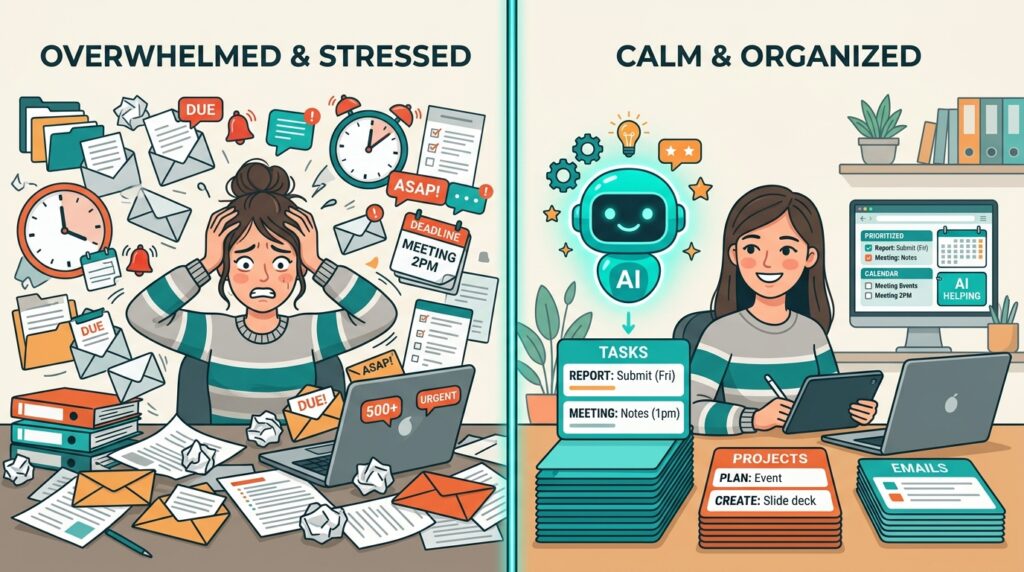
That’s the real argument for AI productivity tools for freelancers in 2026: not novelty, not hype, but hours back on your calendar. Freelancers have been faster to adopt these tools than full-time employees, and the gap is widening. According to Upwork’s research on freelancer AI use, nearly half of freelancers now consider themselves somewhat or highly skilled at using AI, and more than a third use AI tools at least one to two days per week.
This guide isn’t a list of 40 tools with vague one-liners. It’s a step-by-step system for building an AI productivity stack for freelancers that fits your actual workload — writing, research, client management, and scheduling — without wasting money on subscriptions you’ll cancel in a month.
Step 1: Audit Where Your Time Actually Goes
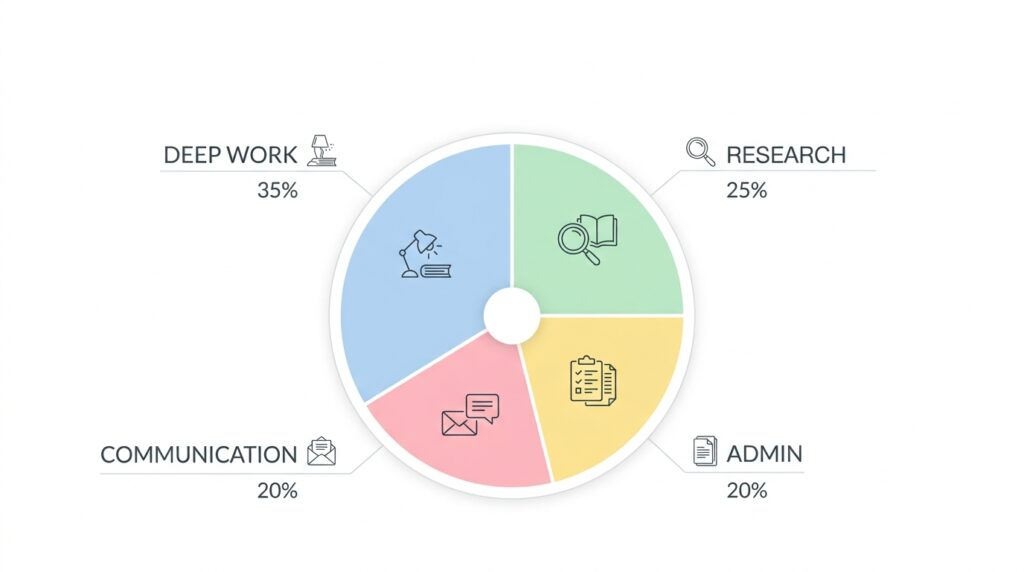
Before you add a single tool, spend three days tracking your hours honestly. Most freelancers assume they spend most of their time on billable client work. In practice, admin, research, and rewriting eat 30–40% of a typical week.
Break your time into four buckets:
- Deep work — the actual deliverable (writing, designing, coding)
- Research and planning — gathering info before you start
- Admin — invoicing, scheduling, email, project updates
- Communication — client calls, Slack, revisions
This audit tells you which bucket to attack first with AI productivity tools for freelancers. If admin eats 10 hours a week, an AI scheduler and invoicing assistant will save you more time than a fancier writing tool ever will.
Step 2: Pick One Tool Per Bucket — Not Five
The biggest mistake freelancers make when adopting AI productivity tools is signing up for everything at once. You end up paying for six overlapping subscriptions and mastering none of them. Instead, choose one primary tool per bucket:
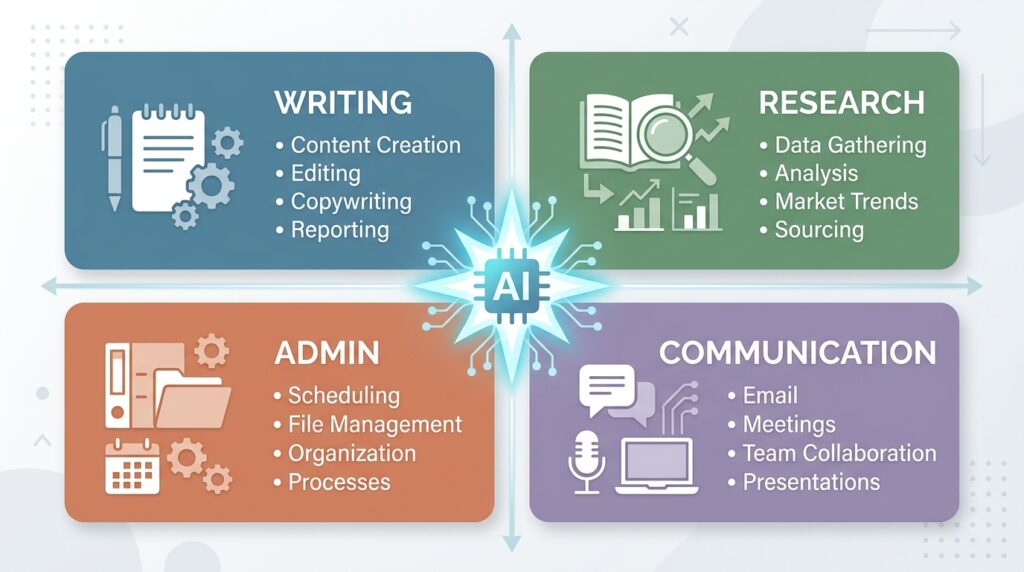
Writing & Drafting
- Use a general-purpose AI assistant (Claude or ChatGPT) for first drafts, outlines, and editing.
- Key takeaway: Don’t publish AI output raw — treat it as a first draft that still needs your judgment and voice.
Research
- Use a citation-backed research tool for anything client-facing, where accuracy matters more than speed.
- Key takeaway: If a claim will go in front of a client or a live audience, verify it before you ship it.
Admin & Scheduling
- Use an AI calendar or focus-time tool to auto-block deep work and protect it from meeting creep.
- Key takeaway: The best AI productivity tools for freelancers in this category work quietly in the background — you shouldn’t have to think about them.
Client Communication
- Use an AI meeting assistant to transcribe calls and generate action items automatically.
- Key takeaway: This alone often recovers 2–3 hours a week that used to go into writing recap emails.
Step 3: Build a Simple Daily Workflow (Not a Complicated System)
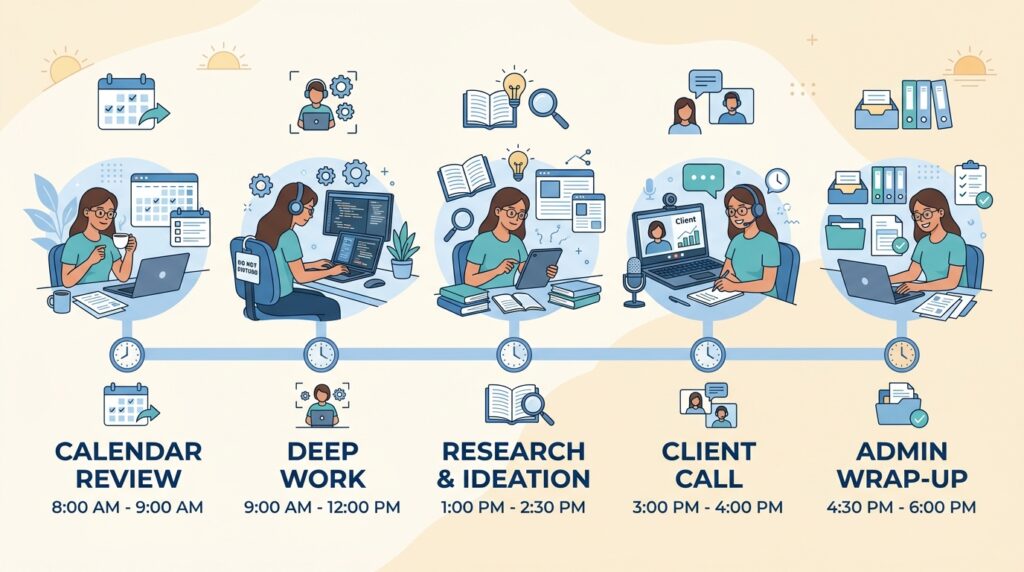
Once your four tools are chosen, the goal is a repeatable daily rhythm, not a new app to babysit. A workable structure looks like this:
- Morning (15 minutes): Review your calendar and let your AI scheduler confirm today’s focus blocks.
- Deep work block 1: Draft with AI assistance, then edit in your own voice.
- Midday: Run research queries through your citation-backed tool for anything you’re not 100% sure about.
- Client calls: Let your meeting assistant handle transcription and follow-ups.
- End of day (10 minutes): Batch admin — invoices, project updates — using AI-generated templates you’ve already customized.
This is where AI productivity tools for freelancers actually pay off: not as isolated party tricks, but as a connected daily loop that removes friction at every handoff point.
Real-World Example: How One Freelance Copywriter Rebuilt Her Week

Maria is a freelance B2B copywriter who came to this exact wall. She was billing 25 hours a week but working closer to 45, with the extra 20 hours disappearing into research, client emails, and reformatting drafts for different platforms.
Here’s what she changed, step by step:
- Week 1: She ran the time audit above and discovered client email and status updates alone consumed 6 hours a week.
- Week 2: She adopted a single AI writing assistant for first-draft generation and outline building — cutting her average article draft time from 3 hours to 90 minutes.
- Week 3: She added an AI meeting assistant for client calls, eliminating the 45-minute “write up the call notes” ritual she used to do after every meeting.
- Week 4: She set up AI-assisted scheduling to auto-protect two 3-hour deep work blocks per day, refusing to let calls creep into them.
The result after one month: Maria’s billable hours stayed roughly the same, but her total working hours dropped from 45 to 33 a week. She didn’t take on more clients — she reclaimed her Friday afternoons. That’s the actual promise of AI productivity tools for freelancers: not infinite output, but getting your time back at the same income level, with room to grow from there.
Step 4: Avoid the Two Traps That Undo All This Progress
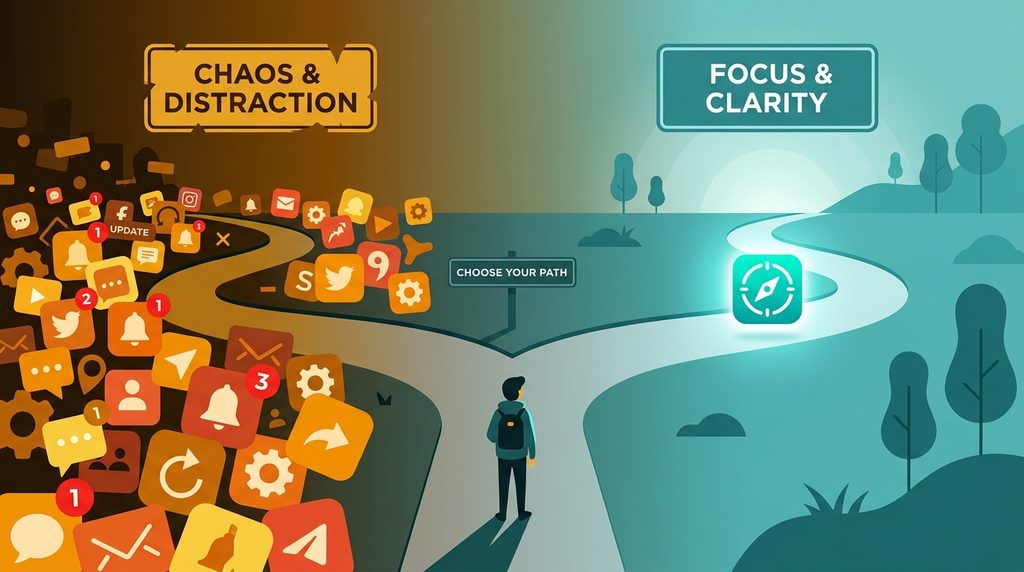
Trap 1: Tool-hopping. Every week there’s a new “must-have” AI app. If you’re constantly switching, you’re spending your saved time re-learning tools instead of using them. Pick your stack, commit to 30 days, and only swap if something is genuinely broken.
Trap 2: Skipping the human review. AI-generated drafts, summaries, and research still need a human check before they reach a client. This isn’t optional — it’s the difference between a freelancer who uses AI productivity tools to amplify their expertise and one who quietly erodes their own reputation by shipping unverified output.
Step 5: Price Your AI-Assisted Work Correctly
A common freelancer mistake is undercharging once AI speeds up delivery. If a project used to take 6 hours and now takes 2.5, don’t automatically cut your rate proportionally — you’re still delivering the same value, expertise, and judgment, just faster. Many freelancers who’ve built a mature AI productivity tools for freelancers stack are now pricing based on outcomes and deliverables rather than hours, which protects income even as tasks get faster.

If you’re still billing hourly, consider testing project-based pricing for your next contract — it rewards the efficiency you’ve just built instead of punishing it.
For a deeper breakdown of how to structure your rates once AI is part of your workflow, see [Link to related article on Digital Task Compass].
Step 6: Keep the Stack Lean as You Scale
As you take on more clients, resist the urge to add a new AI tool for every new problem. Revisit your four-bucket audit every quarter. If a bucket is under control, don’t touch it. If a new bottleneck appears — say, invoicing across multiple currencies, or managing five client Slack channels — that’s when you evaluate one new addition to your AI productivity tools for freelancers stack, test it for a month, and either keep it or cut it.
Conclusion: Small, Deliberate Steps Beat a Total Overhaul
You don’t need 20 AI tools to run an efficient freelance business. You need one tool per real bottleneck, a workflow that connects them, and the discipline to review what AI hands you before it goes out the door. Start with the time audit, pick one tool per bucket, and give the system 30 days before you judge it.
The freelancers pulling ahead in 2026 aren’t the ones with the most subscriptions — they’re the ones who treated AI productivity tools for freelancers as a system to build deliberately, one step at a time, rather than a shopping list to binge on.
https://digitaltaskcompass.com/category/productivity
Click this link to read our important and interesting Productivity articles as soon as they are published!
Deigitaltaskcompass.com