The Complete, Easy Guide to Building a no-code AI assistant
Imagine opening a chat that already knows your client onboarding steps, your brand voice, and the proposal template you reuse every month. You don’t have to explain any of it again. A simple no-code AI assistant can do exactly that, and you can build one without writing a single line of code.
Freelancers, remote workers, and small business owners are using tools like Custom GPTs in ChatGPT and Projects in Claude to set up focused helpers in an afternoon. This guide walks you through the process one step at a time. For each step, you’ll see what to do, how to do it, why it matters, and a practical example.
What Is a No-Code AI Assistant?

A no-code AI assistant is an AI chatbot you configure for one purpose using a visual interface instead of programming. You give it instructions about how to behave, upload reference documents, and sometimes add a few starter prompts. Every new conversation then starts from that setup.
Two popular options work this way. Custom GPTs in ChatGPT let you create a tailored version of the chatbot with its own instructions and uploaded files. Projects in Claude group related chats together, with shared instructions and project files that carry across each conversation in that project.
Both tools are built for people who don’t code. Features, plan requirements, and sharing options change over time, so treat any specific detail you read here as a starting point and confirm it on the provider’s current help page.
no-code AI assistant Step-by-Step Guide
Work through these steps in order. Each one builds on the last, and skipping ahead usually means rebuilding later.
Step 1: Define One Clear Job
no-code AI assistant

What to do: Choose a single recurring task your assistant will handle. Good candidates include drafting client follow-up emails, summarizing meeting notes, reviewing proposals for missing details, or turning rough ideas into social media captions.
How to do it: Write one sentence that starts with “This assistant helps me…” For example: “This assistant helps me draft project proposals for small business clients in my brand voice.”
Why it matters: A focused assistant gives more consistent results. When you try to make one assistant handle everything, its instructions contradict each other and its answers become generic.
Example: A freelance web designer might create one assistant for proposal drafts and a separate one for client update emails. Each has its own instructions and files.
Step 2: Gather Your Reference Material
no-code AI assistant

What to do: Collect three to five documents that show how you work. These might include a service description, a short brand voice guide, a few examples of past work you’re proud of, and a standard pricing structure.
How to do it: Save each document as a PDF, Word file, or plain text. Before uploading anything, remove client names, contact details, bank information, and any confidential terms. Replace them with placeholders like “Client A.”
Why it matters: An assistant performs much better with real examples than with general guesses about your style. Reference files give it concrete patterns to follow.
Example: A one-page brand voice guide with three sample paragraphs, written in the tone you actually use with clients, will do far more than a sentence that says “be friendly and professional.”
Step 3: Write Clear Instructions
no-code AI assistant

What to do: Write the core instructions that tell the assistant who it is, who it helps, and how it should respond.
How to do it: Cover five areas: the role, the audience, the output format, the tone, and the boundaries. Include what the assistant should avoid and when it should ask a clarifying question instead of guessing.
Here is an example:
“You are a proposal writer for a small web design studio. Your readers are business owners with limited technical knowledge. Write in a warm, direct tone. Structure each proposal with a summary, scope of work, timeline, and next steps. Never invent prices. If the client’s budget or deadline is missing, ask before drafting.”
Why it matters: Instructions are the engine of your no-code AI assistant. Vague instructions produce vague output, and you’ll spend more time editing than you saved.
Example: If your assistant keeps writing overly formal emails, add a line to the instructions: “Use contractions and short sentences, like a helpful colleague would.” Then test again.
Step 4: Set Up the Assistant in Your Platform
no-code AI assistant

What to do: Create the assistant inside the platform you’ve chosen.
How to do it: In ChatGPT, open the option to create a GPT and use the configuration panel to add a name, a short description, your instructions, conversation starters, and uploaded knowledge files. In Claude, create a new Project, add your custom instructions for that project, and upload your reference documents to the project’s knowledge area. Button names and menu locations change, so follow the current help documentation if your screen looks different.
For official guidance on how these platforms handle your files and settings, read the provider’s help center before you upload sensitive material.
Why it matters: Your instructions and files only work if they’re attached to the right place. Setting up the assistant correctly means every future conversation starts with the same context.
Example: A first version usually takes less than an hour to set up. Name it something you’ll recognize quickly, such as “Proposal Drafts v1.”
Step 5: Test With Realistic Requests
no-code AI assistant
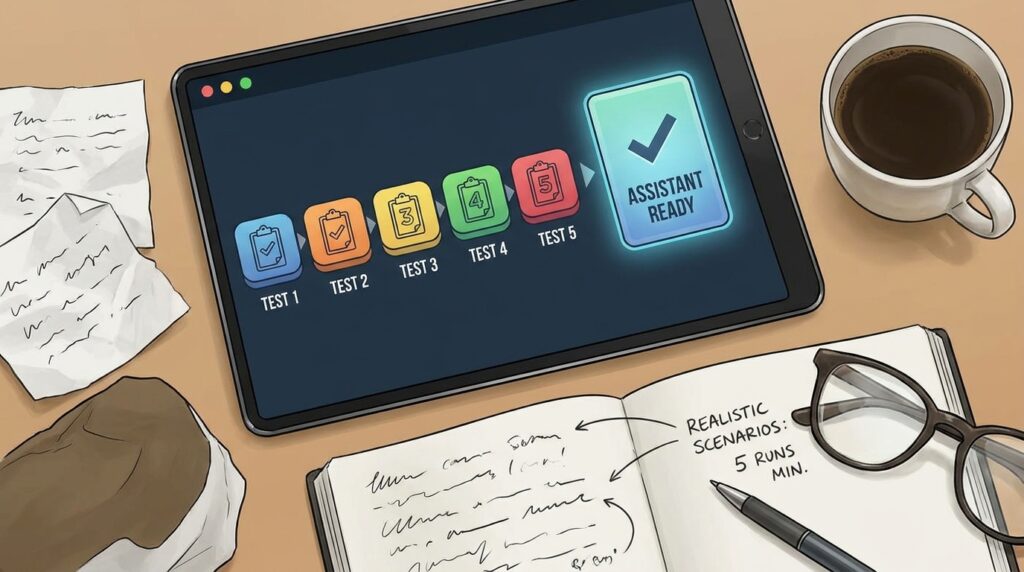
What to do: Run at least five test requests before you rely on the assistant.
How to do it: Include three types of tests. Use one typical request, one unusual request, and one request with missing information. For example, a typical test might be “Draft a proposal for a bakery website.” A missing-information test might be “Write a proposal for a client.” The assistant should ask questions rather than invent details.
Compare each response to what you would have written yourself. Note what’s accurate, what’s missing, and what feels off.
Why it matters: Testing reveals gaps that a single good response will hide. An assistant that writes one strong proposal may still invent prices or skip sections when the details are incomplete.
Example: If the assistant invents a timeline when you didn’t provide one, add an instruction: “Never estimate timelines. Ask for them instead.”
Step 6: Refine One Change at a Time
no-code AI assistant

What to do: Adjust your instructions based on the test results, but change only one thing per round.
How to do it: Keep a simple log with the date, the change you made, and the result. If a change makes things worse, revert it. Name each version so you can compare them later.
Why it matters: When you change several instructions at once, you can’t tell which edit helped or hurt. A change log keeps your progress clear.
Example: Version 1 writes long paragraphs. Version 2 adds “Keep paragraphs under three sentences.” Version 2 reads better, so you keep it and move on to the next issue.
Step 7: Protect Client and Personal Data

What to do: Decide what information the assistant should never see, and set your privacy controls accordingly.
How to do it: Keep passwords, bank details, government ID numbers, and confidential client records out of your uploads and chats. Review the data and sharing settings for your chosen platform, including whether your conversations may be used for model training. Check current options on the provider’s website, because these settings change.
For a respected framework on managing AI risks, including privacy and accountability, read the NIST AI Risk Management Framework from the U.S. National Institute of Standards and Technology.
Why it matters: Clients trust you with information that could cause real harm if exposed. A convenient tool doesn’t justify careless handling of their data.
Example: Before uploading a past proposal, replace the client’s company name with “Client B” and remove the contract value.
Step 8: Decide Who Can Use It and Review Regularly

What to do: Choose whether the assistant stays private or whether you share it with a team, and schedule a regular review.
How to do it: Keep your assistant private if it contains personal working methods or sensitive reference material. Share it only when everyone who has access is authorized to see the files inside. Once a month, read through a few recent outputs and update any instructions that no longer match how you work.
Why it matters: An assistant built for your business will drift out of date as your services, prices, and clients change. Regular reviews keep the output accurate and trustworthy.
Example: If you change your standard package from three revisions to two, update the reference files and the instructions the same day.
Common Mistakes to Avoid
Building an assistant that does everything. A general-purpose helper with twenty responsibilities gives inconsistent answers. Solution: Create separate assistants for separate jobs, and keep each set of instructions short and focused.
Uploading unedited client files. Confidential information can end up where it shouldn’t. Solution: Anonymize every document before you upload it, and keep a copy of the original in your own secured storage.
Trusting the first response. A polished answer can still contain invented facts. Solution: Check prices, dates, names, and claims against your own records every time, especially in client-facing work.
Writing instructions that sound like wishes. Phrases like “be the best assistant ever” don’t tell the model what to do. Solution: Replace vague praise with specific rules about format, tone, and limits.
Treating the assistant as finished. Your business changes, and an outdated assistant creates errors. Solution: Review the instructions and reference files monthly, and log every significant update.
Ignoring the boundaries. Asking the assistant to make legal, medical, or financial decisions for clients is risky. Solution: Write a rule that tells it to flag those questions for a qualified professional instead of answering them directly.
Useful Tips
- Start with a short instruction set. Ten clear lines usually beat three pages of rules. Add detail only when testing reveals a specific problem.
- Use real examples in your files. One strong past example teaches more than a paragraph describing your style.
- Create conversation starters. Add two or three common requests so you can begin a task with a single click.
- Ask the assistant to show its reasoning on complex tasks. When you can see how it reached a conclusion, you can catch errors faster.
- Keep a folder of your best outputs. Over time, these examples can become new reference material for future versions.
- Save your instructions outside the platform. A simple text file lets you rebuild the assistant quickly if you switch tools or lose access.
If you want more practical guides on using digital tools for your work, the practical digital skills guides at Digital Task Compass cover related topics in more depth.
Frequently Asked Questions
Do I need coding skills to build a no-code AI assistant?
No. You need to write clear instructions, organize reference files, and test the results. Basic computer and document skills are enough for most setups.
Which is better, Custom GPTs or Claude Projects?
It depends on your workflow and the features available on your plan. Custom GPTs focus on a configurable chatbot with its own settings. Claude Projects group related conversations around shared instructions and files. Try both with the same test requests, then choose the one that produces better results for your work.
Is it safe to upload client documents?
It can be, but only after you remove sensitive details and review the platform’s data settings. Never upload passwords, financial account details, or confidential records without checking your obligations to your clients and the rules that apply in your country.
Can an AI assistant help me earn extra income?
It may save you time on tasks like drafting, summarizing, or organizing, and that time might help you take on more paid work. It does not guarantee clients, income, or results. Treat it as a productivity tool, not a source of guaranteed earnings.
How often should I update my assistant?
Review it monthly and update it whenever your services, prices, or client expectations change. Small, regular updates keep it more reliable than rebuilding from scratch every few months.
Final Thoughts
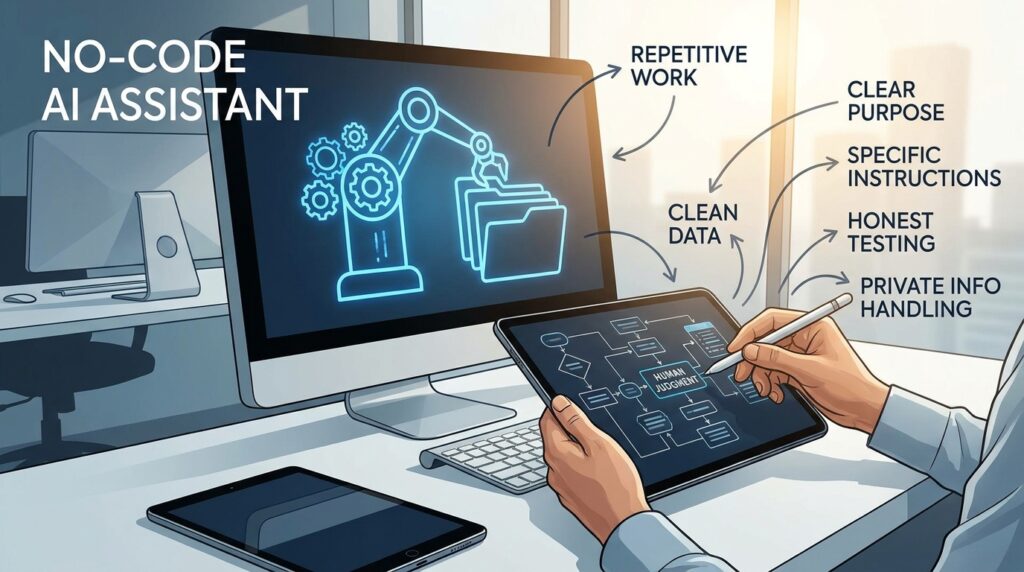
A well-built no-code AI assistant can handle repetitive work while you focus on the parts of your job that need human judgment. The keys are a single clear purpose, clean reference material, specific instructions, honest testing, and careful handling of private information.
Choose one task you repeat every week and write its job description today. Gather three documents, draft your instructions, and run five test requests before the end of the week. That first small assistant will teach you more than any amount of reading about it.