
The Essential Guide to Working Smarter With AI Coding Tools
The replacement headlines are loud, but the everyday change is quieter. Developers are not disappearing overnight. Their work is shifting toward reviewing code, defining problems clearly, and checking whether software actually does what people need. Freelancers, remote workers, and career changers are feeling this shift too, whether they write code or not.
This guide gives you a practical, one-by-one path for using AI coding tools without losing control of your work. For each step, you’ll see what to do, how to do it, why it matters, and an example you can adapt.
What Are AI Coding Tools?
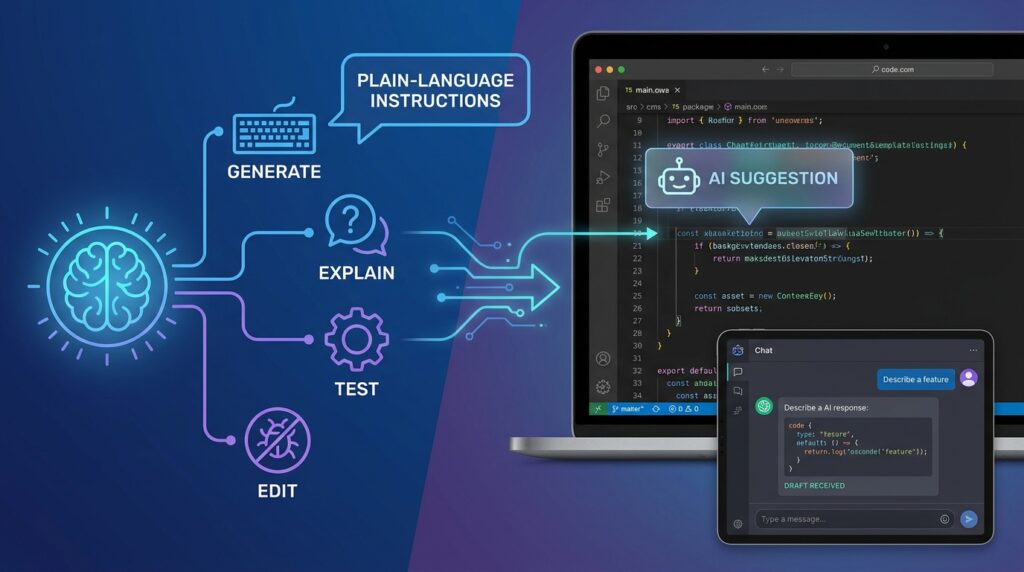
AI coding tools are software assistants that generate, explain, test, or edit code based on plain-language instructions. Some sit inside a code editor and suggest the next line as you type. Others work in a chat window where you describe a feature and receive a draft in return.
These tools are useful, but they don’t understand your project the way you do. They can produce code that looks correct and still breaks in production, ignores your security rules, or solves the wrong problem. That gap is why human judgment remains central to software work.
For non-developers, AI coding tools open a different doorway. You can read generated code, ask questions about it, and test results without becoming a full-time programmer. For developers, the tools handle repetitive tasks so more time goes to design, architecture, and quality checks.
Step-by-Step Guide
Work through these steps in order. Each one builds on the previous step, and skipping ahead often means fixing problems later.
Step 1: Map Which Tasks Are Changing

What to do: List the tasks in your current work and mark each one as repetitive, creative, or judgment-heavy.
How to do it: Create a simple three-column table. Put routine tasks like writing boilerplate, formatting data, or generating test templates in the first column. Put tasks like choosing a database structure or deciding what a client actually needs in the third column. Your middle column can hold anything in between.
Why it matters: You can’t adapt well to a change you haven’t mapped. This exercise shows where AI already helps you and where your expertise still carries the most weight.
Example: A freelance web developer might discover that writing contact form validation is routine, while explaining trade-offs to a client is judgment-heavy. That tells them where to invest their learning time.
Step 2: Pick One Tool and Learn Its Limits

What to do: Choose one AI coding tool to learn well instead of testing ten at once.
How to do it: Start with a tool that fits your setting, such as an editor assistant if you already write code or a chat-based tool if you’re learning. Read the provider’s documentation on privacy, data handling, and supported features. Note the plan limits and whether your work data is used for training.
Why it matters: Depth beats breadth at the beginning. A single tool you understand well will produce better results than a dozen you use carelessly.
Example: A job seeker preparing for technical interviews might choose one chat-based assistant, practice explaining its suggestions out loud, and track where its answers were wrong.
Step 3: Practice Reviewing Before Accepting

What to do: Treat every generated code block as a draft that needs review.
How to do it: Read the code line by line. Ask what it does, what inputs it expects, and what happens when those inputs are missing or wrong. Run it with test cases you wrote yourself. If you can’t explain a line, ask the tool to explain it, then verify that explanation against official documentation.
Why it matters: Review is the skill that becomes more valuable as generation becomes easier. Accepting code you don’t understand creates hidden risk for you and anyone who depends on your work.
Example: A non-developer building a booking form might ask the assistant to explain its email validation logic, then test it with three invalid addresses before going live.
Step 4: Protect Private and Client Information

What to do: Decide what you will never paste into any AI tool, then set up your privacy controls.
How to do it: Keep passwords, API keys, customer personal data, and confidential contracts out of prompts. Replace real names and company details with placeholders. Review the data settings for your chosen tool and check whether conversations are used for training. For a widely respected framework on managing AI risks, the NIST AI Risk Management Framework from the U.S. National Institute of Standards and Technology offers useful guidance.
Why it matters: Code often contains secrets or sensitive logic. One careless paste can expose data that clients and users trusted you to protect.
Example: Before asking for help debugging a login system, a developer replaces the real database address and sample user emails with placeholder values.
Step 5: Write Clear Problem Descriptions

What to do: Describe the problem in plain language before asking for code.
How to do it: Include the goal, the current behavior, the expected behavior, and any constraints such as the framework, language version, or performance needs. Break large requests into smaller parts.
Why it matters: Vague requests produce vague code. The clearer your problem statement, the less time you spend correcting the output. Writing the problem clearly also strengthens your thinking about the solution.
Example: Instead of “make my site faster,” a freelancer writes: “My product page loads in six seconds on mobile. Images are uncompressed JPEGs. I use WordPress with a standard theme. Suggest three changes I can test one at a time.”
Step 6: Test Like Someone Else Will Use It
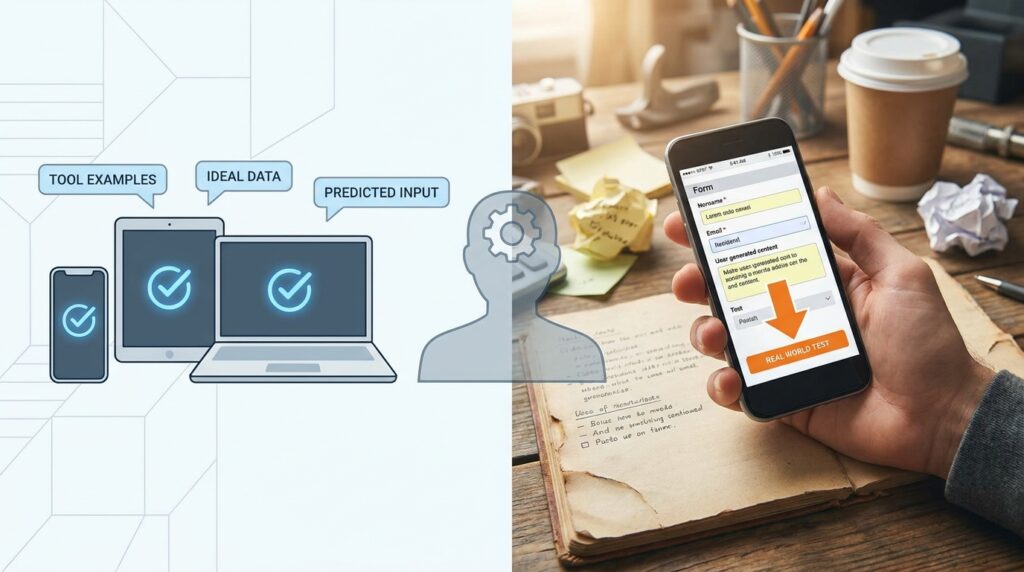
What to do: Test the output against real use cases, not just the examples the tool suggests.
How to do it: Write a short checklist of expected behaviors. Include normal use, edge cases, and failure cases. Test on the device or browser your users actually have. Keep a record of what passed and what failed.
Why it matters: Generated code often works in the happy path and fails elsewhere. Testing protects your reputation and reduces costly fixes later.
Example: A small business owner testing an AI-generated invoice tool enters a zero-value order, a very long customer name, and a date in the past. Each case reveals a fix to make before launch.
Step 7: Build Skills That Stay With You

What to do: Spend regular time on the skills that remain valuable even as tools improve.
How to do it: Focus on problem framing, debugging, reading documentation, communicating with clients, and understanding security basics. Schedule one short learning session each week, and write down one concept you understood better afterward.
Why it matters: Tools change quickly. Foundational skills transfer across tools and projects, which makes your career more resilient.
Example: A remote developer spends 30 minutes a week reading official security guidance for the framework they use, then applies one lesson to a current project.
Common Mistakes to Avoid
Accepting code without understanding it. Speed tempts people to paste and move on. Solution: Ask the tool to explain each unfamiliar section, then check the explanation against official documentation before you rely on it.
Skipping security checks. Generated code can include outdated libraries or weak validation. Solution: Review inputs, authentication, and data storage yourself, and run a dependency or security scanner if your project supports one.
Pasting sensitive data into prompts. This happens most often when people are rushing. Solution: Keep a sanitized sample file ready for debugging requests, and never paste live credentials.
Treating AI as a replacement for testing. A confident answer can still be wrong. Solution: Write test cases before you accept a change, even if they are simple.
Ignoring client expectations. Delivering fast work that doesn’t match the brief damages trust. Solution: Confirm requirements in writing and share a short demo before finishing the project.
Stopping your learning. Relying entirely on the tool can leave you unable to fix problems when it fails. Solution: Set aside regular practice time for debugging without assistance.
Useful Tips
- Ask for explanations, not just answers. A tool that explains its reasoning helps you catch mistakes early.
- Keep a prompt library. Save your best requests and the results they produced, so you can reuse what works.
- Use version control. Save a copy of your project before major changes, so you can roll back if something breaks.
- Compare two approaches. Ask for two solutions to the same problem and note the trade-offs in speed, readability, and maintenance.
- Document what you learn. A short note after each project becomes a personal reference you can review before interviews or client calls.
- Describe your role honestly. On your resume or portfolio, explain how you reviewed, tested, and improved the work rather than implying the tool did it all.
If you want more practical guides on building digital skills for modern work, the digital skills resources at Digital Task Compass cover related topics in more depth.
Frequently Asked Questions
Do AI coding tools mean developers will lose their jobs?
Nobody can predict every outcome with certainty. Employment data from official sources such as the U.S. Bureau of Labor Statistics publishes outlook estimates that change over time, so check the latest figures. The most reliable approach is to build skills in review, problem framing, and communication, which remain valuable as tools change.
Do I need programming experience to use AI coding tools?
No, but some basic understanding helps you judge the output. Non-developers can start with small projects, ask for explanations, and test results carefully. Learning core concepts over time makes the work safer and more useful.
Is it safe to use AI coding tools for client projects?
It can be, with the right habits. Remove sensitive information from prompts, review the provider’s data policies, test thoroughly, and confirm that your client agreements allow the use of AI-assisted work. For legal or contractual questions, consult a qualified professional.
Can AI coding tools help me earn extra income?
They may save time on routine tasks, which could create room for more client work or personal projects. They do not guarantee clients, income, or job offers, so treat them as productivity aids rather than income sources.
Final Thoughts

AI is changing software work in a quiet, steady way. The developers and non-developers who benefit most will be the ones who review carefully, protect private information, test honestly, and keep building skills that last. The tools handle more of the typing, but people still define the problem and take responsibility for the result.
Choose one routine task this week and try an AI coding tool on it. Review the output line by line, test it with three real cases, and write down what you learned. That small habit is the foundation of working smarter with AI coding tools over the long term.