What Is an API? A Plain-English Guide for Freelancers and Non-Developers
If you have ever asked yourself what is an API, you’re in good company. The term appears in tool descriptions, pricing pages, and client briefs, often with no explanation. It can feel like a developer’s private language, but the idea behind it is simple, and it’s worth understanding even if you never write a line of code.
Freelancers, remote workers, and small business owners now use dozens of online tools every week. Invoicing software talks to your bank, your booking page talks to your calendar, and your contact form talks to your spreadsheet. Much of that conversation happens through APIs. Knowing the basics helps you choose better tools, ask sharper questions, and avoid expensive mistakes.
This guide explains the idea in plain English. You’ll work through seven practical steps, each with a clear reason for why it matters. You don’t need technical experience. You need curiosity, a free account or two, and about an hour.
What Is an API?

API stands for Application Programming Interface. That sounds technical, but the core idea is straightforward: an API is a set of rules that lets one piece of software ask another piece of software for information or for an action.
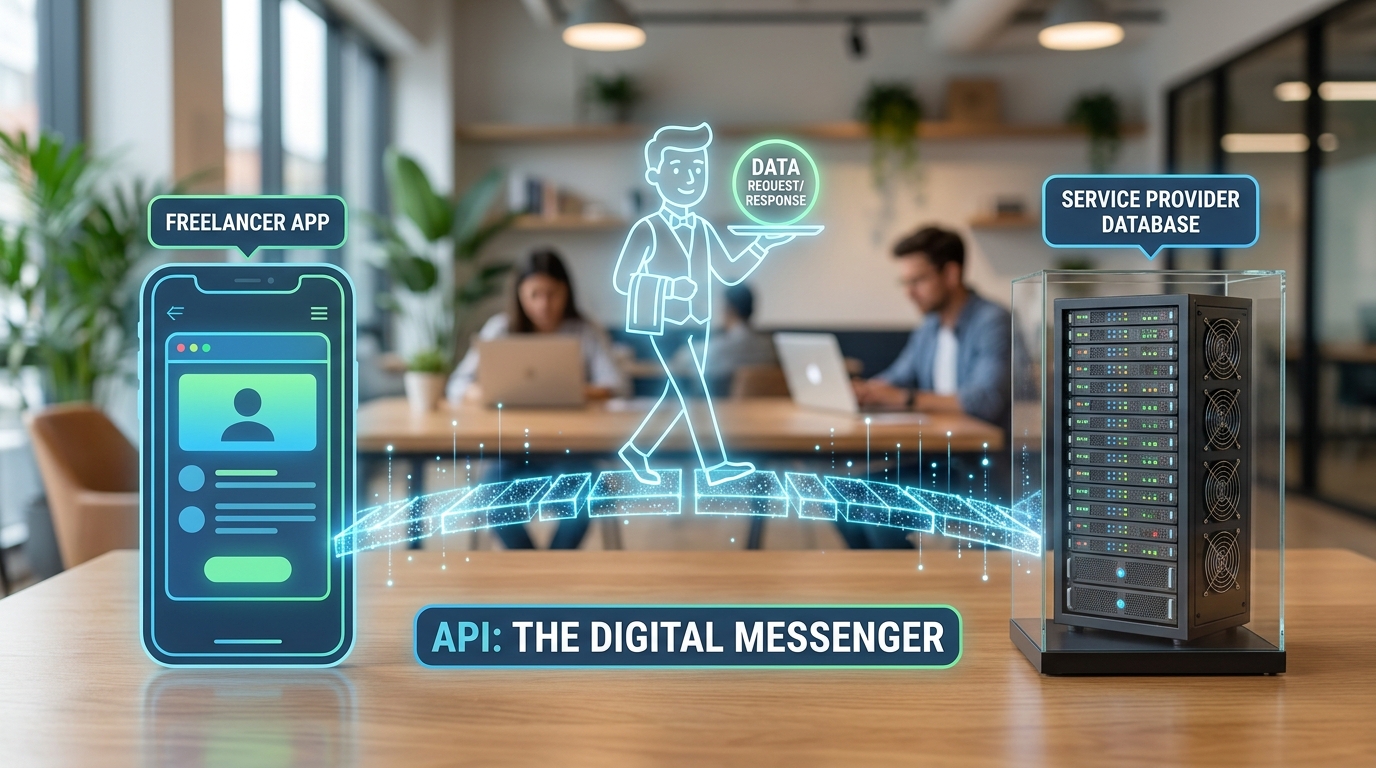
Think of a restaurant. You don’t walk into the kitchen to cook your meal. You read the menu, choose a dish, and tell the waiter. The waiter carries your order to the kitchen, then brings the food back. The menu is the interface, and the waiter is the messenger that follows agreed rules.
Software works the same way. Your booking tool doesn’t need to know how a payment processor works internally. It sends a structured request through the API, receives a response, and shows you the result.
Knowing what is an API matters because it explains why tools connect so easily, and why they sometimes break. When an app stops working after an update, the cause is often a change to an API it depends on. An API is not the same as the data itself, and it is not the app you see on screen. It sits between them and controls what can be asked and what can be returned.
Step-by-Step Guide
Work through these steps in order. Each one builds on the last, so you’ll understand the concept before you try it yourself.
Step 1: Learn the Restaurant Analogy

What to do: Use the restaurant comparison to picture how software requests work.
How to do it: Write three labels on a sheet of paper: “menu,” “waiter,” and “kitchen.” Next to each, write its software equivalent. The menu is the list of available requests. The waiter is the API, carrying your request and the response. The kitchen is the system that holds the data or does the work.
Why it matters: This is the simplest way to answer what is an API for non-developers. A clear mental model makes every later step easier to follow.
Example: A freelance photographer wants her booking page to show available dates from her calendar. The calendar offers a menu of requests, such as “list free times.” The booking page asks through the API, and the calendar returns the times.
Step 2: Spot APIs in the Tools You Already Use
What to do: Find the connections in your own working day.
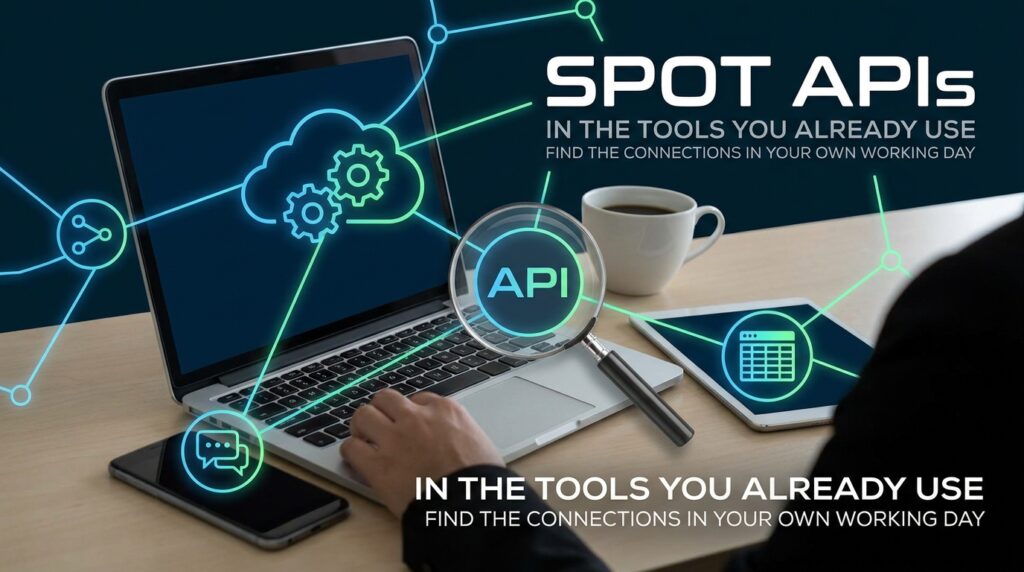
How to do it: List the apps you used yesterday. For each one, ask which other apps it connects to. Look for phrases such as “connect,” “integrations,” “sync,” or “import.” Each of these usually involves an API behind the scenes.
Why it matters: Seeing APIs in your own tools turns an abstract idea into something concrete. It also shows you where your data travels.
Example: A remote bookkeeper notices that her invoicing tool syncs with her bank and her expense app. Each sync is an API conversation, and she now knows which tools to check if a transaction goes missing.
Step 3: Ask What the Connection Actually Does

What to do: For each connection you found, identify the job it performs.
How to do it: Describe the connection in one sentence: “The tool asks the bank for today’s transactions,” or “The form sends the enquiry to my spreadsheet.” Keep it simple. If you can explain the job, you understand the API well enough for most business decisions.
Why it matters: Many APIs only read information. Others can create, change, or delete it. Knowing which type you’re dealing with helps you judge the risk.
Example: When a scheduling app asks to connect to her calendar, a freelance coach asks herself what is an API permission doing here. She sees that the app can read and create events, so she checks whether it can also delete them before she agrees.
Step 4: Learn the Four Parts of a Request
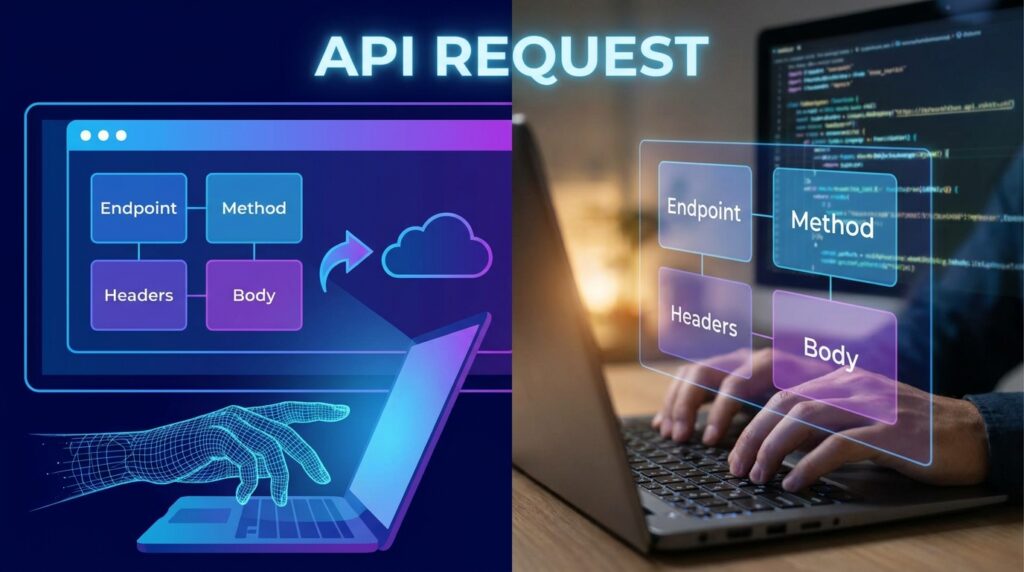
What to do: Get familiar with the basic parts of a typical API request. You don’t need to build one yet.
How to do it: Most web APIs use a few common elements:
- Endpoint: the web address that receives the request, such as a specific part of a service’s website.
- Method: the action you want, usually “get” to read data, “post” to send new data, or “delete” to remove it.
- Parameters: extra details that narrow the request, such as a date range or a city name.
- Response: what comes back, often in a structured format called JSON, which is a readable list of labelled data.
Why it matters: Once you recognise these parts, API documentation stops looking like random text. You can follow what a developer is describing, even if you don’t write the code yourself.
Example: A weather service might use an endpoint for forecasts, the “get” method to retrieve data, a city parameter to set the location, and a response listing temperatures for each day.
Step 5: Try a Free Public API Safely
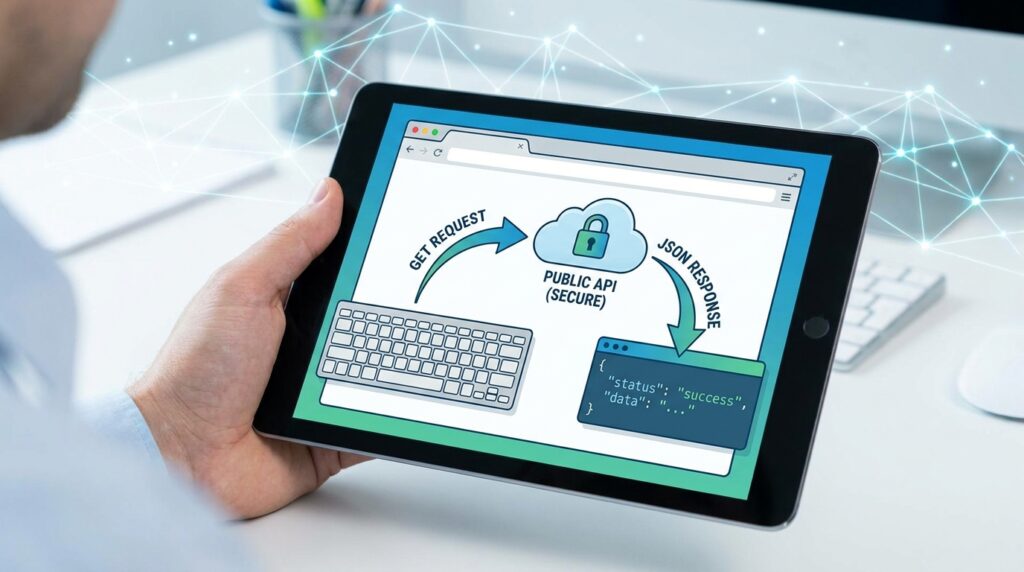
What to do: Test a simple public API in your browser or a beginner-friendly tool to see a real request and response.
How to do it: Search for a free public API that doesn’t require a key, such as a public holiday list or a random quote service. Read its documentation page, copy the example address into your browser, and see what comes back. Change one parameter and check how the result changes. Keep notes on what you tried.
Why it matters: A hands-on test shows you what is an API faster than any definition. Seeing data returned in front of you makes the idea concrete.
Example: A digital marketing freelancer uses a public holiday API to check upcoming dates for clients in the UK and Australia. He changes the country code in the address and watches the list update.
Step 6: Protect Your API Keys

What to do: Treat any API key like a password, and store it securely.
How to do it: Some services give you a key to identify your account. Never paste keys into public posts, shared documents, or screenshots. Store them in a password manager or the platform’s secure settings. If a key is exposed, revoke it and create a new one. Only connect services you trust, and review connected apps every few months.
Why it matters: Anyone holding your key may be able to use your account, read your data, or run up charges. This is one of the most common and avoidable risks for non-developers working with connected tools.
Example: A freelance designer accidentally shares a screenshot that includes a key. She revokes it within minutes, creates a new one, and updates the connection in her tool.
Step 7: Understand Limits, Costs, and Privacy

What to do: Check how much each API allows, what it costs, and how it handles personal data.
How to do it: Look for words such as “rate limit,” “quota,” “usage tier,” or “billing.” A rate limit caps how many requests you can make in a set time. Check the provider’s official pricing page, since prices and free allowances change. If the API handles personal information, read its privacy policy and consider the rules that apply to you. In the UK and EU, that means UK GDPR and GDPR. Readers in the USA, Australia, New Zealand, Japan, South Korea, and Singapore should check their own national or state rules. For official UK guidance, see GOV.UK’s data protection guidance.
Why it matters: A tool that works well during testing can stop working when you hit a limit, or become expensive when your usage grows. Privacy obligations apply whether or not you wrote the integration yourself.
Example: A small e-commerce owner’s order tool reaches its free request limit during a sale. Because she checked the quota earlier, she already knows the upgrade cost and can plan for it instead of losing orders.
Common Mistakes to Avoid
Assuming an API is the same as an app. An app is what you see. An API is the messenger behind it. Keep the two separate in your head, and you’ll troubleshoot more effectively.
Sharing keys in public. Keys often end up in screenshots, forum posts, or shared folders. Store them securely from day one.
Granting full access by default. Many connections ask for more permissions than they need. Choose the narrowest option available, and review it later.
Ignoring rate limits. Heavy use can trigger errors or extra costs. Check limits before you build a workflow around a tool.
Skipping the documentation. Many people guess at how a connection works. Read the provider’s guide first, even if you only skim it.
Expecting every tool to connect. Not every service offers an API, and some restrict access on lower-cost plans. Check before you buy.
Useful Tips
- Build a small glossary. Write short definitions for endpoint, key, request, response, and rate limit. Refer to it when you read tool documentation.
- Start with read-only connections. When you’re unsure, choose options that only read data until you understand the risk.
- Keep a connections log. List every connected app, what it can access, and when you last reviewed it.
- Ask vendors specific questions. Ask whether the API is included in your plan, what the usage limits are, and how your data is stored.
- Test in a safe copy. Use a sample spreadsheet or test account before connecting live business data.
- Learn from our related guides. If you’re comparing automation tools, our beginner-friendly developer tools guide explains more about how these connections fit together.
Frequently Asked Questions
What is an API used for?
APIs let software share information and trigger actions. Common uses include syncing calendars, processing payments, showing weather on a website, and sending order updates between shops and couriers.
Do I need to know how to code to use an API?
Not always. Many no-code tools connect to APIs through simple menus. Coding helps when you want custom work, but you can use many APIs safely without it.
Is an API the same as a plugin?
Not exactly. A plugin is an add-on that extends a specific program. An API is a set of rules that lets programs communicate. Some plugins use APIs behind the scenes.
Are APIs safe to use?
They can be, when you connect only trusted services, protect your keys, grant minimal permissions, and follow the privacy rules that apply to your data.
Final Thoughts

Understanding what is an API doesn’t require a technical background. An API is simply a set of agreed rules that lets software ask for information or request an action. Once you see it as a waiter between a menu and a kitchen, the rest becomes easier to follow.
Work through the steps in order: learn the analogy, spot APIs in your tools, describe what each connection does, understand the basic request parts, test a free public API, protect your keys, and check limits, costs, and privacy. Each step gives you more control over the tools you rely on.
Your next practical step is small. Today, open one tool you use for work, find its integrations page, and write one sentence describing what each connection does.