

What Is a Pomodoro Timer and How to Use It (Beginner Guide)
If you’ve ever sat down to work, blinked, and somehow lost two hours to email and open tabs with nothing finished, a pomodoro timer might be the simplest fix you’ve never tried. It’s a focus method disguised as a kitchen timer — and it works precisely because it asks so little of you.
This guide explains what a pomodoro timer is, where it came from, exactly how to use it, and how to start today for free. No app purchase, no complicated system.
What Is a Pomodoro Timer?
A pomodoro timer is a timer used for the Pomodoro Technique — a time-management method that breaks work into focused intervals, traditionally 25 minutes long, separated by short breaks. Each 25-minute focus block is called a “pomodoro.”
The name comes from the Italian word for tomato. In the late 1980s, university student Francesco Cirillo used a tomato-shaped kitchen timer to structure his study sessions, and the method took his timer’s name. Decades later, it’s one of the most popular focus techniques in the world — because it’s genuinely easy to start.
At its core, a pomodoro timer does one powerful thing: it gives your focus a finish line that’s always close. Knowing a break is only 25 minutes away makes it far easier to resist distraction and just begin.
Why the Pomodoro Timer Works
Three psychological reasons explain why such a simple tool is so effective.
It lowers the barrier to starting. “Work on the report” feels heavy; “focus for 25 minutes” feels doable. Most procrastination is really resistance to starting, and a short timer dissolves it.
It fights mental fatigue. Your brain can’t sustain intense focus indefinitely. Regular short breaks keep your concentration fresher across a long day than one heroic, unbroken stretch ever could.
It makes distraction a choice you can defer. When the urge to check your phone hits mid-pomodoro, you tell yourself, “in [X] minutes, at the break.” Usually the urge fades — and you stay in flow.
How to Use a Pomodoro Timer: Step by Step
Here’s the classic method. You can run it with any timer — your phone, a kitchen timer, or a free online pomodoro timer.
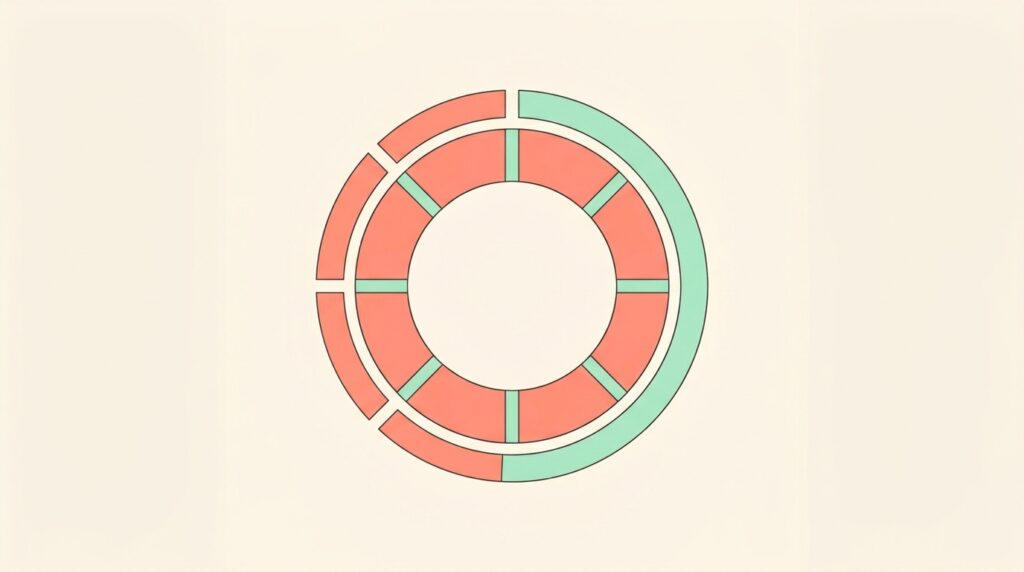
- Pick one task. Just one. Decide what you’ll work on this session.
- Set the timer for 25 minutes. Start it and work on only that task.
- Work until the timer rings. No email, no tab-switching, no “quick checks.” If a distraction pops up, jot it on paper and keep going.
- Take a 5-minute break. Stand up, stretch, get water — away from the screen. This is one pomodoro complete.
- Repeat. After four pomodoros, take a longer break of 15–30 minutes.
That’s the entire method. Four focused pomodoros equal roughly two hours of real, deep output — often more than an entire unfocused morning produces.
Choosing Your Intervals: 25 Minutes Isn’t Sacred
The classic 25/5 split is a starting point, not a rule. The best interval is the one that matches your attention span and the task.
25/5 — the classic, great for studying, admin, and tasks you tend to avoid.
50/10 — better for deep creative or technical work that needs longer ramp-up time. Fewer context switches.
90-minute focus blocks — for experienced focusers doing demanding work, aligned with the body’s natural energy cycles.
Experiment for a week and keep whatever helps you focus without burning out. The timer serves you, not the other way around.
Common Pomodoro Timer Mistakes
Checking your phone during the focus block. This breaks the entire point. Put the phone in another room or use focus mode during pomodoros.
Skipping breaks to “keep the momentum.” Breaks aren’t a reward you can skip — they’re what makes the next pomodoro possible. Skip them and your focus quietly degrades.
Choosing a task too big for one pomodoro. “Write the whole report” won’t fit in 25 minutes. Break large work into pomodoro-sized chunks: “outline the report,” “draft section one.”
Treating interruptions as emergencies. Most aren’t. Note them and handle them at your break — the same principle behind the 2-minute rule for small tasks.
How to Start a Pomodoro Timer for Free
You don’t need to buy anything. Your options, simplest first:
- Your phone’s clock app — set a 25-minute timer. Free, already installed.
- A physical kitchen timer — pleasingly analog, and the ticking helps some people focus.
- A free online pomodoro timer — runs in your browser, auto-cycles work and break intervals, and often tracks completed pomodoros for you.
A browser-based pomodoro timer that switches between work and break automatically is the easiest way to stay in rhythm without resetting your phone every 25 minutes. (We’re building a free one for this site — check back soon, or browse our free tools for what’s available.)
Frequently Asked Questions
How long should a pomodoro timer be set for? The traditional length is 25 minutes of focus followed by a 5-minute break. After four cycles, take a longer 15–30 minute break. If 25 minutes feels too short for deep work, try 50/10 — the method is meant to be adjusted to you.
Does the Pomodoro Technique actually work? For many people, yes — especially for beating procrastination and managing fatigue. It works by lowering the effort to start and building in regular recovery. It suits focused individual tasks better than meeting-heavy or highly reactive workdays.
Can I use a Pomodoro timer for studying? Absolutely — studying is one of the most popular uses. The 25/5 rhythm prevents burnout during long revision sessions and makes large subjects feel manageable one pomodoro at a time.
What should I do during pomodoro breaks? Step away from your screen. Stretch, walk, drink water, look out a window. Avoid scrolling social media — it uses the same mental energy you’re trying to recharge, so you return less refreshed.
Start Your First Pomodoro Today
The beauty of a pomodoro timer is that you can try it in the next 25 minutes with a tool you already own. Pick one task, set a timer, and protect those 25 minutes from everything else.
Once the rhythm clicks, build it into a full routine — see our guides on organizing your work day as a freelancer and more in our productivity guides.


