GPT-6 Sol vs GPT-6 Luna: The Ultimate Cost-Saving Guide for Everyday AI Tasks
GPT-6 Sol vs GPT-6 Luna
Choosing an AI model is no longer just about finding the most powerful option. For students, freelancers, remote workers, developers, and small business owners, the real question is whether a more expensive model produces enough additional value to justify its cost.
OpenAI’s published GPT-6 documentation describes GPT-6 Sol as an option for complex coding and professional work, while GPT-6 Luna is designed for efficient, focused tasks at scale. Their published API prices make the difference especially significant for people building applications or automating repetitive work.

This practical guide compares their pricing, explains which everyday tasks suit each model, and shows how to test them before committing to a workflow. The goal is not to choose the cheapest model automatically. It is to find the most economical model that consistently delivers the quality your work requires.
What Are GPT-6 Sol vs GPT-6 Luna?
GPT-6 Sol and GPT-6 Luna are models in OpenAI’s GPT-6 family. They serve different needs, with a trade-off between capability, price, and the type of work being performed.
The important distinction is that a model’s price alone does not determine how much a completed task costs. A more expensive model may finish a difficult job with fewer retries, while a cheaper model may be perfectly adequate for straightforward, repetitive work.
What is GPT-6 Sol?
OpenAI describes GPT-6 Sol as a model built for complex coding and agentic workflows. Its documentation positions the Sol family as a choice for more demanding professional tasks where capability and cost both matter.
Sol is worth testing for tasks such as:
- Debugging code involving several interacting components.
- Planning a software feature before implementation.
- Reviewing a complex technical document.
- Analyzing several competing business options.
- Working through a multi-step problem that requires careful reasoning.
Example: A freelance developer needs to investigate why an API integration fails intermittently. The task involves reading logs, examining related functions, identifying possible causes, and suggesting a fix. Sol is a sensible candidate to test because the work requires more than a simple explanation.
What is GPT-6 Luna?
OpenAI describes GPT-6 Luna as its more efficient option for focused, high-volume workloads. Its model guidance highlights repeated tasks with clear goals, such as extracting invoice fields, classifying requests, and generating structured summaries.
Luna is worth testing for tasks such as:
- Summarizing short articles and meeting notes.
- Categorizing customer support messages.
- Extracting specified information from documents.
- Rewriting simple emails in a professional tone.
- Producing structured outputs from predictable inputs.
Example: An online shop receives hundreds of customer messages about shipping, returns, and product availability. If the task is simply to classify each message into an approved category, Luna may be sufficient without paying for a more capable model.
| GPT-6 Sol | GPT-6 Luna |
| For demanding work | For repeated tasks |
| $2.00 | $0.10 |
| Per 1M input tokens | Per 1M input tokens |
| $10.00 | $0.50 |
| Per 1M output tokens | Per 1M output tokens |
Standard API token rates in USD, based on OpenAI’s published pricing checked October 21, 2026. Prices and billing conditions may change.
The standard published rates show that Luna’s input and output tokens each cost one-twentieth of Sol’s corresponding token rate. That is a substantial difference for high-volume workloads.
However, this is an API pricing comparison, not a claim that every ChatGPT subscription charges users directly by the token. API usage, subscription access, tool calls, and other processing options can be billed differently.
| Feature | GPT-6 Sol | GPT-6 Luna |
|---|---|---|
| Main use | Complex coding and professional workflows | Focused, repetitive tasks |
| Input price per 1M tokens | $2.00 | $0.10 |
| Output price per 1M tokens | $10.00 | $0.50 |
| Best starting point | Tasks requiring more judgment | Clear tasks with predictable outputs |
| Main consideration | Higher token cost | Must verify quality on your task |
Source: OpenAI’s official API pricing documentation
How much could the difference matter?
Consider a hypothetical workload that uses 100,000 input tokens and 20,000 output tokens in a month.
| Cost Component | GPT-6 Sol | GPT-6 Luna |
|---|---|---|
| Input | $0.20 | $0.01 |
| Output | $0.20 | $0.01 |
| Total | $0.40 | $0.02 |
These estimates use the standard rates above and exclude tools, taxes, and other charges. Actual token usage varies with prompts, context, and responses.
The lesson is straightforward: Luna may be particularly economical when you process many small, clearly defined requests. But if its results require repeated corrections or human intervention, the lowest token bill may not produce the lowest overall cost.
Step-by-Step Guide: How to Choose the Right Model
The best way to choose between the two models is to test them on real work rather than relying only on descriptions or benchmark scores. Use the following process to make a practical decision.
Step 1: List your daily AI tasks
What to do: Write down the tasks you want to automate or improve.
How to do it: Divide your work into three groups:
- Simple: Summaries, grammar corrections, email drafts, and basic classification.
- Moderate: Comparing products, preparing content outlines, and organizing research notes.
- Complex: Debugging unfamiliar code, investigating technical problems, and planning multi-stage projects.
Why it matters: Different tasks need different levels of reasoning. Using a more expensive model for every small request may waste money, while choosing the cheapest model for every difficult problem may create more rework.
Example: A student could use Luna to summarize lecture notes and Sol to help understand a difficult programming problem that requires several connected steps.

Step 2: Start with Luna for clear, repetitive work
What to do: Test Luna on tasks with a well-defined input and expected output.
How to do it: Give it precise instructions, a small representative sample, and a format to follow. For example:
Categorize each customer message as Shipping, Returns, Product Question, or Other. Return the category and one short reason. Do not invent missing information.
Run the same test on a sample of real or safely anonymized messages. Check whether the output follows your categories and preserves the meaning of the original message.
Why it matters: Clear instructions make it easier to measure whether a cheaper model is good enough. The official OpenAI model guide recommends matching the model to the workload and evaluating task success, latency, and cost.
Example: A freelancer processing 200 product descriptions could test Luna on 20 examples before applying the workflow to the rest. If the output meets the quality standard, there may be no reason to use Sol for that task.
Step 3: Use Sol when the work needs deeper reasoning
What to do: Identify tasks where the cheaper model struggles or produces unreliable results.
How to do it: Test Sol on more demanding examples, such as:
- Finding a bug that involves several functions.
- Comparing technical approaches with different trade-offs.
- Reviewing a long project brief and identifying missing requirements.
- Developing a solution that must satisfy multiple constraints.
Use the same input, requirements, and evaluation criteria that you used for Luna.
Why it matters: A higher-priced model may be worthwhile when its additional capability reduces costly mistakes, repeated prompts, or manual review. That benefit must be demonstrated on your own tasks rather than assumed.
Example: Luna may summarize a software error correctly but fail to identify the relationship between two separate modules. If Sol consistently identifies the root cause and proposes a valid fix, its higher token price may be justified for debugging.

Step 4: Compare quality, not just price
What to do: Evaluate the results using a consistent scorecard.
How to do it: Choose 20–50 representative examples where practical. For each model, record:
- Accuracy and completeness.
- Compliance with your instructions.
- Number of corrections required.
- Response time.
- Total token cost.
- Whether a human reviewer accepts the result.
Use a small sample first, then expand the test if the results look promising. For important tasks, include difficult edge cases rather than testing only easy examples.
Why it matters: A model that costs less per token may cost more overall if it makes mistakes that take time to fix. Conversely, a more expensive model may provide little additional value for routine tasks.
Example: If Luna completes 95 out of 100 classification tasks correctly and Sol completes 97, decide whether the extra two correct answers are worth the price difference for your particular application. These numbers are illustrative, not reported model benchmark results.
Step 5: Calculate the real cost of completing a task
What to do: Estimate the total cost of producing an acceptable result.
For standard API usage, the basic calculation is:
Cost formula
Cost = (Input tokens ÷ 1,000,000) × Input rate
+ (Output tokens ÷ 1,000,000) × Output rate
How to do it: Record the input and output token usage from your API logs or usage dashboard. Add applicable tool charges and other fees. If the task requires repeated attempts, include those costs as well.
Why it matters: Comparing prices per million tokens is useful, but it does not tell the whole story. Longer prompts, lengthy answers, retries, and additional tools can change the total.
Example: Suppose Luna completes a task for $0.02 but requires five minutes of manual correction. Sol costs $0.10 for the same task but requires only one minute of review. Which option is better depends on the value of the reviewer’s time and the task’s quality requirements. These are hypothetical figures, not actual model performance claims.
Step 6: Automate the workflow carefully
What to do: After testing, assign routine work to Luna and reserve Sol for tasks that benefit from stronger reasoning.
How to do it: For an API-based application, a simple routing process could look like this:
- Identify the task type.
- Send routine, predictable requests to Luna.
- Send complex or high-risk requests to Sol.
- Validate the returned output.
- Escalate uncertain or failed results to a more capable model or human reviewer.
- Log costs and outcomes so you can improve the routing rules.
This approach is sometimes called model routing. It is a workflow design choice, not a guarantee that either model will always behave correctly.
Why it matters: Matching models to workloads can help control costs without sacrificing quality unnecessarily. Keep a human in the loop for consequential decisions, and do not send confidential data to a service unless its privacy and data-handling terms meet your requirements.
Example: An online business could use Luna to label incoming support messages and draft routine replies. Messages involving refunds outside policy, account security, or unusual complaints could be flagged for human review.

Which Model Is Better for Different Users?
Here is a practical starting point. These are recommendations to test, not claims that one model always outperforms the other.
| User or Task | Model to Test First | Reason |
|---|---|---|
| Student summarizing notes | Luna | Clear, repetitive work |
| Job seeker drafting a cover letter | Luna | Straightforward writing with human review |
| Freelancer classifying enquiries | Luna | High-volume structured tasks |
| Content editor comparing outlines | Luna first, then Sol if needed | Quality can be evaluated against a brief |
| Developer debugging complex code | Sol | More demanding reasoning |
| Small business automating routine records | Luna | Cost-sensitive repeated work |
| Analyst solving a multi-step problem | Sol | More complex evaluation and judgment |
For job applications, students should personalize AI-assisted writing and verify every claim. For client work, review the final output and protect confidential information. For software development, test generated code before deploying it.
Common Mistakes to Avoid
A cost-conscious workflow can still fail if the models are used carelessly.
- Choosing only by the lowest price: Test quality and correction time alongside token cost.
- Using vague prompts: State the task, context, constraints, and required output format.
- Trusting unverified answers: Check factual claims, calculations, references, and generated code.
- Testing only easy examples: Include edge cases and realistic workloads.
- Ignoring privacy: Remove unnecessary personal data and review the provider’s current terms.
- Automating high-risk decisions without oversight: Use appropriate validation and human review.
- Assuming subscription and API prices are identical: Confirm the billing arrangement for the product you actually use.
The aim is not to use one model for everything. It is to build a repeatable process that balances quality, cost, and risk.
Useful Tips for Getting Better Results
A few simple habits can improve both model selection and the quality of your results.
- Give context, not just commands. Explain the intended audience, objective, and constraints.
- Ask for structured output. Tables, JSON, and numbered lists can make results easier to evaluate when the task suits that format.
- Set clear boundaries. Tell the model what it should not assume or invent.
- Reuse tested prompts. Keep successful instructions in a prompt library and update them when your workflow changes.
- Use the smallest sufficient context. Include relevant information without repeatedly sending large amounts of unrelated material.
- Review results before publishing. AI-generated research, marketing content, and code need appropriate fact-checking and human judgment.
- Track cost per successful task. This is more useful than comparing token rates alone.
- Re-test periodically. Model versions, pricing, and performance can change.
For more resources on choosing AI services, visit Digital Task Compass’s AI tools for digital professionals. Compare features and costs against the tasks you actually need to complete before paying for a new service.
Frequently Asked Questions
1. Is GPT-6 Luna good enough for everyday tasks?
It is a reasonable starting point for focused, repetitive work such as summarization, classification, and structured extraction. Test it on representative examples to confirm that its output meets your quality requirements.
2. Is GPT-6 Sol worth the extra cost?
It may be worth testing for complex coding, multi-step analysis, and professional workflows where better results can reduce rework. Whether it is worth the extra cost depends on the task, output quality, and time saved.
3. Is GPT-6 Luna twenty times cheaper than GPT-6 Sol?
At the standard published API rates cited in this article, Luna’s input and output token prices are each one-twentieth of Sol’s corresponding rates. This does not mean every completed task costs exactly twenty times less, because token usage, retries, and additional charges can vary.
4. Can I use these models without programming?
The API requires some technical setup, but access through an AI application may offer a graphical interface. Available models and billing depend on the product and account. Check the current product documentation before choosing a subscription or API integration.
5. Which model should a freelancer choose?
Start with Luna for predictable tasks such as organizing leads, summarizing client notes, or drafting routine messages. Test Sol for more demanding work, such as debugging code or analyzing a complicated project brief. Review every client-facing deliverable before sending it.
Final Thoughts: Choose the Cheapest Model That Gets the Job Done
The choice between GPT-6 Sol and GPT-6 Luna is ultimately about finding the right balance between cost, capability, and reliability.
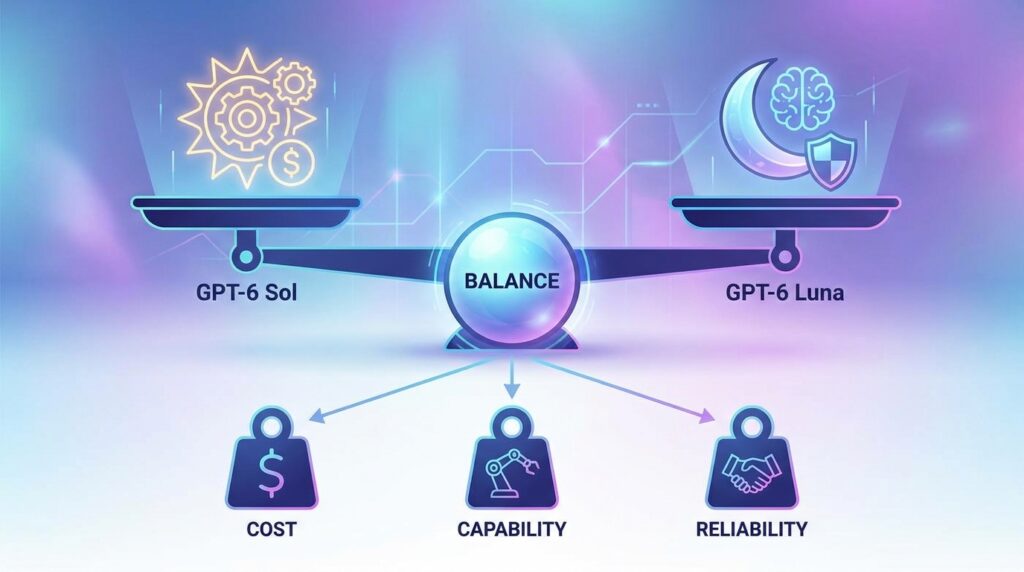
Luna is an attractive starting point for repetitive, clearly defined work where output quality can be checked efficiently. Sol is worth testing when tasks involve more complicated reasoning, coding, or professional decisions. Neither model should be selected solely on its advertised price.
For freelancers, students, developers, and business owners, the practical approach is simple: start with a small test, compare results against clear criteria, calculate the real cost of acceptable output, and expand only when the evidence supports it.