

Enterprise Knowledge Management Software Compared: The Best AI Context Platforms for Accurate Agents
AI agents are only as accurate as the knowledge they can reach. Give an agent an outdated refund policy, three conflicting documents and no access to the current price list, and it will still answer confidently. The wrong answer sounds just as polished as the right one. That is the real opportunity behind enterprise knowledge management software: a governed, current source of truth that both people and AI systems can trust.
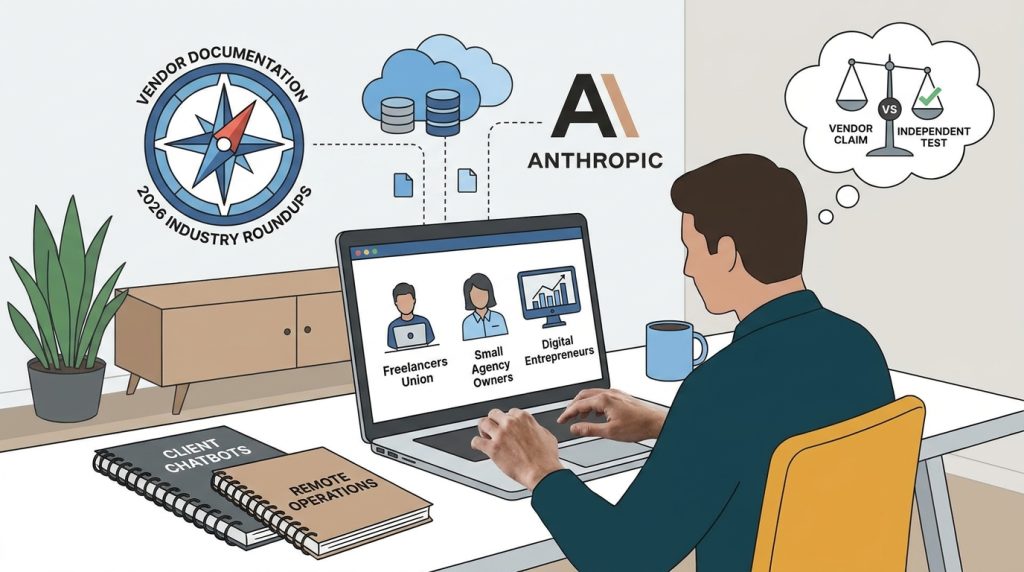
This guide is written for freelancers building client chatbots, remote operations staff, small agency owners and digital entrepreneurs who need to understand the tools their clients are asking about. I reviewed current vendor documentation, 2026 industry roundups and official guidance from Anthropic. Where a claim comes from a vendor rather than an independent test, I say so.
If you are weighing enterprise knowledge management software for a team, this article gives you a framework, a platform comparison and a practical starting plan you can use for a first shortlist.
What Is Enterprise Knowledge Management Software?
Enterprise knowledge management software is a platform that collects, organizes, governs and delivers an organization’s knowledge, so people and AI systems can find accurate answers quickly.

The category has changed. Older tools were built to store documents for employees to browse. Modern enterprise knowledge management software also has to make knowledge reliable for AI. That means handling permissions, freshness, ownership and the context around each document, not just storing files.
Anthropic’s engineering team describes the discipline behind this shift as context engineering. Its guidance frames the goal as finding the smallest set of high-signal information that gives a model the best chance of producing the right outcome. It also treats context as a limited resource with an attention budget, so more text is not automatically better.
Three terms often get mixed up:
- Knowledge base: the collection of articles, policies and how-to guides.
- Context layer: the part that decides which knowledge reaches an agent, when, and with what permissions.
- Knowledge management software: the broader system covering creation, governance, search and delivery.
How to Build Accurate Agents in Six Layers
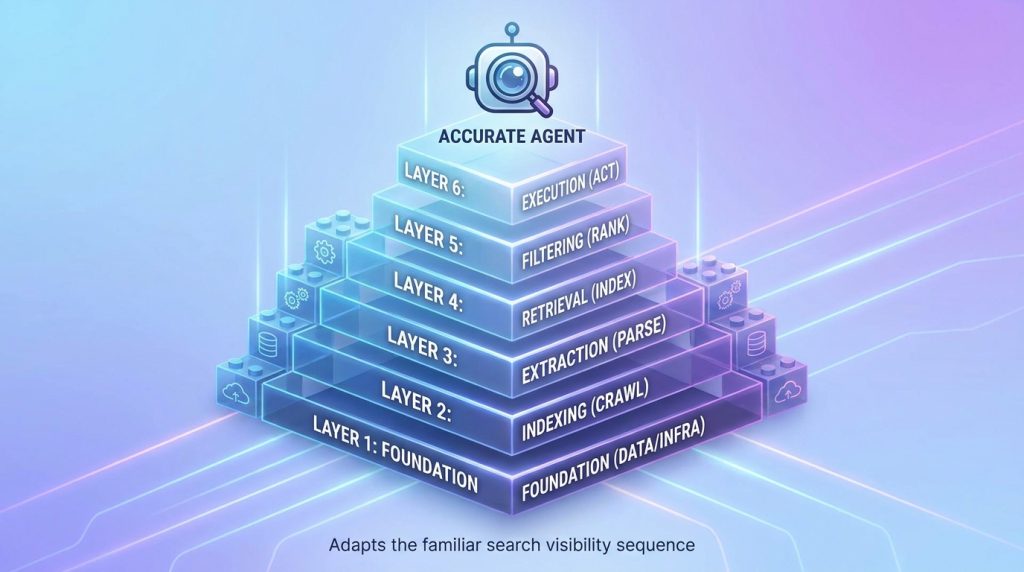
Accuracy problems usually start at the bottom of the stack. Here is the order I recommend. It adapts the familiar search visibility sequence, because agents fail in the same places websites do.
Layer 1: Access (Crawlability)
What to do: Make sure your agent can reach the documents it needs, and only those.
How to do it: Connect your main sources, such as the wiki, shared drive and ticketing system. Map each source’s permissions so the agent inherits what each user is allowed to see.
Why it matters: If the agent cannot read a document, nothing built on top of it works.
Example (illustrative): A support bot cannot cite a refund policy stored in a folder it has no access to, so it guesses. Connecting the policy library with the right scope fixes the answer.
Layer 2: Consistency
What to do: Name one source of truth for every important policy, price and process.
How to do it: Find duplicates across tools, mark one version as official and archive the rest.
Why it matters: Agents do not know which document you meant. They pick one, often at random.
Example (illustrative): A company’s wiki says 14-day returns, its help center says 30, and its sales deck says 60. Consolidating to one policy page removes the contradiction.
Layer 3: Answer the Question
What to do: Write each article around a question your staff or customers actually ask.
How to do it: Use a question as the heading, then answer it in the first two sentences underneath. Before you buy enterprise knowledge management software, list the 20 questions your team asks most often and check whether the platform can answer them.
Why it matters: Question-based pages are easier for retrieval systems to match to a request.
Example (illustrative): Instead of a heading called “Licensing,” use “How do I request a new software license?” followed by the steps and the approval contact.
Layer 4: Get Cited
What to do: Require every answer to show where it came from.

How to do it: Look for platforms that link each answer to the source document and let readers click through. Check whether citations work inside the chat tool, and whether the platform connects to the messaging apps where people already ask questions.
Why it matters: Unsourced answers are hard to audit. Cited answers can be corrected at the source.
Example (illustrative): A freelance consultant who maintains client onboarding documents can trace every chatbot answer to the exact paragraph, so corrections take minutes instead of days.
Layer 5: Become the Answer
What to do: Keep verified content current and assign an owner to every article.
How to do it: Set a review date for each page. Track which questions agents answer incorrectly, then fix the source document rather than only adjusting the prompt.
Why it matters: Accuracy is earned through maintenance. Credible, specific content gives an agent something reliable to draw on.
Example (illustrative): A quarterly review of 50 high-traffic articles can catch outdated pricing before a customer sees it.
Layer 6: Convert the Visitor
What to do: Deliver answers inside the tools where work happens.
How to do it: Prioritize platforms that work in your project tool, messaging app or document editor. Several 2026 vendor descriptions emphasize this workflow-first approach.
Why it matters: Knowledge that is hard to reach goes unused.
Example (illustrative): A remote team that gets answers inside its existing chat stops opening a separate wiki for routine questions.
The big idea is a chain: Access → Consistency → Answers → Citations → Verified content → Fast delivery. Fix the early links before buying advanced features.
Top Platforms Compared

The table below groups enterprise knowledge management software options by what they do best. Vendor claims are not independently tested here, so treat the table as a shortlist, then run a pilot on your own documents.
| Platform | Best for | Notable strength | Check before you buy |
|---|---|---|---|
| Glean | Large companies with many connected apps | Enterprise search across work tools | Connector coverage and enterprise pricing |
| Microsoft 365 Copilot | Organizations standardized on Microsoft 365 | Works with Word, Teams, Outlook and SharePoint content | Answer quality depends on how well SharePoint is organized |
| Guru | Sales and support teams | Verified knowledge cards with owners | Needs ongoing content maintenance |
| Confluence AI | Teams already documenting in Confluence | AI features in an existing wiki | Quality depends on current pages |
| Notion AI | Small and mid-size teams | Writing and search in a flexible workspace | Less suited to strict governance needs |
| Bloomfire | Teams focused on knowledge capture and governance | Scored on 12 criteria in one 2026 guide | Published ranking from the vendor, so verify independently |
| Atlan | Data teams building governed context for agents | Context layer between business systems and AI | Usually a larger data-stack project |
| DataHub | Engineering and data teams | Data-catalog roots extended to AI context | Requires data engineering skills |
| Dnotitia AKB | Teams wanting an open-source option | Open-sourced in 2026 with permission-scoped access | Newer project, so assess maturity |
For freelancers and small teams, Notion AI, Guru or Confluence AI are often easier starting points. Larger organizations with many systems tend to evaluate Glean, Microsoft 365 Copilot or data-context platforms such as Atlan and DataHub. Investor interest in this layer is also visible. SiliconANGLE reported in June 2026 that Jedify raised $24 million to give enterprise AI agents the business context they lack.
Pricing for enterprise tiers is often not published, so ask each vendor for a written quote that includes setup and content cleanup.
Common Mistakes to Avoid
- Buying before organizing. A new platform will expose your messy content, not fix it. Solution: Inventory your top 50 documents and assign owners before you start.
- Treating every document as equal. Drafts and official policies look the same to a search index. Solution: Label official pages and archive outdated drafts.
- Ignoring permissions. An agent that can see everything can reveal things it should not. Solution: Confirm that the agent respects each user’s access rights before you go live.
- Stuffing the context window. Long, unfocused context makes answers less reliable. Solution: Retrieve only the passages relevant to each question, in line with Anthropic’s emphasis on high-signal information.
- Skipping accuracy tests. Without a test set, you only learn about errors from customers. Solution: Write 30 questions with known answers and rerun them every month.
Useful Tips for Beginners
Start small with enterprise knowledge management software by testing it on one team’s real questions for two weeks. You can find more practical guides on AI tools for freelancers and small businesses at Digital Task Compass.
- Choose one team and collect 25 questions they ask repeatedly.
- Write or update the answers, name an owner for each, and add a review date.
- Connect only the sources those answers need.
- Test the tool on those 25 questions and log every wrong or unsourced answer.
- Fix the source documents, not just the prompt, and repeat the test weekly for a month.
Ask vendors for a pilot using your documents rather than their demo data. Demo data hides the messiness you need to see.
Frequently Asked Questions
Do I need enterprise knowledge management software if I already have a wiki?
Not necessarily. A well-maintained wiki with clear owners can serve a small team well. Dedicated platforms earn their cost when knowledge spans many tools, permissions become complicated, or AI agents need answers with citations.
How much does enterprise knowledge management software cost?
Enterprise pricing usually varies by seats, connectors and usage, and is often quoted privately. Compare total cost, including setup, integration and the time needed to clean up content.
Can freelancers use these tools for client work?
Many vendors offer plans suited to small teams, but read each vendor’s terms on data handling and confidentiality. Do not upload client information you are not permitted to share.
Is working with AI knowledge systems a useful skill?
Industry coverage in 2026 shows growing interest in knowledge management and context engineering as companies deploy agents. That is a trend, not a guarantee of jobs, clients or income, so treat it as one input in your planning.
Final Thoughts on Enterprise Knowledge Management Software
Accurate agents depend on accurate knowledge. Work from the foundation up: make knowledge reachable, keep one source of truth for each policy, answer the questions people really ask, cite your sources, assign owners and deliver answers where work happens.
Your next step is simple. Choose one team, list its 25 most common questions and test two enterprise knowledge management software options against them. The results will tell you more than any feature list.
- Access comes first. An agent cannot cite what it cannot read.
- Keep one source of truth for each policy.
- Test accuracy monthly with a fixed question set.
- Pilot with your own documents before you commit.
Which layer is your team focusing on right now?