
Second Brain for Beginners: Honest Notion vs Obsidian Guide
Many beginners set out to build a second brain for beginners, a single place where notes, ideas, research, and project plans can live and be found later. Most of them stall within a few weeks. The usual reason is not laziness. They picked a tool before they understood how they think and work, then spent their energy rebuilding templates instead of capturing knowledge. This guide compares Notion and Obsidian, the two most-discussed options in 2026, from a practical technical standpoint so you can choose the right foundation and start.
What Is a Second Brain for Beginners?

A second brain is an external system for storing what you learn so you do not have to hold everything in memory. The idea became popular through productivity author Tiago Forte’s work on personal knowledge management, but the principle is older: write things down, organize them so they can be retrieved, and connect them so new ideas build on old ones.
For a beginner, a second brain usually has four jobs:
- Capture: save articles, meeting notes, course lessons, and random ideas quickly.
- Organize: place information in a structure you can navigate, whether by project, topic, or area of life.
- Connect: link related ideas so you notice patterns.
- Retrieve: find what you need in seconds when a client, exam, or deadline demands it.
A second brain for beginners does not need to be complicated. A few well-chosen notes that you actually revisit are worth more than a perfect system you never open. This is where the tool choice matters, because the app shapes your habits.
Notion vs Obsidian: The Core Difference
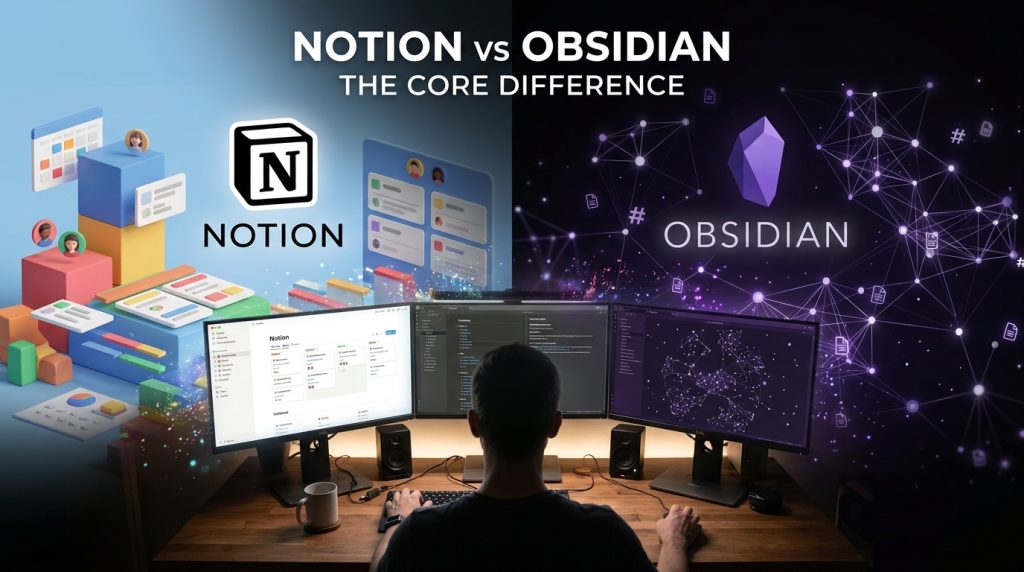
Before comparing features, understand the philosophy behind each app, because it affects everything else.
Notion is a cloud workspace built from blocks. A block can be a paragraph, heading, checkbox, table, image, or another page. Notion’s strength is structure: you can create databases for tasks, reading lists, client projects, and content calendars, then view the same data as a table, board, or calendar. Your data lives on Notion’s servers, which is why collaboration is easy.
Obsidian is a local-first app built on plain Markdown files stored in a folder on your device. Its strength is linking. You connect notes with double brackets, and it builds a web of relationships you can explore through backlinks and graph view. Your notes remain readable even if you stop using Obsidian, because they are ordinary text files.
In short, Notion organizes information in a database-like workspace that you share. Obsidian stores your thinking as files that you own and connect over time.
Step-by-Step Plan for a Second Brain for Beginners
Choosing a tool is only the first step. Use this process to set up either app without overbuilding.
Step 1: Define your main use case

Write down the top three things you want your second brain to help with. Examples include:
- Studying for a certification
- Managing freelance clients and deliverables
- Researching affiliate products or content niches
- Keeping a personal learning journal
Why it matters: Your use case decides whether you need databases and shared pages (Notion) or long-term linked notes and offline ownership (Obsidian).
Step 2: Test both with one real project

Pick one small, real project and spend a week using both apps for it. Capture meeting notes, a few web articles, and a task list. Do not use templates yet.
Example: A freelance web developer might record client requirements, store code snippets, and track invoices. After a week, they will know which app feels natural.
Step 3: Set up a minimal structure

For Notion, create four top-level pages: Inbox, Projects, Resources, and Archive. For Obsidian, create folders with similar names, but keep the linking habit at the center. Avoid building ten folders before you have ten notes.
Why it matters: Complex structures break down quickly. A simple, consistent system survives busy weeks.
Step 4: Capture first, organize later

Put everything into the Inbox or a daily note. Once a week, spend 20 minutes moving important items into projects or resources and deleting what you no longer need.
Example: After reading an article about freelance pricing, paste the key points into your Inbox. During the weekly review, link it to your “Client Proposals” page or note.
Step 5: Link and review

In Obsidian, add links whenever two notes relate. In Notion, use relations between databases or mention pages inside related notes. Then review your recent notes once a week and ask: what did I learn, and where can I use it?
Why it matters: The value of a second brain comes from retrieval and reuse. Links and reviews turn a storage box into a thinking tool.
Common Mistakes to Avoid
Mistake 1: Choosing based on videos. Influencer setups often show elaborate dashboards built over years. Beginners copy the look and forget the purpose.
Solution: Judge the tool by a week of your own use.
Mistake 2: Installing too many plugins or templates. Obsidian’s community plugin library is large, and Notion’s template gallery is tempting. Each addition adds maintenance.
Solution: Start with zero plugins in Obsidian and no templates in Notion. Add one tool only when you feel a real friction point.
Mistake 3: Ignoring data ownership. Many people store years of work in a cloud app without checking export options or pricing changes.
Solution: Check how you can export your data before committing. Notion supports exports in common formats, and Obsidian’s Markdown files are readable by almost any text editor. Back up regularly either way.
Mistake 4: Perfectionism in organization. Beginners often spend hours designing the “perfect” folder tree.
Solution: Use search and tags. Most modern apps find notes faster than manual filing.
Mistake 5: Capturing without reviewing. A second brain full of unread notes is just a digital junk drawer.
Solution: Schedule a 20-minute weekly review and treat it as a non-negotiable appointment.
Useful Tips for Beginners
- Start with a daily or weekly note. A simple dated page gives you a place to dump thoughts without deciding where they belong.
- Write notes in your own words. Summarizing an idea helps you understand it and makes it easier to find later.
- Use clear titles. “Client onboarding checklist” is easier to find than “Notes 14.”
- Limit your tags. Five to ten consistent tags often work better than fifty random ones.
- Keep sensitive material in mind. If you store client contracts or personal financial records, think carefully about where they live and who can access them.
- Consider both tools if your work is split. Some people use Notion for shared team pages and Obsidian for private research. This works if you keep the boundary clear.
Pricing and features: check the current numbers
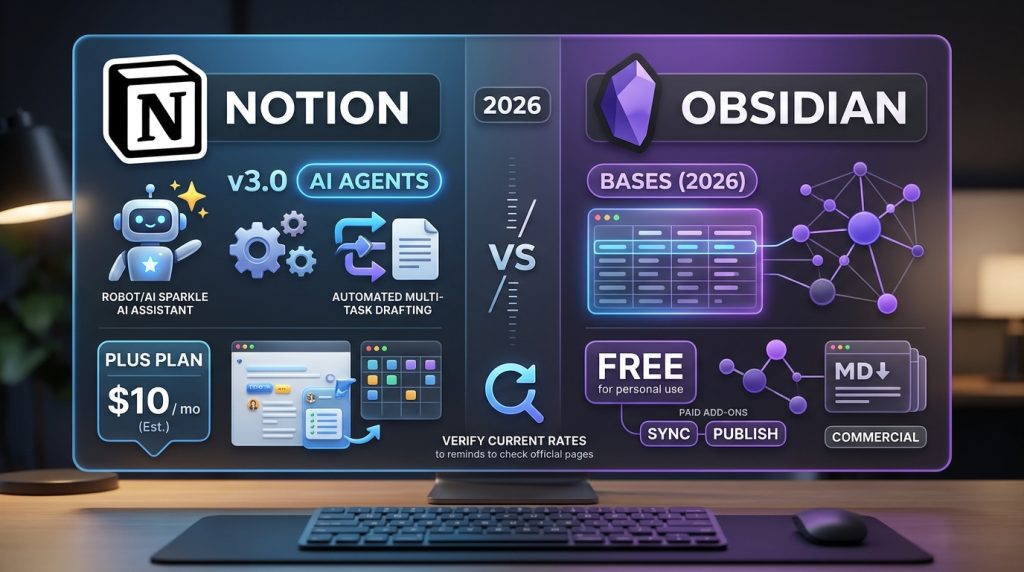
Software prices and features change often, so verify before you buy. At the time of writing, comparisons from 2026 generally describe Notion’s paid personal and team plans in the range of roughly $10 per month for the Plus tier, and Obsidian as free for personal use, with paid add-ons such as Sync and Publish. Commercial use of Obsidian may require a paid license. These figures are estimates from third-party comparisons, not guarantees. Confirm them on the official Obsidian pricing page and the Notion pricing page before making a budget decision.
Recent product news also matters. Notion released version 3.0 in September 2025, adding AI agents that can draft documents and complete multi-step tasks. Obsidian introduced native database-style views called Bases in 2026, which narrows the gap for users who want table-like organization. Both tools keep evolving, so treat any comparison older than a few months with caution.
Who Should Choose Which?
Choose Notion if:
- You work with clients or teammates and need shared pages.
- You want databases for tasks, content calendars, or CRM-style tracking.
- You prefer a polished interface with minimal setup.
Choose Obsidian if:
- You want to own your notes as plain files.
- You enjoy linking ideas and exploring connections.
- You work offline often or care about privacy.
Choose neither yet if:
- You have no clear goal. Start with a paper notebook or a simple daily note for two weeks, then decide.
For freelancers and remote workers, the decision often comes down to collaboration. If clients need access to your project pages, Notion’s sharing is easier. If you are building long-term expertise you plan to reuse for years, Obsidian’s file-based model offers strong portability. Freelancers who write content or build affiliate resource pages may find Obsidian valuable for research, then move polished material into a client-facing tool.
Frequently Asked Questions
Is a second brain for beginners worth the time?
Yes, if you use it. The benefit comes from quickly finding and reusing what you learn. Spend time on capture and weekly review, not on decoration.
Is Obsidian too hard for non-technical users?
Not necessarily. Basic note-taking in Obsidian requires only typing and creating links. Advanced features like plugins and custom CSS can wait. Many beginners find the first week slightly awkward, then comfortable.
Can I switch from Notion to Obsidian later?
Yes, though it takes effort. Export your Notion pages, then clean up formatting and links. Start by moving only the notes you actually use, rather than migrating everything.
Do I need to pay for either app?
Both offer free options that are enough for personal learning. Paid plans become useful when you need sync across devices, team sharing, or advanced features.
What if I use both apps?
That is acceptable. Define clear roles, such as Notion for shared project management and Obsidian for private research, and avoid duplicating the same information in two places.
Final Thoughts

A second brain for beginners works best when the tool fits your habits. Notion suits people who need shared structure and databases. Obsidian suits people who want linked, portable notes they control. Test both with one real project, keep your setup simple, capture consistently, and review every week. If you take one practical step today, open your current notes app, create an Inbox page or daily note, and save three things you learned this week. That small habit is where a useful second brain begins.
Sources and verification: Product details above come from 2026 comparisons and vendor announcements, including Notion’s September 2025 release of Notion 3.0 and Obsidian’s 2026 Bases feature. Prices are estimates; verify on official pricing pages.
For more digital productivity guides, visit Digital Task Compass.