
Best Global Payroll Software: 5 Expert-Tested Picks
Paying employees and contractors in several countries sounds simple until the first payslip goes out. Tax rules differ, pay calendars shift, and one missed deduction can trigger penalties. That is why choosing the right global payroll software now matters for startups, agencies, and remote teams alike. This review compares five platforms, explains who each one suits, and maps the countries they serve, along with the places where sanctions block business entirely.
What Is Global Payroll Software?

Global payroll software is a platform that calculates, pays, and reports wages for workers in multiple countries from one system. It handles local tax withholding, social contributions, currency conversion, and statutory filings. Many tools also offer an Employer of Record (EOR) service. An EOR becomes the legal employer in a country where your business has no registered entity, so you can hire there without setting up a local company.
Many people assume this is just regular payroll with more currencies. In practice, the difference is compliance. Each country has its own pay frequency, pension rules, and filing deadlines. Good platforms track those changes so your team does not have to.
How to Choose the Right Platform in 4 Steps

Before booking any demo, work through these steps. They follow a layered logic: secure the foundation first, then compare features and price.
- Confirm compliance coverage. Ask each vendor which countries it pays directly, which it serves through partners, and which it cannot serve at all. Why it matters: a cheap plan that misses one country can cost more in penalties than you saved. Example: a team paying two workers in Germany and one in Brazil should confirm local filing support for both countries in writing before comparing prices.
- Check how workers get paid. Look at local-currency payouts, exchange-rate margins, and per-transaction fees. Why it matters: a hidden FX margin of 1 to 2 percent adds up quickly on every salary run. Example: if your monthly payroll is $20,000, a 1.5 percent spread costs $300 each month, or $3,600 a year.
- Test integrations with your existing tools. Connect the platform to your accounting software and HR records during a trial. Why it matters: manual exports and re-keyed data are where most payroll errors begin. Example: confirm that journal entries flow into your accounting system without anyone copying figures by hand.
- Plan for headcount growth. Estimate hiring for the next 12 months and compare how pricing changes at each tier. Why it matters: a small per-employee difference becomes significant at scale. Example: a 30-person team and a 60-person team can fall into very different pricing brackets on the same vendor.
Top 5 Global Payroll Software Reviews for 2026
Vendor prices and country counts differ across 2026 review sites and vendor pages. The figures below are reported ranges, not guarantees. Confirm them on each vendor’s site or in a written quote before you buy.
1. Deel: Best for Multi-Country Payroll and Contractors

Deel combines global payroll, EOR services, and contractor payments in one platform. It supports payouts in more than 100 currencies, and review sites place its country coverage between 100 and 150 countries depending on the service. Its Global Payroll product has been reported at around $29 per employee per month, though many features require a custom quote.
Best for: teams hiring across many countries that want one vendor for employees and contractors.
2. Rippling: Best for HR, IT, and Payroll in One Place
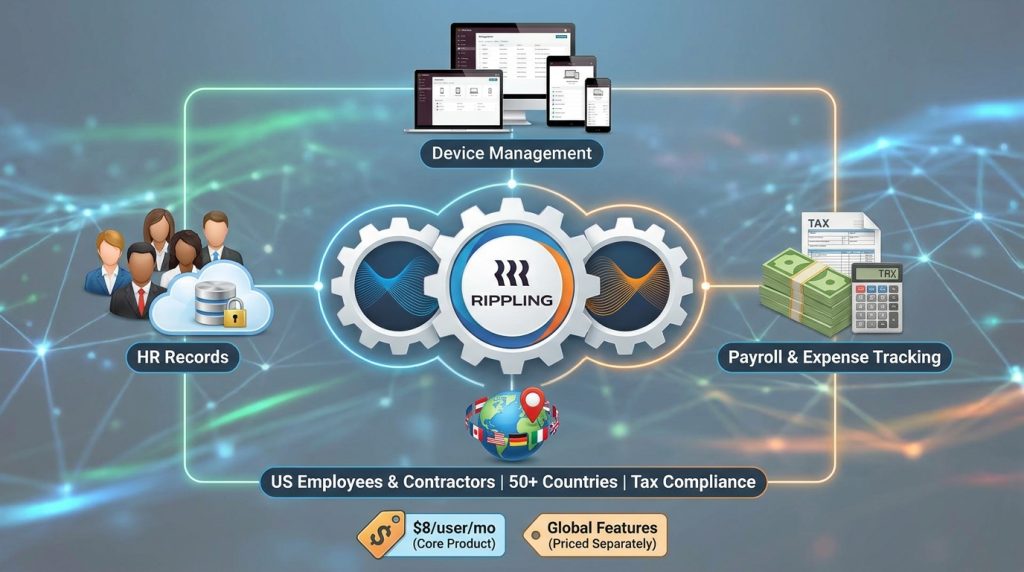
Rippling works well when payroll should sit alongside HR records, device management, and expense tracking. According to Capterra’s 2026 review data, it supports payroll for US employees and contractors in more than 50 countries, with tax compliance handled per jurisdiction. Its core product has been reported from $8 per user per month, with global features priced separately.
Best for: fast-growing companies that want to reduce the number of software subscriptions they manage.
3. Remote: Best for Built-In Compliance

Remote is built around compliance. Its platform covers EOR, payroll, and contractor management, and reviewers often highlight its straightforward per-worker pricing and built-in tax handling. Exact country counts and prices change by plan, so request a current quote before comparing.
Best for: companies that want compliance responsibility handled within a single contract.
4. Papaya Global: Best for Enterprise Payments and Scale

Papaya Global targets finance-led teams that need to centralize payroll and workforce payments. Its platform covers more than 160 countries and automates statutory payments. Pricing is where sources diverge: one 2026 review lists its Payroll Plus tier at $29 per employee per month plus per-transaction payment fees, while another lists payroll from $12 per employee per month. That gap is a good reason to request a written quote.
Best for: mid-market and enterprise teams that prioritize payment control and consolidation.
5. ADP GlobalView: Best for Large Multinationals

ADP GlobalView serves large organizations, typically those with 1,000 or more employees spread across several owned entities. ADP has an established track record and deep governance tools, but it does not publish standard pricing, so expect a formal sales process.
Best for: enterprises with existing legal entities and dedicated HR operations teams.
Which Countries Can Your Global Payroll Software Serve?

Coverage changes often, so use vendor-reported 2026 figures as a starting point and confirm them for your specific countries.
Available Countries
- Papaya Global: reported coverage of 160+ countries
- Deel: reported coverage of 100 to 150+ countries, depending on the service
- ADP GlobalView (with Celergo): reported coverage of about 140 countries
- Rippling: payroll in 50+ countries, with EOR services in additional markets
- Remote: broad international coverage through EOR and contractor services; confirm your exact countries
Restricted Countries Under U.S. Sanctions

Sanctions set the hard limits for any global payroll software. In the United States, the Treasury Department’s Office of Foreign Assets Control (OFAC) administers the rules. As of November 2026, OFAC applies comprehensive embargoes to Cuba, Iran, and North Korea, plus the Crimea, Donetsk, and Luhansk regions of Ukraine. Most reputable vendors will not onboard workers or send payments in these locations.
Other countries face targeted restrictions rather than full embargoes. Russia, Belarus, and Venezuela have sectoral and list-based sanctions, and several others, including Myanmar, Nicaragua, and Sudan, face program-specific limits. Sources disagree on whether Syria remains under comprehensive restrictions in 2026, so check OFAC directly before any transaction.
Two practical points matter here. First, sanctions rules apply based on the people and transactions involved, not only on the country name. Second, the UK and EU run separate sanctions regimes, so a vendor compliant with U.S. rules may still need checks under other frameworks. For official program details, see the OFAC sanctions programs page. This is general information, not legal advice, so consult a sanctions specialist for your situation.
Common Mistakes to Avoid
Buyers often blame global payroll software for problems that began in the contract. Watch for these five errors.
- Choosing on the headline price alone. Solution: compare total cost, including FX margins, setup fees, year-end filing fees, and per-transaction charges.
- Assuming “available” means “compliant.” Solution: ask for local filing and tax support in writing for each country you plan to use.
- Skipping sanctions screening. Solution: confirm the vendor’s screening process and have your legal team review any high-risk country before you hire.
- Going live without a pilot. Solution: run one full payroll cycle in a single country before migrating your whole team.
- Misclassifying workers. Treating a contractor as an employee, or the reverse, creates legal exposure in many countries. Solution: review worker classification rules for each country with a local adviser.
Useful Tips for Beginners
- Start small. Begin with one country and one pay cycle, then expand once the process is stable.
- Build a payroll calendar for each country. Pay dates, tax deadlines, and holidays differ, and a shared calendar prevents missed runs.
- Request a sandbox. Ask whether you can test global payroll software with dummy data before you sign.
- Ask for a written fee schedule. Verbal estimates often leave out FX and transaction fees.
- Keep an audit trail. Store payslips, approvals, and tax filings in one place. Good records make year-end reviews far easier.
- Re-check every 6 to 12 months. Tax rules and vendor coverage change, so review your setup regularly.
Frequently Asked Questions
Which global payroll software suits a small team?
Deel and Rippling are commonly recommended for small teams because setup is relatively fast and they cover many countries. The best choice depends on which countries you need and what your budget allows, so start with your hiring map.
Do I need an Employer of Record with global payroll software?
Not always. If your business has a registered entity in a country, payroll software may be enough. Without a local entity, an EOR is usually required to employ people there legally.
Is global payroll software expensive?
Pricing ranges from a few dollars per user per month to custom enterprise contracts. Always add FX margins and transaction fees to the subscription price before comparing vendors.
Can global payroll software pay workers in sanctioned countries?
Most reputable providers will not. Cuba, Iran, North Korea, and certain Ukrainian regions face broad U.S. restrictions, and other countries have targeted limits. Confirm the current rules with OFAC guidance or qualified counsel before making any payment.
Final Thoughts

Choosing global payroll software is a foundation decision, not a feature hunt. Start with compliance coverage, then check payment costs, integrations, and growth pricing. Make sure your target countries are actually available and not restricted.
Your next step is practical: list every country where you plan to hire over the next year, shortlist two or three platforms that cover them, and request written quotes. For more remote work tool guides, visit the remote work tools guide section on Digital Task Compass.