

AI Tool Evaluation Framework: How to Choose Tools That Fit Your Work
New AI tools launch almost every week, and each one promises to save you hours. Some genuinely do. Many just add another monthly charge, another login and another tab you forget to open.
If you freelance, work remotely, run a small business or are building a side income, those costs add up quietly. The answer isn’t to avoid AI. It’s to decide before you subscribe. A simple AI tool evaluation framework gives you a repeatable way to do that, and it takes about 30 minutes per tool.

This guide walks through five steps. For each one you’ll see what to do, how to do it and why it matters, with practical examples. Then we’ll look at the same logic through SEO: why search visibility works in layers, and why many “AI visibility” tools can’t help if the basics are broken. The process works the same whether you’re in New York, London, Berlin, Sydney, Auckland, Tokyo, Seoul or Singapore.
What Is an AI Tool Evaluation Framework?
It’s a short, repeatable checklist you run before paying for any AI software. Instead of asking “Is this tool impressive?”, you ask “Does it solve my specific problem, fit my setup and cost what I think it costs?”
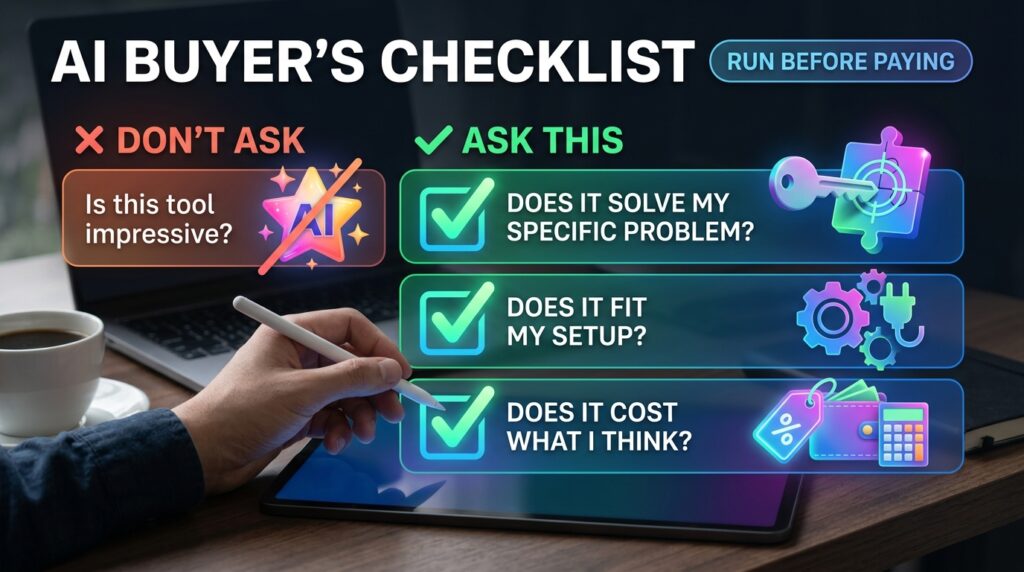
Think of it like a test drive. You wouldn’t buy a car because the advert looked good. You’d check that it fits your life, your budget and your garage. A good AI tool evaluation framework works the same way.
The five checkpoints are:
- Define your strategic goals
- Map core capabilities
- Test workflow integration
- Calculate the real cost
- Audit security and reputation
The rule of thumb behind all five: never force your workflow to fit a tool. Choose tools built to power the process you already have.
Step-by-Step Guide: Run Any Tool Through 5 Checks
Step 1: Define Your Strategic Goals

What to do: Name the one bottleneck you want to fix. Not “be more productive,” but something specific, like automating repetitive data entry, speeding up first drafts or writing code faster.
How to do it: Finish this sentence: “I’m losing time or money because ______.” Then add a number. Track the task for one week so you know your starting point.
Why it matters: Without a clear goal, every feature looks useful. That’s exactly how people end up paying for tools they open twice.
Example: A freelance copywriter spends about five hours a week turning interview notes into first drafts. Her goal is to cut that to two hours without lowering quality. Now any tool can be tested against a clear target.
Step 2: Map Core Capabilities
What to do: Separate must-have features from nice-to-have ones, then favour tools that do one job exceptionally well, such as text generation, design or analytics.

How to do it:
- Write three columns: must-have, nice-to-have, don’t need.
- Pick two or three tools and run the same real task through each, using free trials.
- Compare results, not feature lists.
Why it matters: Bloated all-in-one platforms often charge for features you’ll never open. A focused tool is usually easier to learn and easier to replace.
Example: A job seeker needs help tailoring résumés to job descriptions. A dedicated résumé tool may do that better than a “career suite” that also bundles interview simulators and portfolio builders she doesn’t need.
Step 3: Test Workflow Integration
What to do: Check that the tool connects smoothly with what you already use, whether that’s Microsoft 365, Google Workspace, Slack, your CRM or custom APIs.

How to do it:
- Look for native integrations first, then connectors such as Zapier or Make.
- Run a two-day trial inside your real workflow, not a demo project.
- Count the manual steps. If you’re copying and pasting between tabs all day, that’s a warning sign.
Why it matters: If a tool is hard to use, you and your team won’t stick with it. Adoption matters more than features.
Example: A small agency lives in Google Docs and a CRM. A tool that only exports PDFs adds a manual step to every deliverable. Over a month, that friction can erase the time it was meant to save.
Step 4: Calculate the Real Cost
What to do: Look beyond the monthly sticker price to the Total Cost of Ownership (TCO).

How to do it: List every cost:
- Price per seat, and what extra seats cost
- API or usage limits, and overage charges
- Setup, onboarding or migration fees
- Add-ons locked behind higher tiers
- Tax (VAT, GST or sales tax) and currency conversion if you’re billed in another currency
- The time you’ll spend learning the tool
Then compare the total with the value of the time you expect to save. Treat that as an estimate, not a promise.
Why it matters: A cheap plan with a tight usage cap can cost more than a mid-priced plan with generous limits.
Example (illustrative numbers only): A tool advertised at $20 a month looks fine. But you need three seats, and the usage cap pushes you onto a higher tier. The real monthly cost is several times the headline price, so now you compare that number with the hours saved.
Step 5: Audit Security and Reputation

What to do: Check what real users say and verify the tool’s security and compliance standing before you put any client or company data into it.
How to do it:
- Read independent reviews on more than one site, not only the testimonials on the vendor’s page.
- Look for compliance evidence such as a SOC 2 report or ISO 27001 certification.
- Read the data policy: Does the tool train on your inputs? Can you opt out? Where is data stored?
- If you serve clients in other regions, be aware of local rules, such as GDPR in the EU and UK, the Privacy Act in Australia and New Zealand, APPI in Japan, PIPA in South Korea and PDPA in Singapore. This isn’t legal advice, so check what applies to your situation.
Why it matters: One careless paste of client data into the wrong tool can damage trust that took years to build.
Example: A freelance marketer handling a client’s customer list should avoid putting it into any tool without a clear, readable data policy.
Apply the Framework to SEO: Fix the Layers in Order
The same “order matters” idea applies to search. Many AI tools now promise to get you cited by AI assistants or to “boost AI visibility.” Before you buy one, you need to know which problem it solves, because search works in layers, and if you skip Layer 1, everything below it gets harder.

Our guide to SEO and AEO strategy covers the full stack. Here’s the short version:
Layer 1: Crawlability
Make sure search crawlers can actually read your site. If they can’t access a page, nothing else matters. It’s often the most overlooked layer and one of the cheapest to fix.
Example: After a site redesign, a developer leaves a “disallow” rule in robots.txt that blocks the blog. No AI writing tool can fix that.
Layer 2: Brand Consistency
Your website, LinkedIn, Reddit and other profiles should communicate the same identity. If your site says “SEO consultant” and your LinkedIn says “social media freelancer,” you can look like two different businesses.
Layer 3: Answer the Question
Build content around questions your customers really search for. Make each H2 a real buyer question and answer it clearly underneath. This is where SEO and AEO (answer engine optimization) overlap. Google’s own guidance on people-first content points the same way: write to help people, not to game rankings.
Example: Instead of a heading like “Our Web Design Services,” use “How much does a small-business website cost?” and answer it in the first two sentences.
Layer 4: Get Cited
Your site isn’t the only place AI systems discover information. They also look at platforms and communities where your brand is already discussed. The goal is to be visible where these systems are already looking, by being genuinely helpful, not by spamming.
Layer 5: Become the Answer
Being mentioned is different from being recommended. Real case studies, specific results and credible numbers give AI systems something useful to reference. This layer is earned over time, and only with real results.
Layer 6: Convert the Visitor
Traffic only matters if your site turns it into action. If someone already knows what they want, give them the answer quickly and make the next step obvious.
The full order: Crawlability → Brand Consistency → Answers → Citations → Recommendations → Conversion.
That’s where your AI tool evaluation framework earns its place. Before buying any AI SEO tool, ask which layer it actually works on. A tool that rewrites blog posts helps with Layer 3 only. It won’t fix a blocked crawler. And the biggest SEO mistake is trying to optimize for AI answers while your own site still has basic technical problems.
Common Mistakes to Avoid
- Buying before defining the problem. Fix: Write the bottleneck and a target number first (Step 1).
- Judging a tool by its demo. Fix: Test it on your own messy, real tasks.
- Ignoring seat and usage limits. Fix: Read the pricing page’s fine print and calculate TCO.
- Paying annually before testing. Fix: Start monthly, switch to annual only after a few weeks of real use.
- Pasting sensitive data into unvetted tools. Fix: Check the data policy, or anonymize the data.
- Chasing AI visibility with basic technical problems. Fix: Start at Layer 1 and work down.
- Never reviewing your stack. Fix: Re-run your AI tool evaluation framework every few months and at every renewal.
Useful Tips
- Test one tool at a time. Comparing three at once makes it hard to see what actually helped.
- Turn your AI tool evaluation framework into a one-page scorecard. Score each step from 1 to 5 in a simple spreadsheet and compare tools side by side.
- Start with free tiers. Upgrade only when you hit a real limit.
- Set a reminder before the trial ends. Cancel on purpose, not by accident.
- Check the refund and cancellation policy before entering payment details.
- Ask your team or clients what tools they already use. Compatibility can matter more than features.
- Keep your stack small. Fewer tools mean fewer logins, fewer costs and less to maintain.
Frequently Asked Questions
How many AI tools does a freelancer or remote worker really need?
There’s no fixed number. Many people start with one or two that solve a clear bottleneck and add more only when a new need appears. If you can’t name the problem a tool solves, you probably don’t need it yet.
Are free AI tools safe to use for client work?
Not automatically. Free tools may handle data differently from paid plans, so read the data policy first. Yes, free tools should go through the same AI tool evaluation framework as paid ones, especially the security step.
Do I need a SOC 2 report before using an AI tool?
SOC 2 isn’t a legal requirement for you as a user. It’s a useful signal that a vendor’s security controls have been independently audited. It matters more when you handle sensitive company or client data.
Should I focus on SEO or AEO first?
Start with the foundation: crawlability, consistent branding and clear answers. Advanced AI visibility tactics work better once those basics are in place.
How often should I re-evaluate my AI tools?
A good habit is to review them every few months and before each renewal. Tools, pricing and your own needs change quickly.

Final Thoughts
The best AI tool is rarely the most hyped one. It’s the one that solves a clear problem, fits your workflow, costs what you expect and keeps your data safe. Running each tool through an AI tool evaluation framework keeps you in control, and the same layered thinking keeps your SEO efforts in the right order.
Your next step: pick one tool you’re considering, score it against the five steps, and decide before you enter your card details. If you want to strengthen your search foundation too, start with Layer 1 and work down.
What’s one AI tool you rely on every single day? And which SEO layer are you focusing on right now? Share it in the comments.
Disclaimer: This article is for general information only. It doesn’t guarantee income, clients, jobs or search rankings. Check current pricing, features and legal requirements with each provider or a qualified professional.