
7 Best Time Tracking Apps for Freelancers in 2026 (Tested Picks)
Most freelancers either don’t track their time at all — and quietly lose money — or track it badly with sticky notes and guesswork. The right time tracker fixes both problems in under 30 seconds a day. The wrong one feels like surveillance and gets abandoned in a week. This guide cuts through the noise on the best time tracking apps for freelancers and helps you pick one you’ll actually open tomorrow.
Each tool below has been judged on the things freelancers actually need — fast start/stop, clean reports, fair pricing, and an honest free tier. We’ll cover the seven best time tracking apps for freelancers across different use cases, plus a short framework for picking yours.
Why Freelancers Should Track Time (Even on Fixed-Price Work)
If you bill hourly, time tracking is obvious — you can’t invoice what you didn’t measure. But even fixed-price freelancers benefit, because it answers the most important question in your business: how long does this kind of work really take me?
Without tracking, you’ll quote your next project the same way you quoted the last one — by feel. With tracking, you have actual numbers from real projects to calibrate your pricing against. That’s how freelancers stop accidentally underpricing themselves and start charging realistically. (Pair the numbers from these best time tracking apps for freelancers with our pricing guide for the full pricing-with-data approach.)
What to Look For in a Time Tracker
A good freelance time tracker has four traits:
Fast to start and stop. A timer that takes more than 5 seconds to launch gets skipped.
Project and client tagging. You need to know not just how long but what for — by project, client, and task.
Reports you’ll actually read. Weekly and monthly summaries that show where your hours went, ideally exportable.
Honest pricing. The best time tracking apps for freelancers usually have a usable free tier — solo freelancers rarely need a paid plan.
Idle detection, mobile apps, and integration with project tools are nice extras but not essentials.
1. Toggl Track — Best Overall

Toggl Track is the default recommendation for solo freelancers and small teams. The timer launches in one click, projects and tags are easy to set up, and reports are clear without being overwhelming. Cross-device sync means you can start a timer on your laptop and stop it on your phone.
Best for: any freelancer who wants a single, polished tool that just works.
Free tier: generous — up to 5 users, unlimited time tracking, unlimited projects. Enough for almost every solo freelancer indefinitely.
Paid: unlocks billable rates, project budgets, and detailed exports. Worth it for freelancers billing hourly across many clients.
Verdict: if you don’t know which to pick, pick Toggl Track and stop researching.
2. Clockify — Best Free Option

Clockify genuinely has one of the most generous free plans of any productivity app — unlimited tracking, unlimited users, unlimited projects, even on the free tier. For freelancers and small teams that don’t want to pay anything, it’s hard to beat.
Best for: budget-conscious freelancers and small teams who want a real free tool, not a stripped-down trial.
Free tier: unlimited core features (time tracking, projects, reports, exports). The free plan covers most freelance needs completely.
Paid: adds advanced features (rate management, custom fields, alerts), but most solo freelancers won’t need them.
Verdict: If Toggl feels too polished and you’d rather pay nothing forever, Clockify is the answer.
3. Harvest — Best Time Tracking + Invoicing Combo

Harvest does time tracking well, but its real edge is turning tracked hours directly into client invoices — without exporting to a separate billing tool. For freelancers who hate the gap between “I tracked it” and “I got paid,” that integration is worth real money.
Best for: hourly-billing freelancers who currently use one tool for time and a different one for invoices.
Free tier: one user, two projects — enough to test the full workflow but not enough to run a real freelance business in the long term.
Paid: unlocks unlimited projects and users at a single per-user monthly price.
Verdict: if invoicing eats your Friday afternoons, Harvest probably pays for itself in time saved.
4. RescueTime — Best Automatic Tracking
RescueTime takes a different approach: instead of starting and stopping timers, it runs quietly in the background and automatically categorizes how you spend time across apps and websites. You don’t track anything — it does, and shows you patterns afterward.
Best for: freelancers who keep forgetting to start timers, and want to understand where their time actually goes (productive work vs. distractions).
Free tier: basic categorization and weekly reports.
Paid: unlocks detailed focus reports, distraction-blocking, and deeper analytics.
Verdict: great as a complement to a manual timer (Toggl/Clockify), not a replacement. Many freelancers run both — RescueTime for awareness, Toggl for billing.
5. Timely — Best AI-Powered
Timely is the most automation-heavy of the best time tracking apps for freelancers — it captures your activity in the background, then uses AI to suggest how to log it as timesheet entries. You review and confirm rather than start/stop manually.
Best for: freelancers with chaotic, switch-heavy days who can’t realistically start a timer for every micro-task.
Free tier: limited trial only — Timely is mostly a paid tool.
Paid: monthly per-user pricing typical for SaaS time trackers.
Verdict: worth it only if manual tracking has truly failed for you. Most freelancers don’t need this layer of automation yet.
6. ClickUp Time Tracking — Best Built-In Option
If you already use ClickUp as your project management tool (we covered it in our Notion vs ClickUp comparison), its built-in time tracking is good enough that you may not need a separate tool. The timer lives inside the task itself.
Best for: ClickUp users who want one tool for tasks and time, not two.
Free tier: time tracking is included on ClickUp’s free plan.
Paid: advanced time reports and estimates included on paid ClickUp tiers.
Verdict: stop adding tools if ClickUp is already your task home. Use what’s built in.
7. Notion + Simple Database — Best for Notion Loyalists
Notion doesn’t have a native timer, but a simple database with a start-time / end-time / duration setup works well for freelancers who already run their whole workspace there. Pair it with the free Notion templates, and you have client tracking, project tracking, and time logs all in one place.
Best for: Notion-first freelancers who don’t want to add another app.
Free tier: works fully on Notion’s free plan.
Paid: no specific upgrade needed for tracking.
Verdict: less polished than dedicated trackers, but unbeatable if you live in Notion already.
How to Choose the Right Time Tracker for You

Pick by your actual constraint, not by features:
- You bill hourly across many clients: Harvest (time + invoicing in one tool).
- You want one polished free tool that just works: Toggl Track.
- You want a free tool forever and can deal with slightly less polish: Clockify.
- You keep forgetting to start timers: RescueTime (automatic) or Timely (AI-suggested).
- You already use ClickUp or Notion: use the built-in option before adding another app.
The biggest mistake when comparing the best time tracking apps for freelancers is choosing one with too many features. A tracker you’ll open twice a day beats a fully-featured one you’ll abandon in a week.
How to Use a Time Tracker Without Going Crazy
Time trackers fail freelancers in two ways: too granular (you track every 30 seconds and hate your life) or too vague (you log “design work” for 5 hours and learn nothing).
The sweet spot is client + project + broad task type — enough detail to invoice and learn from, not so much that tracking feels like a job itself. Start a timer at the beginning of a focus block, stop it when you switch contexts, and don’t worry about quick interruptions under a minute or two.
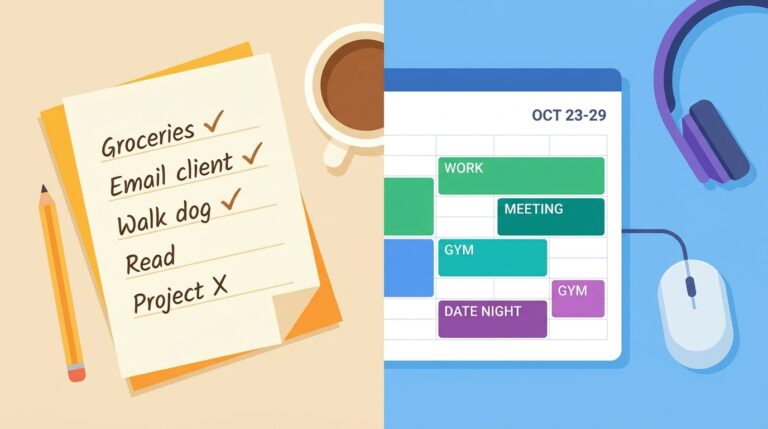
Pair your tracker with the structure from our time blocking vs to-do list guide — the timer measures the blocks you’ve already chosen, instead of trying to capture your whole chaotic day in real time.
Frequently Asked Questions
Are the best time tracking apps for freelancers actually free? Yes — Toggl Track, Clockify, and the built-in trackers in ClickUp and Notion all have genuinely usable free tiers for solo freelancers. Paid plans mainly unlock invoicing, advanced reports, and team features that solo freelancers often don’t need.
Should I track time on fixed-price projects too? Strongly recommended. Even when the client isn’t paying hourly, you need real numbers on how long your work actually takes to price your next project accurately. The best time tracking apps for freelancers earn back their setup time within a few projects through better pricing.
What’s the easiest time tracker for someone who hates tracking? Toggl Track for manual (lowest friction to start/stop) or RescueTime for automatic (no starting required). Pick based on whether you’d rather be slightly inaccurate or slightly tracked.
Can I switch between these tools later? Yes — most of the best time tracking apps for freelancers let you export your data in CSV format. Switching is rarely catastrophic. Don’t let tool-lock-in fear paralyze the initial pick.
Pick One This Week and Start Tracking Today
You don’t need the perfect time tracker — you need any tracker you’ll actually open. Pick one from the list above that matches your real constraint, install the desktop and mobile apps, and run it for two weeks before deciding to switch.
Pair your tracking data with the rest of your freelance system: see our guides on pricing your freelance services, organizing your work day, and the rest of our productivity guides.