

Notion vs ClickUp in 2026: Which One Fits Your Workflow?
Both Notion and ClickUp will let you organize tasks, projects, notes and clients. Both have generous free tiers. Both have raving fans who will defend their choice in any comments section. The honest “notion vs clickup” answer isn’t about which tool is better — it’s about which one fits the way you actually work.
This comparison cuts through the marketing on both sides. We’ll look at pricing, features, learning curve, who each tool truly fits, and the one question that decides it for most people in under a minute.
Notion vs ClickUp at a Glance
A quick honest framing before the detail:
Notion is a flexible workspace built on databases and documents. It’s loved by solo creators, small teams, knowledge workers and writers who want to design their own system — notes, wikis, task lists, light client tracking — in one calm interface.
ClickUp is a feature-packed project management platform. It’s loved by operations-heavy teams, agencies and freelancers managing many active projects who want every PM feature in one place — task hierarchies, time tracking, Gantt charts, dashboards, automations.
If Notion feels like a beautiful empty notebook you can shape yourself, ClickUp feels like a fully kitted-out command center where every button does something. The right one for you depends on which of those sounds inviting and which sounds exhausting.
Pricing: How Notion vs ClickUp Compare
Both have legitimately useful free plans — neither is a fake free trial.
Notion’s free plan covers unlimited pages and blocks for individual users, with light file upload and page history limits. Solo freelancers can run their entire business on it; we walked through exactly how in our Notion for freelancers setup.
ClickUp’s free plan covers unlimited users and tasks, with caps on storage, automations and some advanced views. It’s surprisingly generous for small teams that want to try the real product.
Paid plans for both sit in a similar entry-level range per user per month, then climb for business and enterprise tiers. For solo work, both free plans are usually enough; for small teams, ClickUp’s free plan stretches a bit further because it allows unlimited team members.
The honest pricing takeaway: cost is rarely the deciding factor for solo and small-team users. Pick by fit, not by a few dollars.
Features: Where Notion vs ClickUp Diverge
This is where the two tools genuinely separate.
Where Notion Wins
Documents and notes. Notion’s writing experience is among the best in any productivity app — clean typography, simple slash commands, and pages that link to other pages naturally. It’s quietly one of the best note-taking tools available.
Custom databases. Notion’s databases are the backbone of its flexibility. You can build a CRM, a content calendar, an inventory tracker or a client portal from the same building blocks.
Aesthetic and calm. Notion’s interface is restrained on purpose. People often describe it as the only productivity tool that doesn’t feel stressful to open.
Where ClickUp Wins
Task management depth. Subtasks, dependencies, time estimates, recurring tasks, custom statuses, multi-assignees — ClickUp’s task model is far more granular than Notion’s. For project managers, this matters daily.
Built-in time tracking. ClickUp tracks time directly inside tasks. Agencies and billable freelancers can skip a separate time tracker, which is genuinely useful.
Native project views. Gantt charts, workload views, dashboards, mind maps — features that require third-party tools or workarounds in Notion ship as built-in views in ClickUp.
Automations and integrations. ClickUp’s native automation builder is more developed than Notion’s, which matters once you’re managing repeatable workflows across teams.
Where They Tie
Both handle kanban boards, list views, calendar views, basic dashboards, document attachments and sharing well enough that for most casual use, you wouldn’t notice the difference.
Learning Curve: Which Is Easier to Start With?
Both tools have learning curves — but they look different.

Notion is gentler on day one. You can write a page and feel productive in minutes. The curve appears later, when you want to build databases, link relations and design a workspace — that’s where most beginners get overwhelmed by Notion’s flexibility.
ClickUp is steeper on day one. The interface shows many features immediately, which can feel like landing in someone else’s plane cockpit. The curve flattens later — once you understand the hierarchy (Spaces → Folders → Lists → Tasks), it stops being intimidating.
A rough rule: Notion is easier to use, ClickUp is easier to grow into. If you start with one and outgrow it for the wrong reasons, both let you export your data — switching later isn’t permanent.
Mobile, Speed and Reliability
In daily use, both apps work fine on mobile and on the web. A few honest notes:
Notion is generally faster on simple pages but can feel sluggish on large databases. The mobile app has improved a lot but is still better for reading and quick capture than for serious editing.
ClickUp loads more on first open because there’s more to load. Once loaded, it runs well. The mobile app is more capable but feels denser.
Neither is bad. Both are good enough that this almost never decides the choice.
Notion vs ClickUp for Specific Roles
The fairest way to compare is by what you actually do.
Solo freelancer running their own business: Notion usually wins. One workspace covers clients, tasks, notes, contracts and a portfolio — all in your style. ClickUp’s project management depth is overkill for one person.
Small agency or team (3–10 people): ClickUp often wins. Task assignments, time tracking, workloads and dashboards are native — fewer tools, less duct-tape.
Writer, blogger, course creator: Notion. The writing experience and document-first model make it the most pleasant tool for content creators.
Project manager or ops-heavy role: ClickUp. Dependencies, Gantt charts and automations matter daily.
Student or knowledge worker: Notion. It’s a notebook, a wiki, a planner and a database all in one — and pairs nicely with the best free AI tools for students.
Consultant managing multiple clients: Both work — preference decides. If you live in notes and documents, Notion. If you live in tasks and deadlines, ClickUp.
Which Should You Choose? (The 60-Second Decision)
Answer one question honestly:
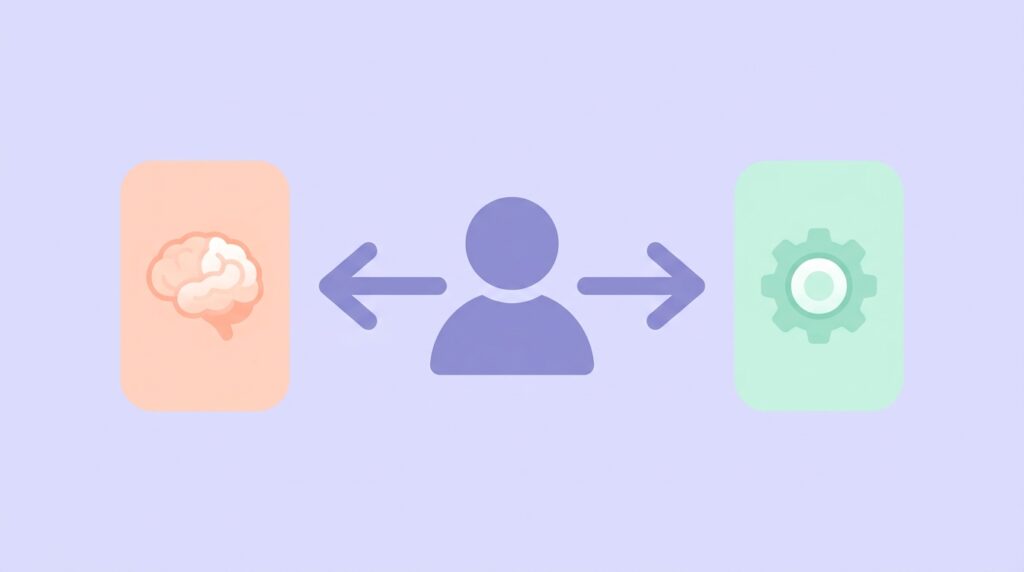
“Do I want my productivity tool to feel like a calm notebook I shape myself, or a powerful dashboard that hands me structure?”
If the first — pick Notion.
If the second — pick ClickUp.
If both sound appealing, default to Notion for solo work and ClickUp for team work. You can switch later if you outgrow your choice; both export your data cleanly.
Can You Use Both?
Yes — and many people do. A common combination: Notion for personal notes, knowledge and writing; ClickUp for client project management. The trade-off is paying attention to two systems instead of one, so try a single tool first before splitting your workflow.
If you do end up running both, anchor your daily work in just one. Our freelancer daily schedule guide shows how to keep one tool as your day’s source of truth without context-switching.
Common Mistakes in the Notion vs ClickUp Decision
Choosing by features alone. A tool with 50 features you’ll never touch is worse than one with 10 you’ll use daily. Match to your actual workflow.
Believing the influencer demos. Both apps look amazing in 60-second showcases. Real workflows look messier. Try the free plan on a real project for a week before committing time to setup.
Setting up too much on day one. Both tools tempt new users to build elaborate systems before they’ve done any real work in them. Start tiny. Add complexity only when an actual problem appears.
Switching every quarter. Productivity tools work because of consistency, not novelty. Commit for at least 3 months before deciding to switch.
Frequently Asked Questions
Is Notion better than ClickUp for freelancers? For solo freelancers, usually yes — the flexibility of one workspace for notes, clients, tasks and writing fits how solo work actually flows. For freelancers managing many simultaneous client projects with billable hours, ClickUp’s depth often wins.
Is ClickUp free really free? Yes — ClickUp’s free plan supports unlimited users and tasks with caps on storage, automations and some advanced views. It’s enough to fully evaluate the platform with a team, not a stripped-down trial.
Can I switch from one to the other later? Yes. Both tools allow data export (CSV, markdown), and the core structures (tasks, projects, notes) translate. Some custom views won’t transfer cleanly, but the data does. Don’t let “lock-in” fear over-influence the first choice.
Which is better for a small team that wants both notes and tasks? ClickUp covers both adequately and may be enough alone. If your team writes a lot of documentation, run Notion alongside it for the documents and let ClickUp handle the active project management.
The Winner Is the One You’ll Actually Use
The “best” productivity tool is the one you open at 9am tomorrow and still open at 9am next quarter. Pick by fit, not by feature count, and give it a real three months before second-guessing.
If you go with Notion, our 30-minute setup guide walks you through a complete freelance build. Browse more honest tool breakdowns in our AI tools reviews and pair whichever you pick with our productivity guides for the workflow around it.
Click this link to read our important and interesting AI Tools articles as soon as they are published!