
How to Use an AI Annual Report Generator for End of Year 2026: A Complete Step-by-Step Guide
Every December, freelancers, small business owners, and remote team leads face the same pile of work: revenue figures, client lists, milestones, and a summary that looks professional enough to share. An AI Annual Report Generator can cut the drafting time sharply, but only if you feed it accurate data and check what it produces. This guide walks you through the process step by step, with evidence for each recommendation and clear notes on which facts are verified and which are estimates.
What Is an AI Annual Report Generator?
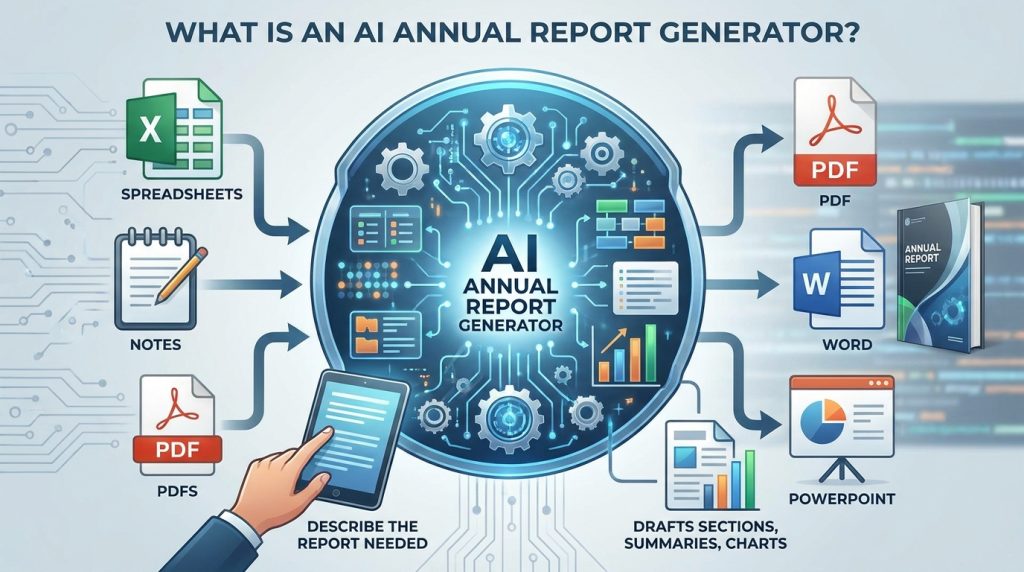
An AI Annual Report Generator is software that uses artificial intelligence to turn your raw information into a structured report. You supply spreadsheets, notes, or PDFs, describe the report you need, and the tool drafts sections, summaries, and often charts. Some tools export to PDF, others to Word or PowerPoint.
The category is broad. Some tools focus on design, others on writing, and others on data analysis. Venngage, for example, builds a report from a text prompt that describes the report type, metrics, and timeframe, then lets you edit it visually and export a PDF. Slaide offers editable Word or PDF output built from spreadsheets and documents. Reportmaker.ai lists core report generation as free, with PDF and DOCX export.
What these tools cannot do is decide what your results mean. They work only with the information you provide. That single point shapes everything in the steps below.
Note on pricing and features: the details in this guide come from vendor pages and 2026 reviews checked between June and November 2026. Treat them as starting points and confirm them before you pay.
How to Create an Annual Report with an AI Annual Report Generator in 5 Steps
Step 1: Gather and Verify Your Data

What to do: Collect the figures that define your year, such as revenue, projects completed, clients served, milestones reached, and major costs.
How to do it: Export data from your accounting software, invoicing tool, and project board into one spreadsheet with a clear date range, such as January 1 to December 31, 2026. Mark every figure with its source.
Why it matters: An AI tool summarizes whatever it receives, including errors. Clean inputs produce reliable drafts.
Example (illustrative): A freelance designer lists 42 completed projects, 11 repeat clients, and 3 new service lines. Each number is checked against invoices before it goes into the file.
Step 2: Choose the Right Tool for Your Output
What to do: Shortlist two or three tools that match the format you need.
How to do it: Check three things: free-plan limits, export formats, and whether you can edit the result. Test each tool with a small sample before committing.
Why it matters: A tool that exports only images won’t help you produce a client-ready PDF or an editable file for your team.
Example: Piktochart’s free tier exports PNG, while its paid Business plan adds PDF and PowerPoint export, according to the pricing details reviewers checked in June 2026. If you need a PDF, the free tier alone will not work.
Step 3: Write a Structured Brief

What to do: Give the tool a clear brief covering the audience, period, sections, metrics, and tone.
How to do it: Use a template like this one: “Create a six-page annual report for [audience] covering [period]. Include revenue, client count, and three key milestones. Use a formal tone. Flag any figure you cannot verify from the data provided.”
Why it matters: A specific brief reduces invented details and makes the draft easier to check.
Example: Asking for “key milestones” alone may produce generic claims. Asking for “milestones listed in the attached project log” ties the output to your real records.
Step 4: Review Every Number and Statement
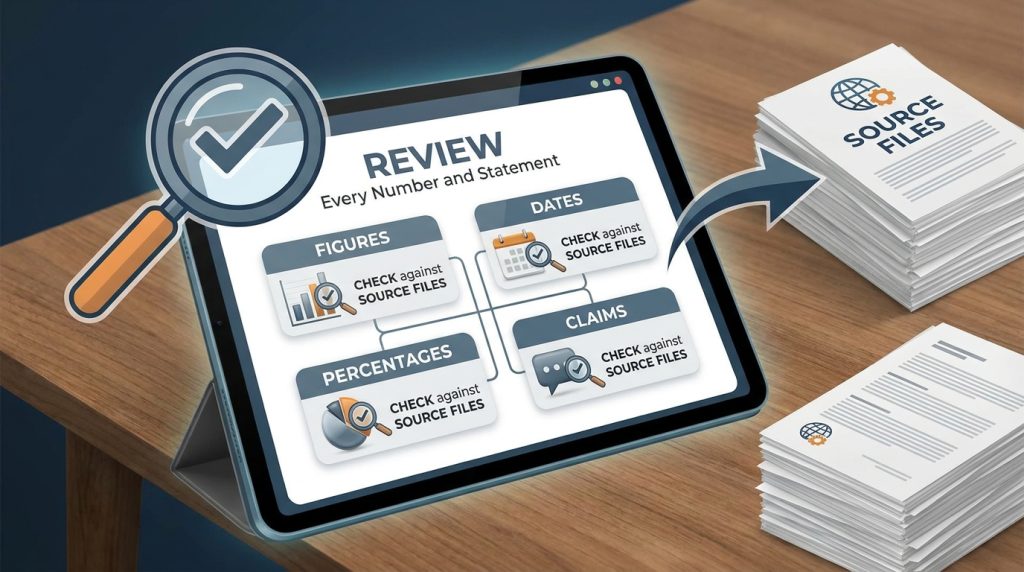
What to do: Check each figure, date, percentage, and claim against your source files.
How to do it: Go through the draft line by line. Recalculate any growth percentage from the original spreadsheet. Have a second person review the final version if the report goes to clients, investors, or regulators.
Why it matters: AI drafts can sound confident while being wrong. Verification is the step most people skip, and it is the one that protects your credibility.
Example: If the draft says revenue grew 30 percent, divide this year’s total by last year’s and subtract one. If the result differs, correct the draft.
Step 5: Design, Export, and Share

What to do: Finalize the layout, export the file, and distribute it.
How to do it: Apply your brand colors and fonts. Export as PDF for final sharing, and keep an editable DOCX or project file for future updates. Store a dated copy in a secure folder.
Why it matters: Consistent formatting signals professionalism, and stored copies make next year’s report far faster.
Example: A small remote agency sends the PDF to clients and keeps the editable version internally to update each quarter.
Which AI Annual Report Generators Are Worth Shortlisting in 2026?
Review sites checked in mid-2026 generally recommend tools by use case rather than naming one universal winner. Here is how the options group.
Best for Visual, Branded Reports
Venngage and Piktochart are frequently recommended for designed reports. Venngage’s AI report generator offers free access, PDF export, and share links, with paid plans reported from around $10 per month. Piktochart’s Pro plan has been listed at $15 per month or $10 per month on an annual plan.
Best for Editable Business Documents
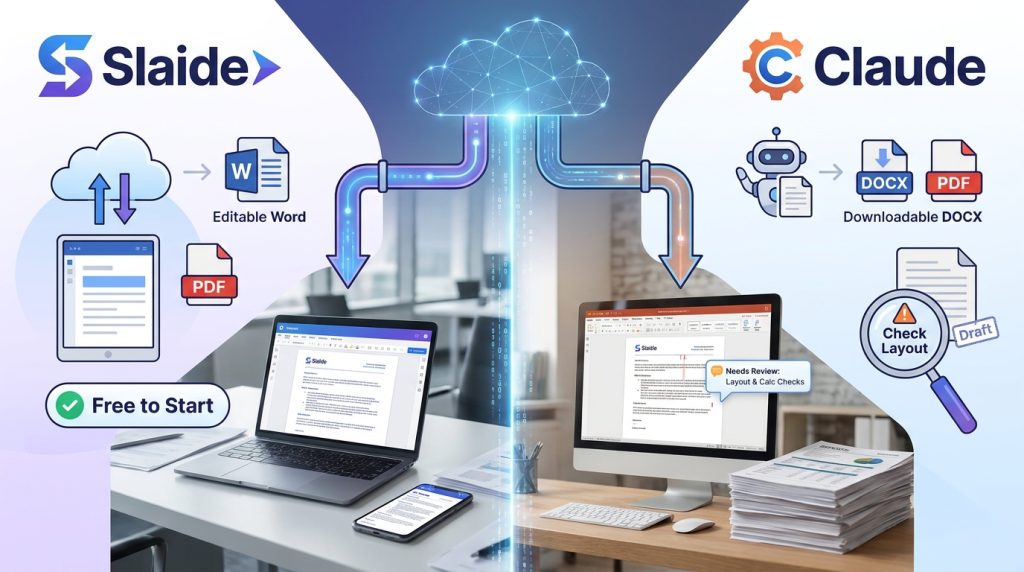
Slaide is positioned for editable Word or PDF output built from your files, and it is free to start. Claude can produce downloadable DOCX and PDF files, but a reviewer noted that generated files still need calculation and layout checks.
Best for Internal or Knowledge-Based Reports
Notion AI, Gemini in Google Docs, and Microsoft Copilot work well when your data already lives in those workspaces. Notion AI requires a paid Notion plan, so check that cost before you start.
Common Mistakes to Avoid
- Trusting an AI Annual Report Generator without checking the numbers. Solution: Reconcile every figure with your original records before publishing.
- Uploading messy data. Solution: Clean spreadsheets first, with consistent column names and dates.
- Asking for vague content. Solution: Use a structured brief with a clear audience, period, and metric list.
- Ignoring legal and filing requirements. Annual reports for companies can carry formal obligations. In the United States, public companies file a Form 10-K with the SEC, and in the UK, companies file accounts with Companies House. Solution: Confirm your obligations with your regulator or an accountant.
- Publishing the first draft. Solution: Give yourself at least one full review pass and a second reader.
Useful Tips for Beginners
- Run a test first. Give your AI Annual Report Generator last year’s report and see how close the output is to the original.
- Keep a running log. Track milestones throughout the year so you are not rebuilding history in December.
- Separate facts from estimates. Label projections clearly, such as “estimated for next quarter,” so readers know what is measured and what is forecast.
- Use free tiers for drafting. Test layouts on free plans before paying for export features.
- Save your prompt. A reusable brief turns next year’s report into a quick update.
- Fix the foundation first. Accurate data, a clear audience, and a verified draft matter more than fancy design. Advanced formatting cannot rescue weak inputs.
Restricted and Available Countries for Any AI Annual Report Generator
Access to AI tools depends on both vendor policy and sanctions law. Use this as a general guide and confirm each vendor’s current supported-country list.
Restricted under U.S. sanctions (as of November 2026): Based on the Treasury Department’s Office of Foreign Assets Control (OFAC) guidance reported in 2026, comprehensive embargoes apply to Cuba, Iran, and North Korea, plus the Crimea, Donetsk, and Luhansk regions of Ukraine. Most reputable vendors will not offer services there. Sources disagree on Syria’s current status, so check OFAC directly before you sign up.
Targeted restrictions: Russia, Belarus, and Venezuela face sectoral and list-based sanctions. Some vendors limit features or payments in these markets even when the service itself remains reachable.
Generally available: Most other countries can access the major tools discussed above, but availability, currency options, and payment methods vary by vendor. Check each platform’s terms before you buy.
This is general information, not legal advice. For sanctions questions, consult a qualified adviser.
Frequently Asked Questions
Is an AI Annual Report Generator accurate enough for official filings?
Not on its own. Use it to draft and structure your report, then verify every figure against source records. Official filings, such as a Form 10-K or UK company accounts, require professional review and should be prepared by qualified accountants or legal advisers.
Which AI Annual Report Generator is best for freelancers?
It depends on your output. For a visual PDF, start with a free plan from Venngage or Piktochart. For an editable document, test Slaide or Claude. Compare free-tier limits first, since they change often.
Do I need design skills to use one?
No. Most tools provide templates and editing screens. Basic knowledge of layout, consistent fonts, and clear headings helps the final product look professional.
Can I offer report creation as a service?
Some freelancers offer report design and drafting to clients. Results vary widely by market, skill, and client base, and no income is guaranteed. Treat it as a skill you develop, not a guaranteed income source.
Final Thoughts
An AI Annual Report Generator can save hours, but it works best when you bring clean data, a specific brief, and a disciplined review process. Start with the foundation: gather verified numbers, choose a tool that exports the format you need, and check every claim before you publish.

Your next practical step is simple. Pick one tool from the shortlist, run last year’s data through its free plan, and compare the draft to your original report. Once you trust the process, you will have a repeatable system for every year-end cycle. Choosing an AI Annual Report Generator is a foundation decision, not a shortcut, so take the time to test it properly.
For more practical guides on remote work tools and digital productivity, visit the remote work tools guide on Digital Task Compass. For official annual reporting requirements, consult the U.S. Securities and Exchange Commission or your national company registry.