
PayPal vs Payoneer vs Wise: The Honest Guide for Freelancers to Get Paid Internationally
Getting paid by a client in another country sounds simple until the money arrives short. A $1,000 invoice can shrink after currency conversion, withdrawal charges, and a bank taking its own cut. If you freelance, work remotely, or sell digital services, the payment tool you choose matters almost as much as the client you find.
This guide compares PayPal vs Payoneer vs Wise in a practical, step-by-step way. For each step, you will learn what to do, how to do it, and why it protects your income. Nothing here promises specific earnings. Instead, it gives you a clear process for choosing the option that fits your work.
What Is an International Payment Platform?
An international payment platform is a service that receives money from clients in other countries, holds it in one or more currencies, and moves it to your local bank account or card. Most also convert currencies, which is where much of your money can quietly disappear.

PayPal is the most familiar name. Many clients already have an account, and it works well for online sales, invoices, and buyer protection. Payoneer was built with freelancers and marketplace sellers in mind, and it offers a receiving account that many platforms can pay into. Wise, formerly TransferWise, focuses on low-cost transfers and multi-currency accounts with bank-style details in several currencies.
None of them is the best for everyone. The right choice depends on where your clients are, how they prefer to pay, and where you want the money to end up.
Step 1: Map Where Your Clients Pay From
What to do: List every client by country and note the currency they usually pay in.

How to do it: Open your last six months of invoices or payment records. Create a simple table with columns for client country, currency, payment method, and average amount. Highlight any currency you receive often.
Why it matters: A platform that is cheap for USD transfers from the United States may be expensive for GBP or AUD. Knowing your actual payment pattern prevents you from choosing a tool based on marketing claims rather than your real income.
Example: A designer in Sri Lanka with three clients in the US, one in the UK, and one in Australia will want a tool that handles USD well and also supports GBP and AUD without heavy conversion costs.
Step 2: Check Whether Your Clients Can Pay You Easily

What to do: Confirm which payment methods your clients can use to send you money.
How to do it: Ask each client, or check their platform. Some clients prefer PayPal invoices, some use bank transfers, and some run payroll through platforms that prefer Payoneer. Wise can receive bank transfers using account details it provides for several currencies.
Why it matters: The best fee structure means nothing if your client cannot send money through that channel. Fewer payment steps also means fewer delays, fewer failed transfers, and fewer awkward follow-up emails.
Example: If a US startup pays contractors through ACH bank transfers, a Wise account with local US account details may be more practical than a PayPal balance, which would require an extra step.
Step 3: Compare the Total Cost, Not Just the Fee
What to do: Calculate what you will actually receive, including every fee and conversion margin.

How to do it: Use a sample amount, such as 1,000 units of the currency your client pays in. Check the official pricing page for each platform, which lists receiving fees, withdrawal fees, currency conversion rates, and any inactivity or account charges. Then calculate the final amount in your local currency.
Why it matters: Many people compare only the headline fee. The real cost often sits in the exchange rate. Some platforms add a margin above the mid-market rate, which is the rate you see on Google or in financial news. Wise publishes its mid-market approach openly, while PayPal and Payoneer use their own conversion rates and fee schedules.
Example: If a platform charges a small flat fee but uses an exchange rate several percent below the mid-market rate, the loss on a large invoice can exceed a higher-fee option with a better rate.
The World Bank’s Remittance Prices Worldwide database is useful for comparing the cost of sending money across borders. It is not a platform-by-platform guide for freelancers, but it helps you understand how transfer costs vary by corridor.
Step 4: Check How You Will Withdraw Money
What to do: Confirm exactly how money reaches your bank or card, and how long it takes.
How to do it: Look up the withdrawal options for your country. Check whether your bank is supported, whether there is a minimum withdrawal amount, and whether withdrawals are instant, next-day, or several business days. Also check whether your bank may charge a receiving fee.
Why it matters: A cheap receiving account is not helpful if withdrawing to your local bank is slow, limited, or expensive. Withdrawal rules also vary by country, and some services offer fewer options in certain regions.
Example: If you need rent money every month, a two-day withdrawal window may be fine. If you need to pay a supplier the same day, you may need a faster option or a second account.
Step 5: Complete Verification Early
What to do: Submit identity and business documents before you need the money.

How to do it: Prepare a valid passport or national ID, proof of address, and any business or tax details the platform requests. Upload clear scans and make sure the name on the account matches your bank account name exactly.
Why it matters: Verification is often the step that delays payments. A mismatch between your legal name and bank account name is one of the most common reasons for held funds. Completing verification early gives you time to fix problems before a client deadline.
Example: A freelancer who signs up on the day a large payment is expected may face a hold of several days. The same person, verified a month earlier, can receive funds without stress.
Step 6: Use a Two-Account Setup if Your Income Is Mixed
What to do: Keep a primary platform for most clients and a secondary option for specific currencies or clients.
How to do it: Choose one account that handles your most common client type well. Add a second account only if it solves a clear problem, such as a client who can only pay through PayPal or a currency your main account converts poorly. Keep both accounts linked to the same bank name to simplify reconciliation.
Why it matters: One platform rarely fits every client. A backup account protects you if one service freezes funds, changes policies, or becomes unavailable in your country. It also helps you compare real results over time.
Example: Many freelancers use PayPal for invoices from clients who already rely on it, and Wise for bank transfers from clients who prefer direct deposit.
Step 7: Track Every Payment and Reconcile Monthly
What to do: Record each payment, fee, and conversion in one spreadsheet or accounting tool.
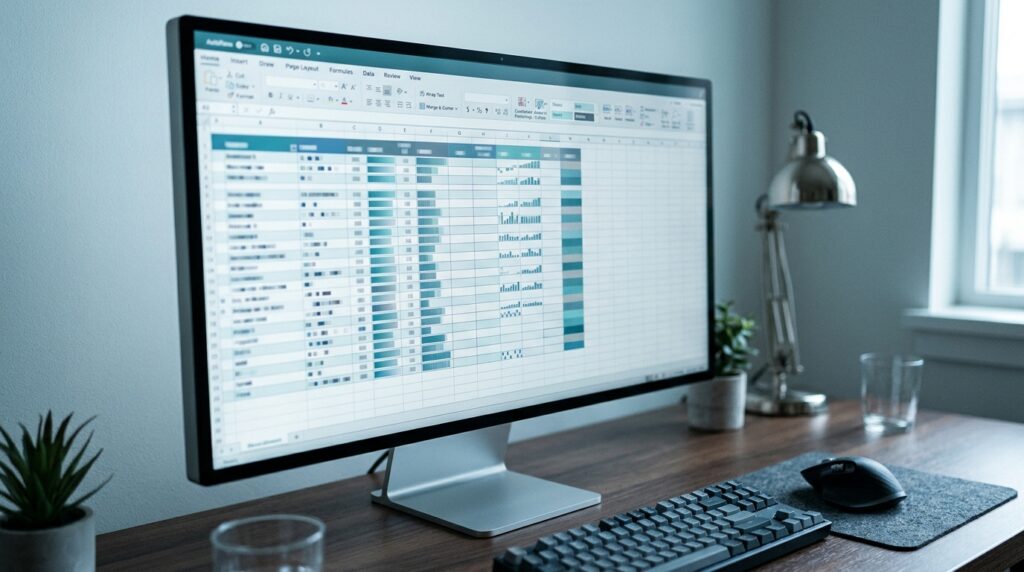
How to do it: For every payment, note the date, client, original amount, currency, fees, exchange rate, and final amount received. At the end of each month, compare your total received with your invoices. Save statements and tax-relevant records in a dedicated folder.
Why it matters: Hidden fees and exchange losses are easy to miss without a record. Monthly reconciliation helps you spot errors, prepare taxes, and decide whether your current setup still makes sense.
Example: A simple spreadsheet might show that one platform costs you noticeably more on GBP payments than on USD payments. That insight can change how you invoice your UK clients.
Common Mistakes to Avoid
The first mistake is choosing a platform based only on a marketing headline. Always check the full fee schedule and the exchange rate. The fix is the sample calculation in Step 3.
The second mistake is ignoring the client’s preferred payment method. Forcing a client into an unfamiliar system can cause delays or lost work. Ask before you set up the account.
The third mistake is waiting until a payment is due to verify your account. Verification can take days. Start early.
The fourth mistake is mixing business and personal money without records. Keep a separate bank account or at least clear labels for client income. This makes taxes and reconciliation far easier.
The fifth mistake is assuming fees and limits never change. Platforms update their pricing and rules. Review your setup at least twice a year.
Useful Tips for Beginners
Start with one client payment method and test it with a small invoice before sending a large one. This reveals hidden delays or fees without risking a major payment.
Invoice in the currency that costs you the least to receive. If a client can pay in either USD or EUR, ask which one gives you the better net amount after fees.
Keep a short note of each platform’s withdrawal cut-off times. A payment that arrives after cut-off may not reach your bank until the next business day.
Avoid sharing login details or using someone else’s account for payments. Platforms may freeze funds when they detect unusual access patterns.
Read the official help pages before you contact support. Many common questions about verification, holds, and withdrawals are answered there, and it saves time.
Frequently Asked Questions
Which is best for freelancers, PayPal vs Payoneer vs Wise?
There is no single winner. PayPal is convenient when clients already use it. Payoneer suits marketplace sellers and freelancers paid through certain platforms. Wise is often strong for low-cost bank transfers and multi-currency needs. Compare the total cost for your own typical invoice.
Are these platforms safe to use?
All three are established services, but safety also depends on your own habits. Use strong passwords, enable two-factor authentication, and never share verification codes. Check that you are on the official website or app before logging in.
Can I use more than one platform?
Yes, and many freelancers do. Use a second platform only when it solves a clear problem, such as a client’s preferred method or a currency your main account handles poorly.
Do fees change?
Yes. Fees, exchange margins, and withdrawal rules can change, so always check the official pricing page before making a decision. Treat any figure in an article, including this one, as a starting point rather than a guarantee.

Final Thoughts
Choosing between PayPal vs Payoneer vs Wise comes down to three questions: where your clients are, how they prefer to pay, and what you actually receive after fees and conversion. Work through the seven steps above, run a sample calculation, and test with a small invoice before relying on any one platform.
Your next practical step is simple. Open your last three invoices, calculate what you really received, and compare that with the official fee pages for the platforms your clients use. Once you have that number, the best choice usually becomes clear. For more practical money guides, visit Digital Task Compass.