
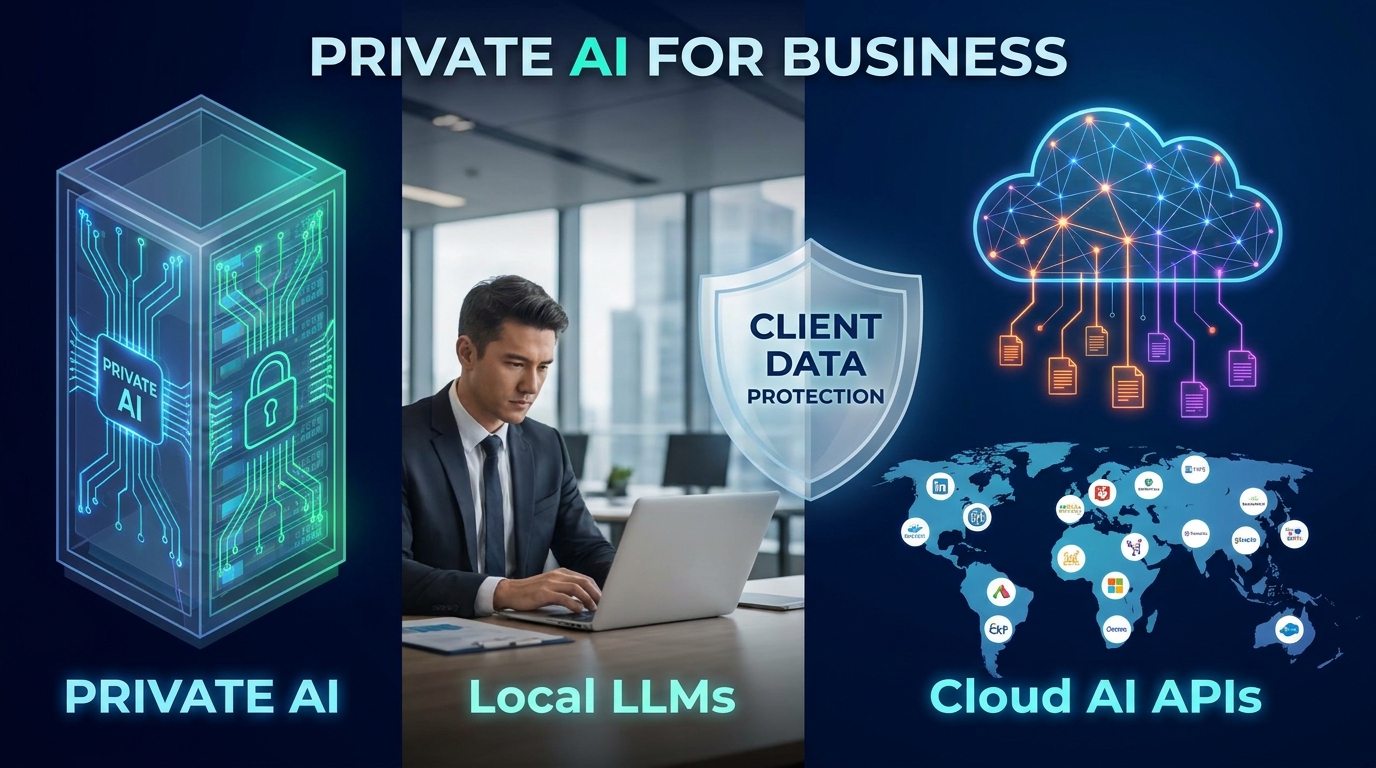
Private AI for Business Compared: Local LLMs vs. Cloud AI APIs for Client Data
Clients are also now asking where their data is used within AI. Businesses (including self-employed individuals and small companies) are having to consider what this means for their contracts, costs and confidence. Depending on the conditions in place, it can be perfectly fine to upload a client database or contract to a cloud based model. However, it can also present significant issues. Whilst it is possible to process models on your own computer, this too has its own issues. Private business AI is about identifying the correct compromise between confidentiality, efficiency and value for money for your business.
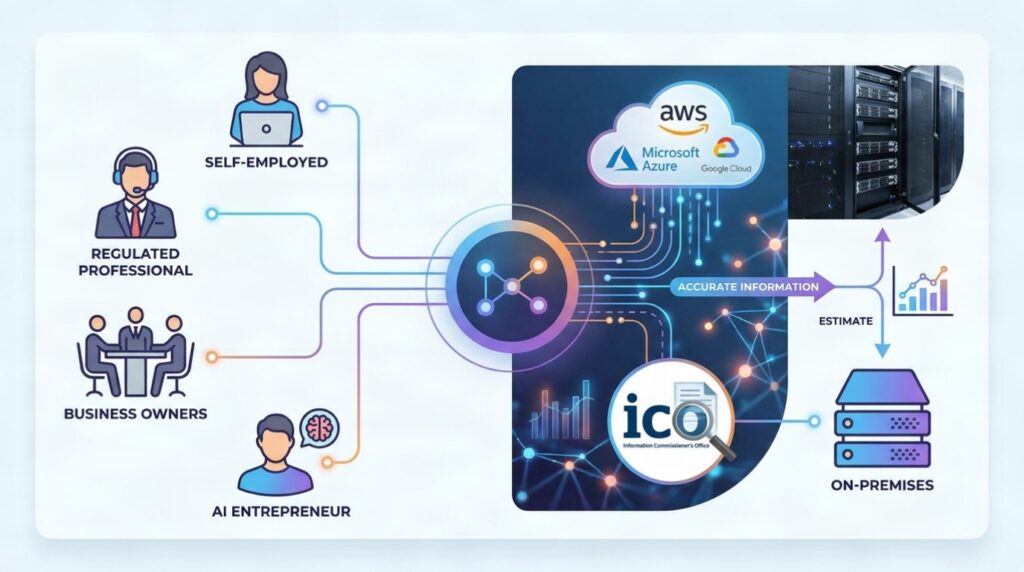
For self-employed Clients working with client data, professionals in a regulated industry working from home, business owners and those interested in developing data skills – indeed even entrepreneurs looking to integrate AI – this article is for you. I have analysed data practices for key cloud providers. I also looked at the ICO’s (UK Information Commissioner’s Office) regulatory advice and published specifications for on-premises hardware. When my information is based on community or a company’s website I will state so. In addition, I distinguish between accurate information and that which is an estimate.
Within this article I define the privacy, speed and costs implications of different set-ups. There is also a 6-stage self-assessment tool and a basic methodology to help you to establish your own breakeven point.
What Is Private AI for Business?
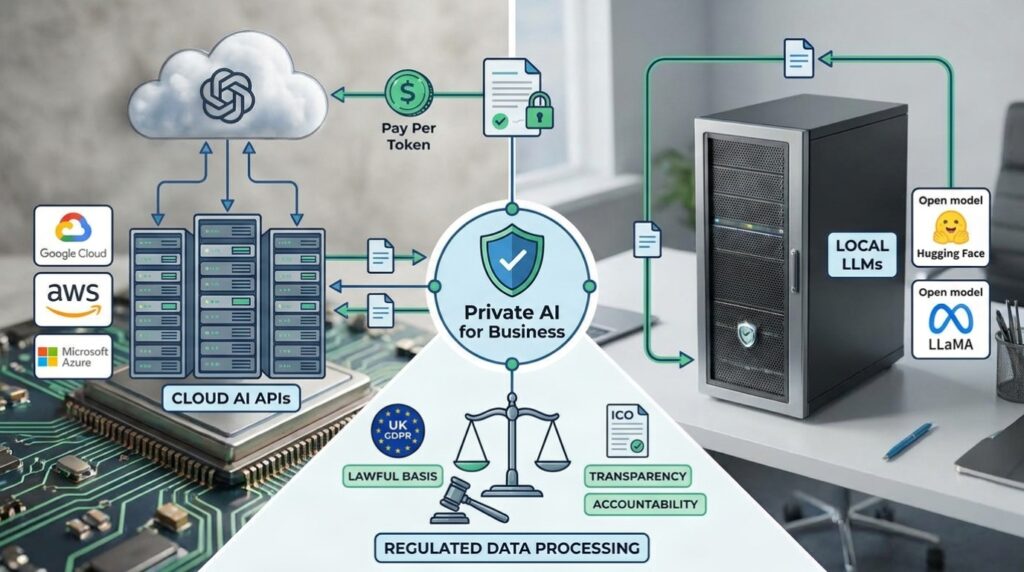
Private AI for business means using AI in a way that keeps client and company information under your control, to the degree your work requires. Two main approaches dominate:
- Cloud AI APIs: you send requests to a provider’s servers, which run the model and return results. You pay per token, usually.
- Local LLMs: you download an open model and run it on your own computer or a server you control. Your data does not leave that machine unless you send it somewhere.
Neither option is automatically private or insecure. Privacy depends on the contract, the retention settings, who can access the logs, where the data is processed and how you handle it afterward.
Regulators treat both the same way on one point: if an AI system processes personal data, data protection law applies. The ICO’s guidance states that any AI system processing personal data must follow the UK GDPR’s principles, including a lawful basis, transparency and accountability. The rules do not disappear because a model runs on your laptop.
What Cloud Providers Say About Data
Always ensure that you check for up-to-date information. Below is information as outlined in documentation by cloud providers in 2026.
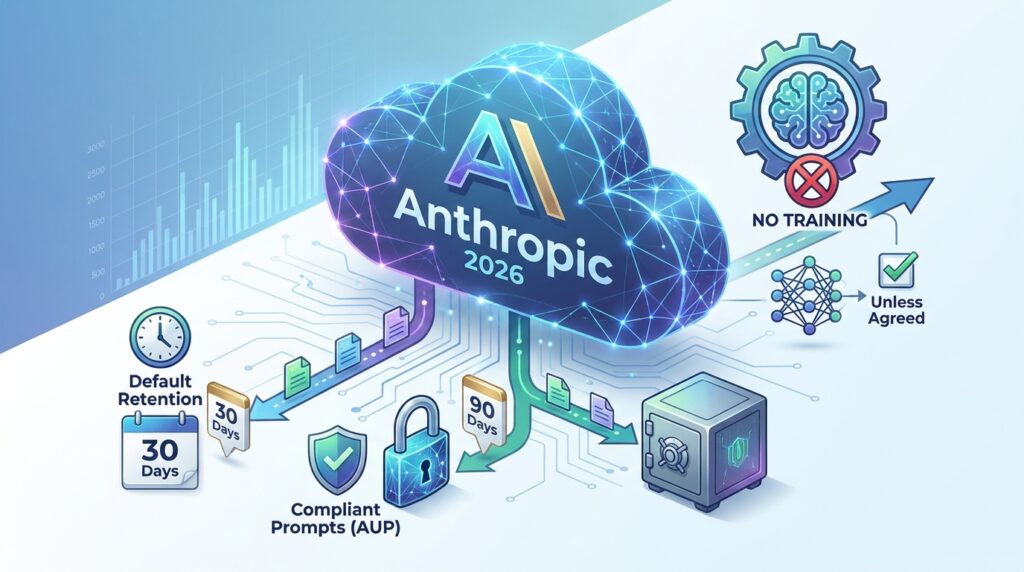
Anthropic’s commercial API retains prompt and response information for a default 30 day period. It adds that, unless customers specifically agree, it will not utilise API data to train its models. Further, prompts that are identified as compliant by its acceptable use policy are retained for 90 days.
Specific APIs can offer a ‘delete data’ option. Again, this is not automatically offered and must be both organisationally set up and approved. As noted above, information about cloud data policies can often change quickly. In mid-2026 there were reports that a number of advanced models had a 30 day data retention period which customers challenged. Then, in late November 2026 it was reported that Anthropic was beginning to provide ‘delete data’ functionality for its most advanced models. Please check for updates on these matters.
Further, cloud marketplaces also affect data retention. Members of the Microsoft developer community have highlighted that the ‘delete data’ assurances given for Azure OpenAI are not extended to cover Anthropic models on Microsoft’s marketplace. As with information obtained from the cloud providers themselves, it is advisable to check details relating to data retention with the relevant marketplace.
Privacy, Latency and Cost in Practice
Privacy
Local models keep data on your hardware, which simplifies some compliance questions. You still need access controls, encryption on laptops, secure backups and records of how you use the model. Cloud APIs can offer strong contractual protections, including data processing agreements and retention controls, but you depend on the provider’s settings and your own configuration.
For client work, the practical question is simple: does the contract allow this data to be processed by a third party, in which countries, and for how long? Answer that before you pick a tool.
Latency
Latency means the delay between sending a request and receiving an answer. Cloud APIs add network travel time and possible queueing during busy periods, but they run on powerful hardware. Local models remove the network step, but their speed depends entirely on your machine.
Published benchmarks from 2026 show a wide range. Community tests report about 25 to 35 tokens per second for an 8-billion-parameter model on an M3 Pro laptop, and 30 to 80 tokens per second for a 14-billion-parameter model on an RTX 4090 graphics card. Large 70-billion-parameter models often drop to roughly 8 to 15 tokens per second on high-end consumer GPUs, and CPU-only machines can fall to 2 to 5 tokens per second on bigger models. These are community measurements, so run your own tests before deciding.
Cost
Cloud costs scale with usage. Local costs are mostly fixed. Hardware, electricity and maintenance are the main expenses.
Here is a simple way to estimate your load. Multiply your requests per month by the average output tokens per request, then divide by the seconds in the month. Example, using illustrative numbers: 2,000 requests a month with 800 output tokens each equals 1.6 million output tokens. Over a 30-day month, that averages about 0.6 tokens per second. The average is low, but what matters for hardware is your peak load, such as a batch of 50 documents processed at once.
Electricity is also worth estimating. Community hardware reviews report that a Mac laptop system may draw 30 to 60 watts during inference, while a high-end desktop with an RTX 4090 may draw 450 to 650 watts. A 500-watt desktop running 24 hours a day for a month uses about 360 kilowatt-hours. Multiply that by your local electricity rate to see the running cost.
How to Build a Private AI Setup in Six Layers
Private AI for business works best from the foundation up. A weak first layer makes every later layer risky.
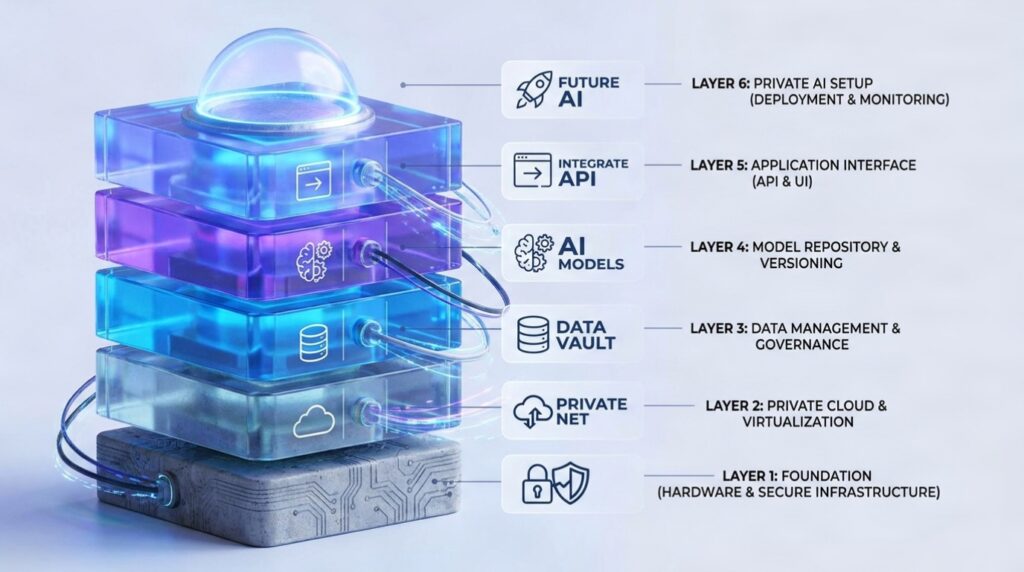
Layer 1: Access
What to do: Classify your data before you choose a tool. Separate public information, internal business data and client personal data.
How to do it: Make a short table with three columns: data type, example, allowed destination. For example, public marketing copy may go to any approved tool, while client personal data may only go to a local model or a contracted provider.
Why it matters: The ICO notes that every use of personal data in an AI system needs a lawful basis and appropriate safeguards. You cannot protect data you have not classified.
Example (illustrative): A freelance copywriter keeps client brand guidelines flexible for cloud use but processes customer email lists only on a local model.
Layer 2: Consistency
What to do: Write one rule for where each type of data may go, and share it with everyone who uses AI on client work.
How to do it: Put the rule in your project template or contract appendix. Use the same rule across tools, so no one sends client files to a personal account.
Why it matters: Mixed practices create gaps. If one team member uses a consumer account with different retention terms, your protection fails.
Example (illustrative): A three-person agency bans personal AI accounts for client work and approves one business account with a clear data processing agreement.
Layer 3: Define the Question
What to do: Describe the exact task and the data it needs before you choose a model.
How to do it: Write one sentence, such as “Summarize 20 client support emails for themes.” Then list the personal data involved and whether the task can use anonymized text instead.
Why it matters: Many tasks do not need identifiable data at all. Removing names before processing reduces risk.
Example (illustrative): A remote analyst replaces customer names with codes before sending data to a cloud model, then restores them locally.
Layer 4: Show the Work
What to do: Keep records of what data you processed, which tool handled it and why.
How to do it: Maintain a simple processing log with date, task, data category, tool and retention setting. Turn on logging and review it monthly.
Why it matters: The ICO’s guidance stresses accountability. If a client asks what happened to their data, you need an answer.
Example (illustrative): A bookkeeper logs each batch of invoices sent to a cloud model, including the retention setting active at the time.
Layer 5: Become the Answer (Prove It)
What to do: Test accuracy, speed and security before relying on a setup.
How to do it: Build a test set of 30 tasks with known answers. Measure output accuracy, response time and any unexpected data retention. For high-risk processing, the ICO expects a data protection impact assessment (DPIA) to be completed before use.
Why it matters: Benchmarks from other people do not tell you how your model performs on your documents.
Example (illustrative): A consultant tests a 14-billion-parameter local model on ten real client reports and finds it misses about one in five tables, which leads her to use a cloud option for table-heavy files.
Layer 6: Convert the Task
What to do: Make approved workflows fast enough that people use them instead of workarounds.
How to do it: Create templates, shortcuts and a clear list of which tool to use for which task.
Why it matters: If the approved route is slow, people will paste client files into whatever tool is convenient.
Example (illustrative): An agency sets up a local model on a shared workstation for sensitive reviews, so staff have a fast approved option.
The chain to remember is: Classify Data → Consistent Rules → Defined Tasks → Records → Tested Accuracy → Fast Approved Workflow.
Options Compared

The table below summarizes the trade-offs. Products and terms change often, so verify them directly with each provider.
| Option | Privacy strengths | Latency | Cost pattern | Watch-outs |
|---|---|---|---|---|
| Cloud API, standard terms | Contractual protections, no training by default for commercial API data | Network and queue delays possible | Pay per token, scales with use | Default retention periods apply |
| Cloud API with zero data retention | Shorter retention when approved | Similar to standard cloud | Often higher or negotiated | Requires approval and per-organization setup |
| Cloud marketplace access | Depends on the marketplace contract | Varies by region | Billed through a platform | Check which retention terms apply |
| Local LLM on a laptop | Data stays on device | Good for small models, slower for large ones | Mostly fixed hardware and power | Your security and backups are your responsibility |
| Local LLM on a dedicated workstation | Strong control, shared access possible | Fast with a high-end GPU | Higher upfront cost, lower running cost at scale | Requires maintenance and updates |
For many freelancers, the best answer is a mix: a local model for sensitive client files and a cloud API for public or anonymized work.
Common Mistakes to Avoid
- Assuming local means automatically compliant. Local processing still counts as processing personal data. Solution: Apply the same records, access controls and DPIA checks you would use for any tool.
- Using personal accounts for client work. Consumer terms can differ from business terms. Solution: Use a business account with a signed processing agreement.
- Choosing hardware before testing. A model that runs fine on a benchmark may be too slow for your documents. Solution: Test on your own files first.
- Ignoring retention settings. Default periods can be longer than you expect. Solution: Check the retention setting for every API key and workspace.
- Forgetting peak load. Average usage hides the burst of work that a deadline creates. Solution: Estimate peak requests per hour, not just monthly totals.
Useful Tips for Beginners
Start your private AI for business setup with one low-risk task. Learn the workflow before you handle sensitive client data.
- Write a one-page data policy that lists which data types may go to cloud, local or neither.
- Ask each provider for its current retention terms in writing, and save the answer with the date.
- Install a small local model, such as a 7-billion or 8-billion-parameter model, and test it on anonymized samples.
- Measure response time and accuracy on 20 real tasks, then compare with a cloud option.
- Review your processing log once a month, and update your policy when providers change their terms.
For more practical guides on AI tools for freelancers and small businesses, visit Digital Task Compass. Keep a copy of any client agreement clause about third-party processing, so you can answer questions quickly.
Frequently Asked Questions
Is private AI for business always cheaper with a local model?
Not always. Local setups have high upfront hardware costs, and they may be slower for large models. They become more attractive when usage is steady, data is sensitive and you already own suitable hardware. Calculate your own usage before deciding.
Do I need a lawyer to choose a provider?
For client contracts involving personal data, professional advice is wise. This article is general information, not legal advice, so have a qualified adviser review your data processing terms.
Does anonymizing data remove all privacy obligations?
Not always. Data is only anonymous if no individual can be identified from it, including by combining it with other information. Pseudonymized data, where names are replaced with codes, is still personal data under UK GDPR. Check the ICO’s guidance on anonymization before relying on it.
Can freelancers realistically run a local model?
Yes, for many tasks. Smaller models run on modern laptops, and community benchmarks show usable speeds for chat and summarization. Larger models need a stronger GPU or more memory. Test your own workload before buying hardware.
Final Thoughts on Private AI for Business
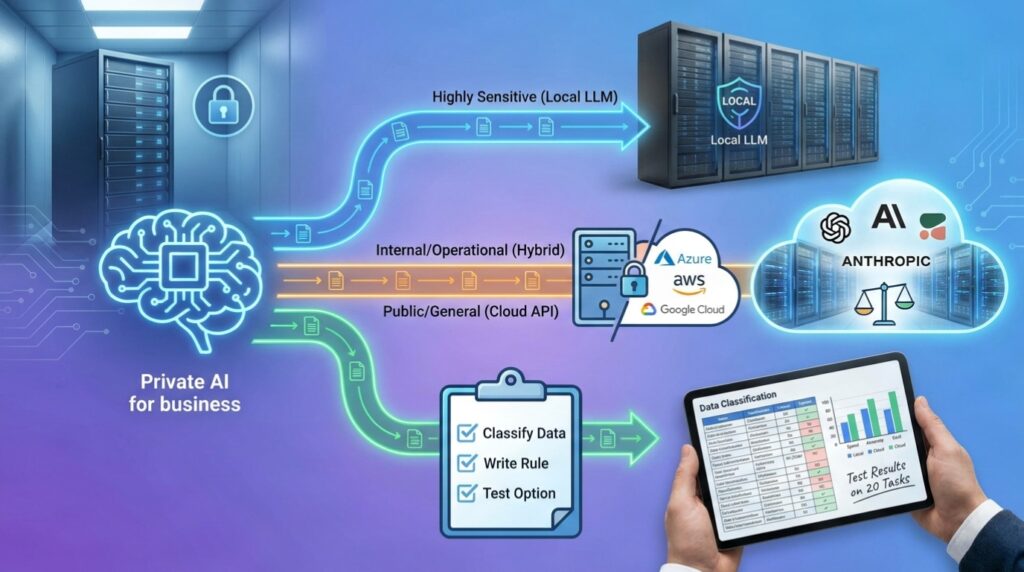
Private AI for business is not a single product. It is a set of decisions about where data goes, how long it stays there and whether the speed and cost trade-offs make sense. Cloud APIs offer strong contractual tools and powerful models. Local LLMs keep data on your own equipment. Most people will benefit from a mix, guided by clear rules.
Your next step is practical. This week, classify your client data into three groups, write one rule for each group and test one local and one cloud option on 20 real but anonymized tasks. The results will show you more than any comparison article.
- Classify data before choosing tools.
- Write one consistent rule for each data type.
- Check retention settings in writing.
- Test speed and accuracy on your own files.
- Keep records of what was processed and where.
The right private AI for business setup protects your clients and still lets you work quickly. Which layer are you focusing on right now?
For more practical guides on remote work tools and digital productivity, visit the remote work tools guide on Digital Task Compass.