Apple HomeView Review 2026: Is Siri AI Worth $299?
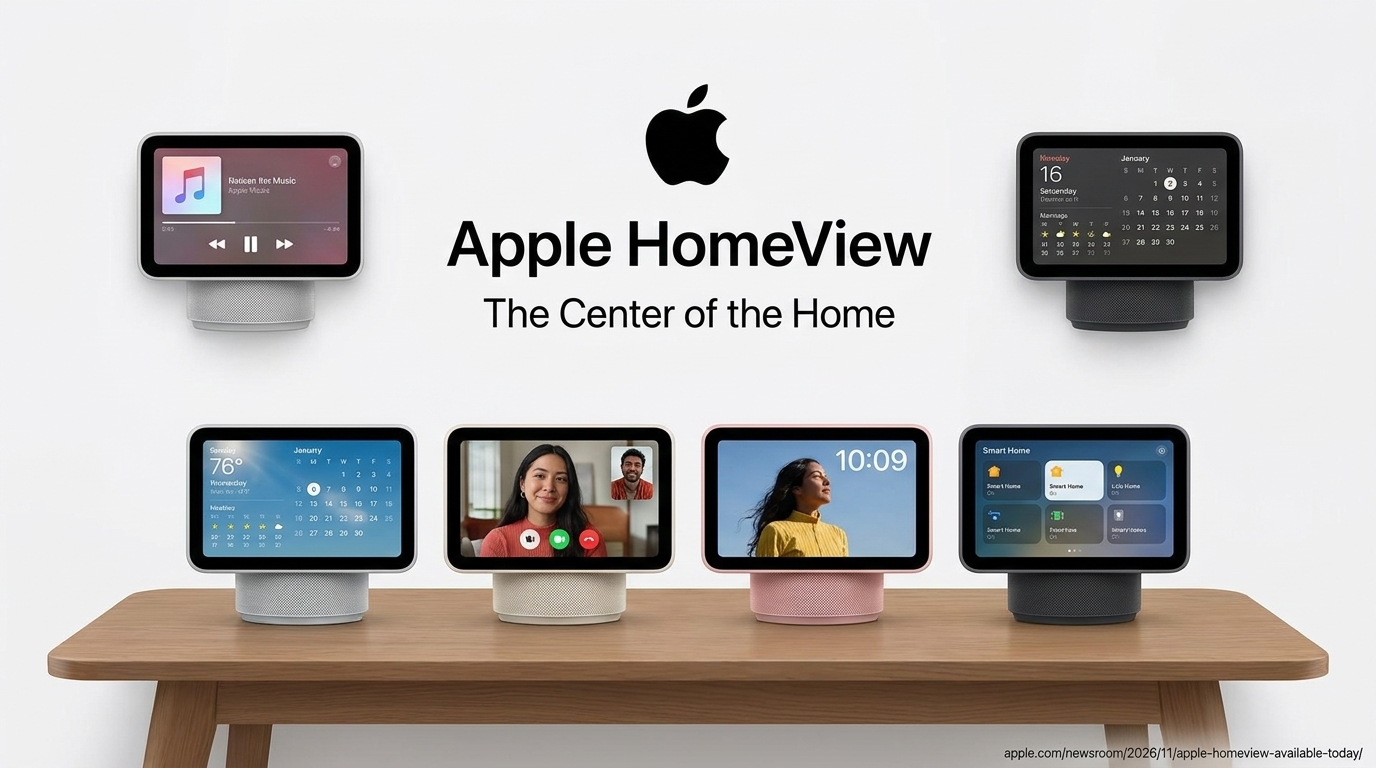
Apple HomeView is now on sale, and it marks Apple’s most ambitious move yet into the living room. Launched on November 13, 2026, it is a 7-inch smart display built around Siri AI, an upgraded assistant powered by Apple Intelligence. Apple HomeView is available to buy in seven countries, and the US price is $299.
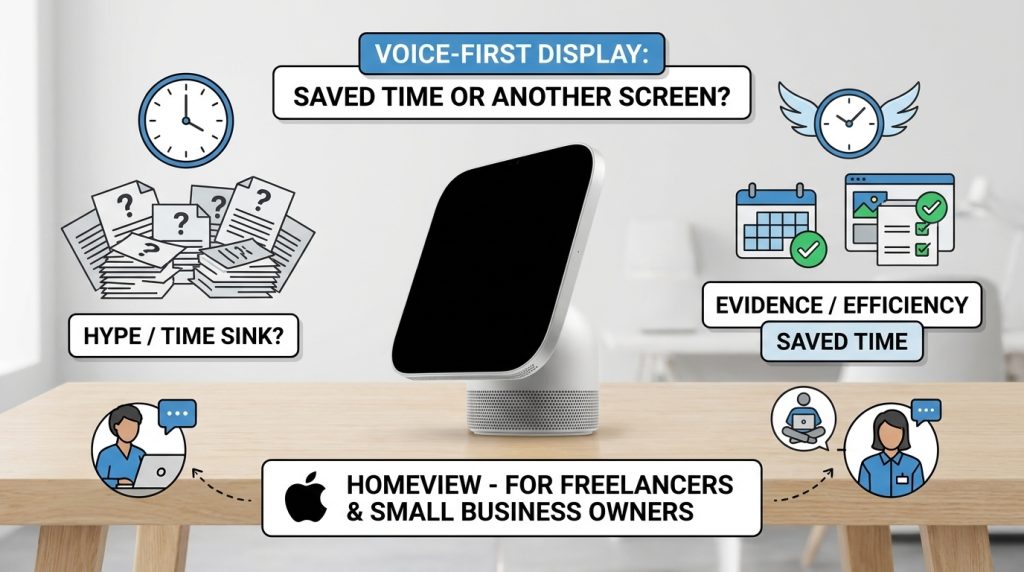
For freelancers, remote workers, and small business owners, the real question is simple: can a voice-first display save time, or is it just another screen on the desk? This review separates what Apple has confirmed from what early reviewers actually observed, so you can decide with evidence instead of hype.
What Is Apple HomeView?
Apple HomeView is a home display that combines music, FaceTime calls, calendar views, and smart home controls in one place. Apple describes it as the center of the home, and it can sit on a table or mount on a wall.
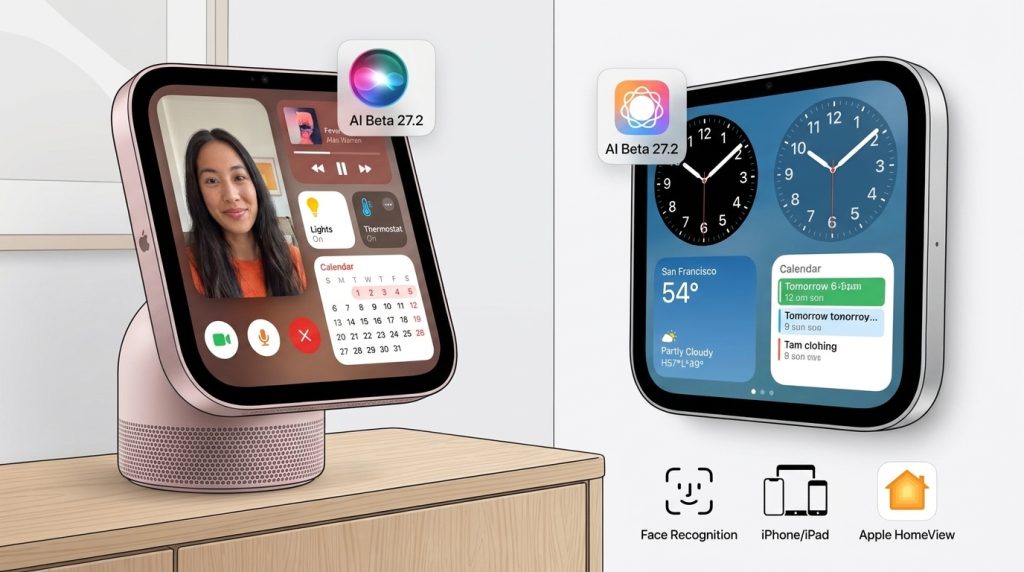
Apple sells two versions:
- Tabletop model: available in silver, starlight, rose pink, and space gray.
- Wall-mounted model: available in silver or space gray, with mounts sold separately.
The main specifications Apple has confirmed include:
- A 7-inch Liquid Retina display
- Face recognition for up to six people
- Siri AI, currently in beta with HomeView software version 27.2
- Personal context features that require a paired iPhone or iPad with Apple Intelligence turned on
Apple HomeView Pricing and Availability
According to Apple’s official newsroom announcement, you can buy Apple HomeView today in Australia, Canada, India, New Zealand, Singapore, the United Kingdom, and the United States. Both models cost $299 in the US.
Wall mounts cost extra. Apple’s partner, Schneider Home, offers three options: the Power Mount USB-C Wall Connector from $59.95, the Power Mount AC Wired from $79.95, and the Power Mount PoE Wired from $129.95, which arrives in early 2027.
Apple HomeView is not sold in the European Union. Apple says Siri AI is currently unavailable in iOS there, and the company says it is working with EU regulators. German technology outlet Hardwareluxx also reported that the device will not launch in Germany.
Siri AI itself supports English only at launch. Apple lists English availability in the US, Australia, Canada, India, New Zealand, Singapore, South Africa, and the UK. Canadian French support is planned through a later free software update.
Siri AI and the Apple HomeView Experience
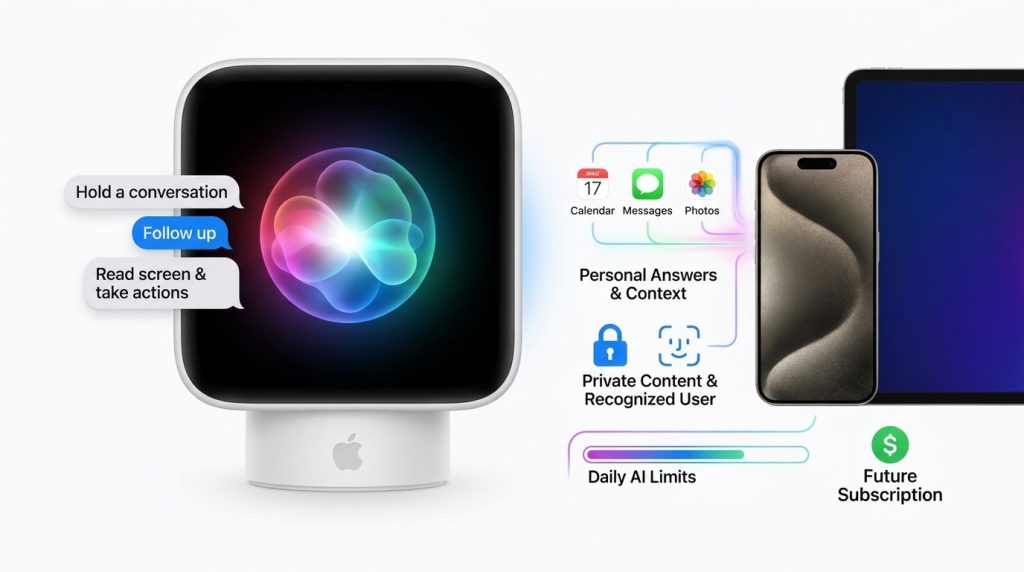
Siri AI is the centerpiece of the product. According to Apple, it can hold a conversation, follow up on earlier questions, and answer questions on a wide range of topics. It can also read what is on the screen and take actions across apps.
Personal answers become more useful when Apple HomeView is paired with an Apple Intelligence-enabled iPhone or iPad. In that setup, Siri AI can draw on your calendar, messages, and other app information. Apple also says personal content stays private: it appears only when a recognized user is present and their paired device was recently unlocked nearby.
Apple notes that some server-based AI features have daily usage limits, and that expanded access will cost money in the future. Plan for that if you rely on voice assistance every day.
Early Reviews: What Testers Found
Early reviews of Apple HomeView are mixed in a useful way. Multiple outlets praised the hardware. Engadget called it a versatile smart display and Siri-powered home hub, and iPhoneAddict’s review roundup noted that PCMag, The Verge, and TechRadar appreciated the square 7-inch screen and aluminum finish.
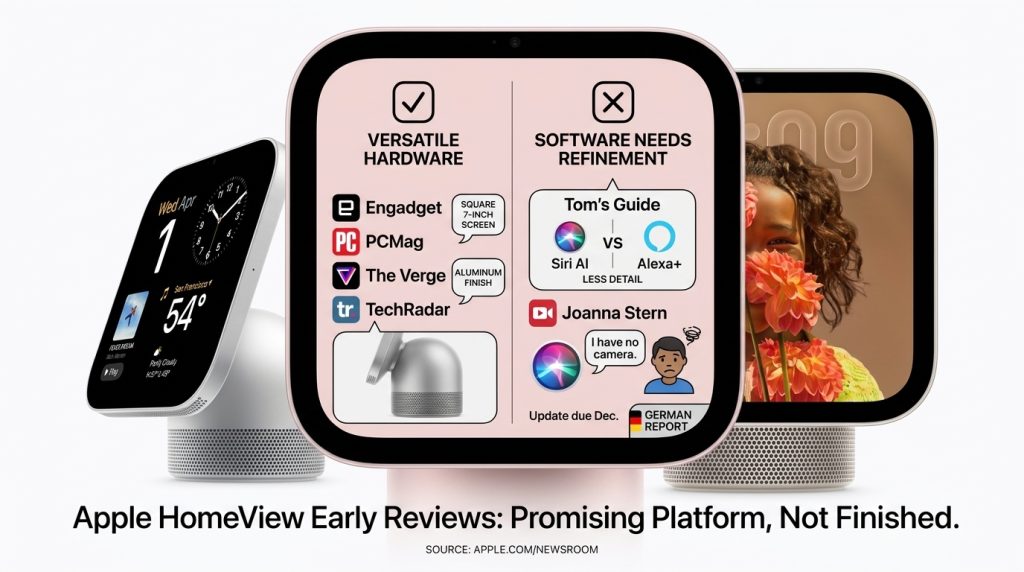
The software is a different story. Tom’s Guide compared Siri AI with Amazon’s Alexa+ and found that Siri gave less detailed answers and could not complete some tasks. In a video review by Joanna Stern, Siri claimed it had no camera even though the device has one, and it refused to open doors or gates through HomeView. Apple told her an update due in December should fix the camera issue, according to a German report on her review.
Taken together, Apple HomeView is a strong piece of hardware with a software experience that still needs refinement. Early adopters should treat it as a promising platform rather than a finished assistant.
Who Should Consider Buying Apple HomeView?
For Remote Workers and Freelancers
A display that shows your calendar and reminders can help you start the day with clear priorities. Apple HomeView also handles FaceTime calls, so it can work as a dedicated video call screen beside your desk. If you already own an iPhone and use Apple’s calendar and messaging apps, the integration is its main advantage.
For Entrepreneurs and Small Business Owners
If you run a home-based business, Apple HomeView can serve as a shared display for calendar events and reminders. It does not replace a work computer, and GadgetReview reports that the device has no App Store, so you cannot install third-party business apps on it.
How to Decide Whether Apple HomeView Fits Your Life
- Check your devices. Setup and multiuser support require a compatible iPhone or iPad running the latest software. Without one, you lose much of the personal Siri AI experience.
- Confirm your country and language. Make sure Siri AI supports your language before you buy.
- Choose your form factor. Pick the tabletop model if you want flexibility, or the wall-mounted version if you have an entryway or hallway. Add the mount cost to your budget.
- Set up face recognition for each household member. Review who can see personal content, and turn off any features you do not want.
- Test it for at least 30 days. Note how often you use it for real tasks such as calendar checks, calls, and reminders. If it sits unused, the value is limited.
Common Mistakes to Avoid
Mistake 1: Expecting full functionality without an iPhone. Personal answers depend on a paired device.
Solution: Confirm you own a compatible iPhone or iPad before buying.
Mistake 2: Assuming smart home control works with every gadget. Compatibility depends on the Home app and each accessory.
Solution: Check your devices in the Home app and list your must-have accessories before purchase.
Mistake 3: Ignoring privacy settings. Face recognition can show personal content to recognized users.
Solution: Review recognition and content settings during setup, and remove profiles you no longer need.
Mistake 4: Treating a beta feature as finished. Siri AI is in beta, and early reviews show gaps.
Solution: Keep a backup for critical reminders, and recheck performance after software updates.
Mistake 5: Buying from outside the supported regions. Availability and Siri AI support differ by country.
Solution: Confirm your location is on Apple’s supported list before buying.
Useful Tips for Beginners
- Start with the basics. Use it for calendar views, reminders, music, and FaceTime before testing advanced voice tasks.
- Ask specific questions. Clear, detailed requests usually produce better results from Siri AI.
- Keep your software updated. Apple has said fixes are coming, so updates matter.
- Use wired connections where possible. Neither model has a battery, so you need continuous power.
- Compare the total cost. Add mount and accessory costs before deciding.
Frequently Asked Questions
Does HomeView need an iPhone to work?
Basic functions can run without one, but personal context features require a paired Apple Intelligence-enabled iPhone or iPad.
Can I buy HomeView in the European Union?
Not currently. Apple says Siri AI is unavailable in iOS in the EU, so the device is not sold there.
Is HomeView worth $299 for a home office?
It depends on your workflow. It can help with calendar, reminders, and video calls, but reviewers found Siri AI uneven, so test it before relying on it.
Will Siri AI support more languages?
Apple says Canadian French support will arrive later through a free update. Check Apple’s support pages for other languages.
Final Thoughts
Apple HomeView brings a polished display, face-based personalization, and a conversational assistant into one home device. Its $299 price, country availability, and Siri AI limits are the key facts to weigh. Early reviews show strong hardware and promising software, with clear gaps still to close.
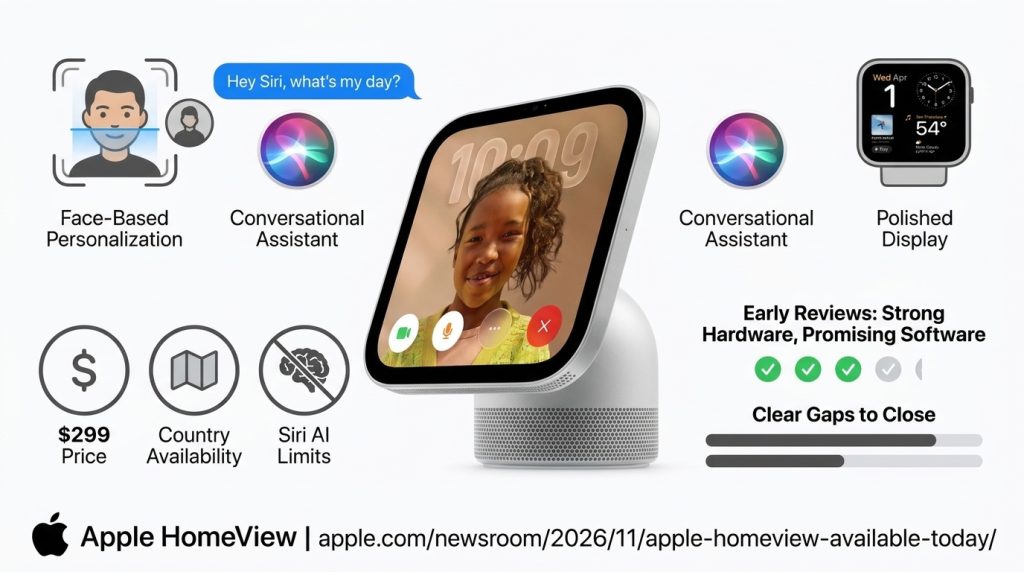
Your practical next step is simple. Confirm that your country and devices are supported, read Apple’s official newsroom announcement, and decide which three daily tasks you want the display to handle. If Apple HomeView can improve those tasks, it may be worth buying. If not, wait for the software updates Apple has promised.
For more practical guides on digital tools and remote work, visit Digital Task Compass. For Apple’s official product details, read the Apple Newsroom announcement.