How to Avoid Fiverr and Upwork Scams: A Step-by-Step Guide for Freelancers
Freelancing on Fiverr and Upwork has opened up real income opportunities for millions of people, but it has also created fertile ground for con artists. If you’ve spent any time browsing freelancer forums, you’ve probably seen at least one horror story about lost payments, stolen work, or fake clients. Learning how to avoid Fiverr and Upwork scams isn’t optional anymore — it’s a basic survival skill for anyone earning money online.
This guide walks through the exact steps to protect yourself, why each step matters, the most common scam patterns to watch for, and a real case study of how one freelancer nearly lost a month’s income to a common trick.
Why Scams Keep Happening on Freelance Platforms
Freelance marketplaces are attractive to scammers for the same reason they’re attractive to freelancers: low barriers to entry, instant global reach, and a constant flow of new, trusting users. New freelancers are especially vulnerable because they’re eager for their first few reviews and often skip basic verification steps just to land a gig. Understanding this dynamic is the first step in protecting yourself — you have to recognize that urgency and inexperience are exactly what bad actors are counting on. Platforms invest heavily in trust and safety teams, but no automated system catches every bad actor before they reach a new user, which is why individual awareness still matters so much.
Common Types of Scams You’ll Run Into
Before the step-by-step process, it helps to recognize the shapes these scams typically take, since Fiverr and Upwork scams tend to repeat the same handful of playbooks:
- The off-platform pivot: A “client” asks to move chat to WhatsApp or email, then requests payment outside escrow.
- The overpayment refund trick: A buyer claims they paid too much and asks for a refund before the original payment has actually cleared.
- The fake job test: A “client” asks for unpaid “sample work” that turns out to be the entire project, then disappears.
- The phishing brief: A buyer sends a “contract” link that actually harvests your login credentials.
- The fake review swap: An account promises a five-star review in exchange for work done outside the protected order system.
Recognizing these patterns in advance makes the step-by-step process below much faster to apply in the moment, and it’s a big part of how experienced freelancers stay ahead of trouble before it costs real money.
Step 1: Verify the Client or Freelancer Profile Before Engaging

Before accepting any offer, check the account’s join date, completion rate, verified payment status, and review history. A brand-new account offering an unusually large budget, or a “5-star” profile with only two vague reviews, is a warning sign worth investigating further.
Why it matters: Scammers frequently create throwaway accounts. A thin profile history means there’s little accountability if something goes wrong, which is precisely why account verification sits at the top of every serious guide to Fiverr and Upwork scams.
Step 2: Never Move Payments Off the Platform
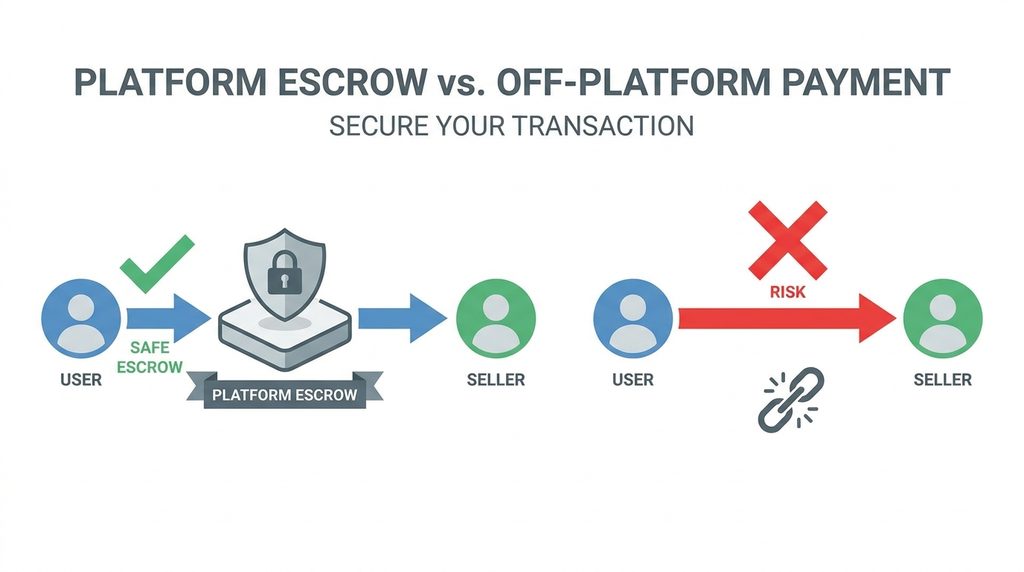
Both Fiverr and Upwork offer built-in escrow or milestone-payment systems. If a client asks you to communicate or pay via WhatsApp, Telegram, personal PayPal, or bank transfer “to save on fees,” treat it as a hard stop, no matter how reasonable the excuse sounds.
Why it matters: Off-platform payments strip away your only protection. Once money or work leaves the marketplace’s ecosystem, neither Fiverr nor Upwork can mediate a dispute. This single tactic — luring freelancers off-platform — is behind a large share of reported scams industry-wide.
Step 3: Use Milestones and Never Deliver Full Work Upfront
For larger projects, break the work into milestones with partial payment released at each stage. Never hand over final, unwatermarked files before payment clears, even to a client who seems friendly and responsive.
Why it matters: Scammers sometimes request a “sample” of finished work, then vanish. Milestone structures mean you’re never exposed for more than one stage of effort at a time, which limits your downside if a client turns out to be dishonest.
Step 4: Be Suspicious of Overpayment and Refund Requests
A classic scam involves a “client” who accidentally sends more than the agreed price, then urgently asks you to refund the difference — often before the original payment has actually cleared or before a chargeback is discovered.
Why it matters: By the time the original payment reverses, because it was made with a stolen card or a fraudulent method, your refund has already gone out of pocket, and you’re left covering the loss. Overpayment tricks are among the most financially damaging Fiverr and Upwork scams because they exploit trust and urgency at the same time.
Step 5: Protect Your Personal and Financial Information
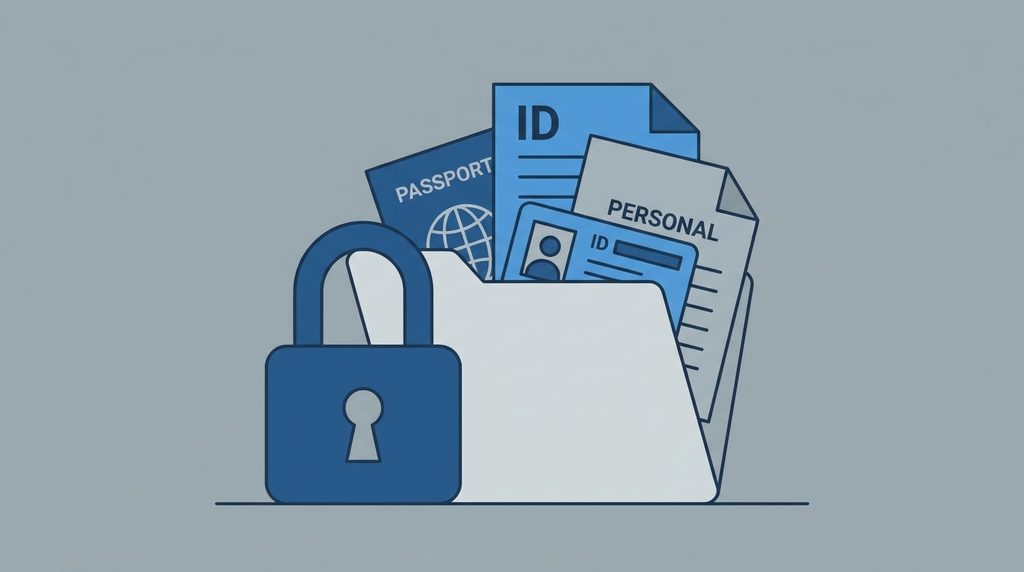
Never share your home address, national ID, banking login, or copies of government documents through chat, even if a “client” claims it’s needed for a contract or tax form. Legitimate payment happens through the platform’s verified systems, not through email attachments.
Why it matters: Identity theft and phishing are quieter but just as damaging as payment fraud. Some of the more sophisticated scams on these platforms aren’t after your invoice at all — they’re after your identity.
Step 6: Read Contracts and Briefs Carefully for Red Flags
Watch for vague project descriptions, unrealistic deadlines paired with unusually high pay, or clients who refuse video or voice calls and avoid answering specific project questions.
Why it matters: Scammers often keep communication deliberately vague so they can later claim you “didn’t deliver what was agreed.” A detailed, documented brief protects you if a dispute ever needs to be resolved by platform support.
Step 7: Report, Document, and Use Platform Dispute Systems
If something feels off, report the account to Fiverr or Upwork support immediately, and keep screenshots of every conversation. Don’t wait until money has already changed hands to start documenting.
Why it matters: Marketplaces track patterns across accounts. Your report might be the piece of evidence that gets a scammer’s account banned before the next freelancer is targeted, and it strengthens your own case if you need a dispute resolved in your favor.
Real-World Example: The “Overpayment” Trap on Fiverr
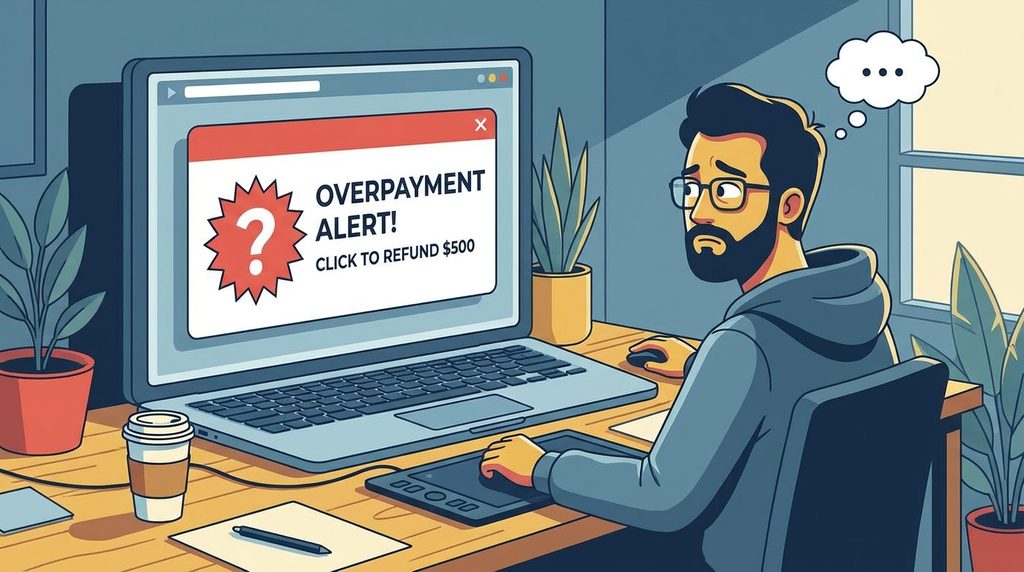
A Sri Lanka–based logo designer accepted a $150 order from a new buyer account on Fiverr. Shortly after ordering, the buyer messaged claiming they had “mistakenly” paid $650 instead of $150 and asked the designer to refund $500 via a personal PayPal link, promising to leave a five-star review immediately after.
The designer nearly agreed, but paused when they noticed the buyer’s Fiverr order still showed the original $150 — there was no evidence of any $650 transaction inside the platform itself, only a screenshot the buyer had sent by chat. When the designer refused to refund anything outside Fiverr’s system and reported the account instead, Fiverr’s support team confirmed the “overpayment” screenshot was fabricated and suspended the buyer. Had the designer sent $500 of their own money, that loss would have been permanent, since it never went through Fiverr’s escrow at all.
This case illustrates exactly why every guide to Fiverr and Upwork scams repeats the same rule: trust what the platform shows in your dashboard, never a screenshot sent in chat.
Quick Red-Flag Checklist
- Client pushes to move the conversation off-platform
- Payment or refund requests that bypass escrow
- Urgency, pressure, or guilt-tripping language
- Brand-new accounts with no verified reviews
- Requests for sensitive personal documents
- Vague briefs paired with unusually high pay

Keeping this list nearby while browsing new offers is one of the simplest habits that separates freelancers who never lose money to Fiverr and Upwork scams from those who eventually do. Print it, pin it above your desk, or save it as a note next to your inbox — the goal is to make the checklist a reflex, not something you dig up after a suspicious message has already arrived.
Frequently Asked Questions
Can Fiverr or Upwork actually get my money back if I get scammed? If the transaction happened entirely inside the platform’s payment system, support teams can often intervene, freeze funds, or reverse a payment. If money moved off-platform, there is usually little either company can do, which is the main reason every practical guide to Fiverr and Upwork scams keeps returning to that one rule.
How common are these scams really? Exact numbers are hard to pin down because many cases go unreported, but freelancer forums, subreddits, and platform trust-and-safety blogs all describe the same handful of recurring patterns. That consistency is itself useful: once you’ve learned to recognize the small set of tricks behind most Fiverr and Upwork scams, unfamiliar-looking offers become much easier to evaluate calmly instead of reactively.
Are new clients always risky? Not always — everyone starts as a new account once. The risk isn’t newness alone, it’s newness combined with urgency, off-platform requests, or refusal to use verified payment tools.
Is it safe to take a phone or video call with a client before starting work? Yes, and it’s often a good sign. Genuine clients are usually willing to hop on a short call, while many scam accounts avoid any real-time verification.
Final Thoughts
Scammers rely on speed, trust, and inexperience. Slowing down, verifying accounts, keeping every transaction inside the platform’s official system, and documenting communication are the core habits that keep freelancers safe. Once these checks become second nature, avoiding Fiverr and Upwork scams stops being a constant worry and becomes just another routine part of running a freelance business.
If you’re building out your freelance toolkit, it’s also worth reading our related guide on choosing the right project management tool for solo freelancers, which covers how to track client work and payments safely from one dashboard.
For official guidance on recognizing and reporting online payment fraud, see the FTC’s guide to avoiding online scams.