

How to Organize Your Work Day as a Freelancer
Freelancing gives you total freedom over your schedule — and that’s exactly the problem. When nobody tells you when to start, what to prioritize, or when to stop, your work day can quietly stretch into a 12-hour blur of client messages, half-finished tasks, and guilt about both.
The fix isn’t working harder. It’s learning how to organize your work day as a freelancer so the important work gets done in fewer, calmer hours. This guide walks you through a system you can set up today, plus a sample schedule you can copy and adjust.
Why Freelancers Struggle With Unstructured Days
Employees inherit structure: fixed hours, meetings, a manager setting priorities. Freelancers inherit nothing. Every day is a blank page, and blank pages invite three predictable traps.
First, reactive mornings — opening email or client chats first thing and letting other people set your agenda. Second, task switching — bouncing between a design project, an invoice and a proposal, losing focus with every jump. Third, no finish line — without a defined end to the day, work leaks into evenings and weekends until burnout shows up.
A well-organized day closes all three traps. Here’s how to build one.
Step 1: Set Working Hours — and Defend Them
Before organizing tasks, decide when you work at all. Pick a start time and an end time, and treat them like a client meeting you can’t skip.
Your hours don’t need to be 9-to-5. Night owls can work 12 pm–8 pm; parents might split mornings and evenings. What matters is consistency. Fixed hours train your brain to focus during work time and switch off after — and they train clients to respect your availability.
Put your hours in your email signature and your Fiverr or Upwork profile. You’ll be surprised how quickly “urgent” messages stop arriving at midnight.
Step 2: Plan Tomorrow the Night Before
The most effective ten minutes of your work day happen the evening before it. At the end of each day, write down what tomorrow looks like: which projects, which deadlines, which calls.
Planning at night beats planning in the morning for one simple reason — you make decisions before decision fatigue kicks in. When you sit down the next day, you skip the “what should I do first?” spiral and start working immediately.
A notebook works fine. So does a free tool like Notion, Todoist or Google Tasks. The tool matters far less than the habit.
Step 3: Use the 3-Task Rule
Every evening, mark the three tasks that would make tomorrow a success. Not ten. Three.
Long to-do lists feel productive but cause paralysis — you spend energy choosing instead of doing. The 3-task rule forces you to identify what actually moves your freelance business forward: usually client deliverables, proposals, or portfolio work.
Everything else (emails, tweaks, admin) still happens, but it happens around the big three, never instead of them.
Step 4: Time Block Your Day Into Zones
Time blocking means giving every type of work a fixed home in your calendar instead of doing whatever shouts loudest. For freelancers, three zones cover almost everything:
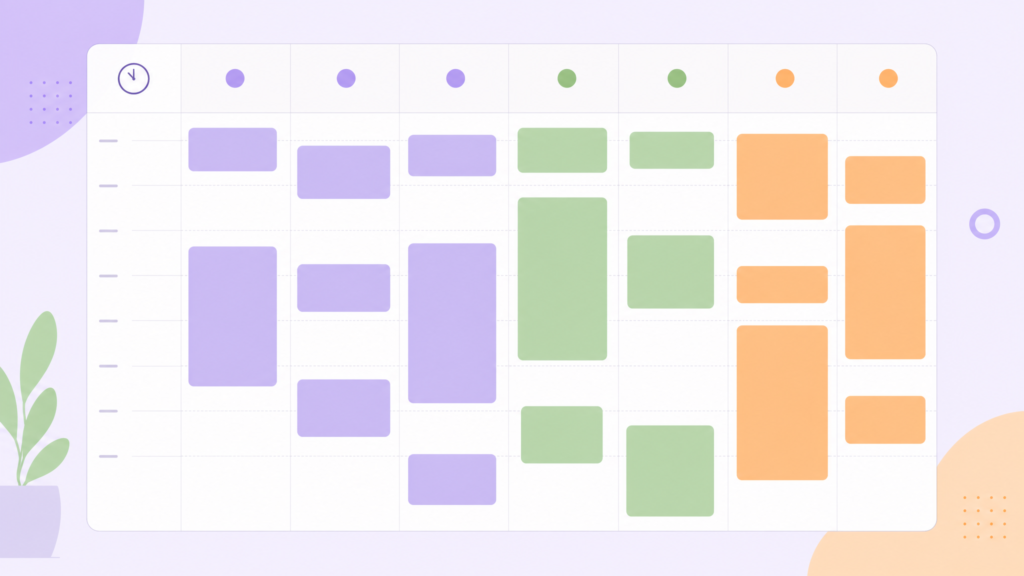
Deep work zone (2–4 hours). Your highest-energy hours, reserved for client projects and your 3 tasks. No email, no notifications, no “quick checks.” For most people, this is the morning.
Communication zone (2 windows, 30 minutes each). Check and answer email and client messages at set times — for example, 12:00 and 16:30 — instead of all day. Batching communication like this can reclaim hours of focus each week.
Admin zone (30–60 minutes). Invoices, proposals, file organization, planning. Schedule it for your low-energy slot, usually mid-afternoon.
Step 5: Work in Focused Sprints With Real Breaks
Inside your deep work zone, don’t try to focus for three hours straight — nobody can. Work in sprints: 25 or 50 minutes of focused work followed by a 5–10 minute break away from the screen.
This is the Pomodoro technique, and it works because it gives your brain a finish line that’s always close. Knowing a break is twelve minutes away makes it much easier to ignore the pull of social media.
Stand up during breaks. Stretch, get water, look out a window — anything except scrolling, which drains the same mental battery you’re trying to recharge.
Step 6: End With a Shutdown Routine
An organized day needs a clear ending. Ten minutes before your finish time, run a short shutdown routine: note where you stopped on each project, write tomorrow’s plan (Step 2), and close every tab.
This tiny ritual does two big things. It stops unfinished tasks from nagging you all evening, and it means tomorrow starts with clarity instead of chaos. Work ends when the routine ends — actually ends.
A Sample Schedule to Organize Your Work Day as a Freelancer
Here’s how to organize your work day as a freelancer in practice — a full day using every step above. Adjust the times to your own hours and energy patterns.

📅 High-Performance Workday Schedule
A structured 7.5-hour day designed for maximum productivity.
| Time | Activity Block |
|---|---|
| 8:30 – 9:00 | Morning setup: review plan, coffee, no email |
| 9:00 – 12:00 | Deep work zone: 3-task work in focused sprints |
| 12:00 – 12:30 | Communication window #1: email + client messages |
| 12:30 – 13:30 | Lunch, fully away from the desk |
| 13:30 – 15:30 | Project work: lighter tasks, revisions, calls |
| 15:30 – 16:15 | Admin zone: invoices, proposals, planning |
| 16:15 – 16:45 | Communication window #2: final replies |
| 16:45 – 17:00 | Shutdown routine: plan tomorrow, close tabs |
Common Mistakes to Avoid
Scheduling every minute. Leave 20–30% of your day unscheduled. Client emergencies and overruns are normal; a too-tight plan collapses by 10 am and takes your motivation with it.
Checking messages “just for a second.” One peek at email mid-sprint costs you the next twenty minutes of focus. Trust your communication windows.
Copying someone else’s schedule exactly. The structure above is a template, not a rule. If your brain switches on at 9 pm, build your deep work zone there.
Skipping the weekly review. Every Friday, spend 15 minutes looking at what worked and what didn’t, then adjust next week’s plan. Systems improve through small weekly tweaks, not dramatic overhauls.
Frequently Asked Questions
How many hours should a freelancer work per day? Most freelancers who organize their work day well do 6–8 scheduled hour do well with 6–8 scheduled hours, containing 4–5 hours of focused work. Output matters more than hours — a structured 7-hour day routinely beats a chaotic 11-hour one.
What’s the best free tool to organize a freelance work day? Google Calendar for time blocking plus a simple task list (Notion, Todoist, or paper) covers everything in this guide. Start free and simple; only add tools when you feel a specific gap.
Should freelancers work the same hours every day? Consistency helps most people, but it’s not mandatory. What is mandatory: deciding your hours in advance rather than improvising daily. A varied-but-planned week still beats an unplanned one.
How do I stop clients from interrupting my deep work time? Set response-time expectations early (“I reply within 24 hours, Mon–Fri”) and keep them. Clients adapt to the rhythm you establish — almost nothing in freelance work is a genuine emergency.
Start Tomorrow With Just Two Steps. That’s all it really takes to organize your work day as a freelancer — a few deliberate decisions, repeated daily.
You don’t need to adopt this entire system tonight. Start with the two highest-impact pieces: write tomorrow’s 3 tasks before you finish today, and block your first two hours tomorrow for deep work — no email allowed.
Once those feel natural, layer in communication windows, the shutdown routine, and a weekly review. Within a few weeks, you’ll have something most freelancers never build: a work day that runs on your decisions instead of everyone else’s.
Looking for tools to support your new routine? Browse our productivity guides for tested systems and our free tools section for browser-based timers and planners — no sign-up needed.